

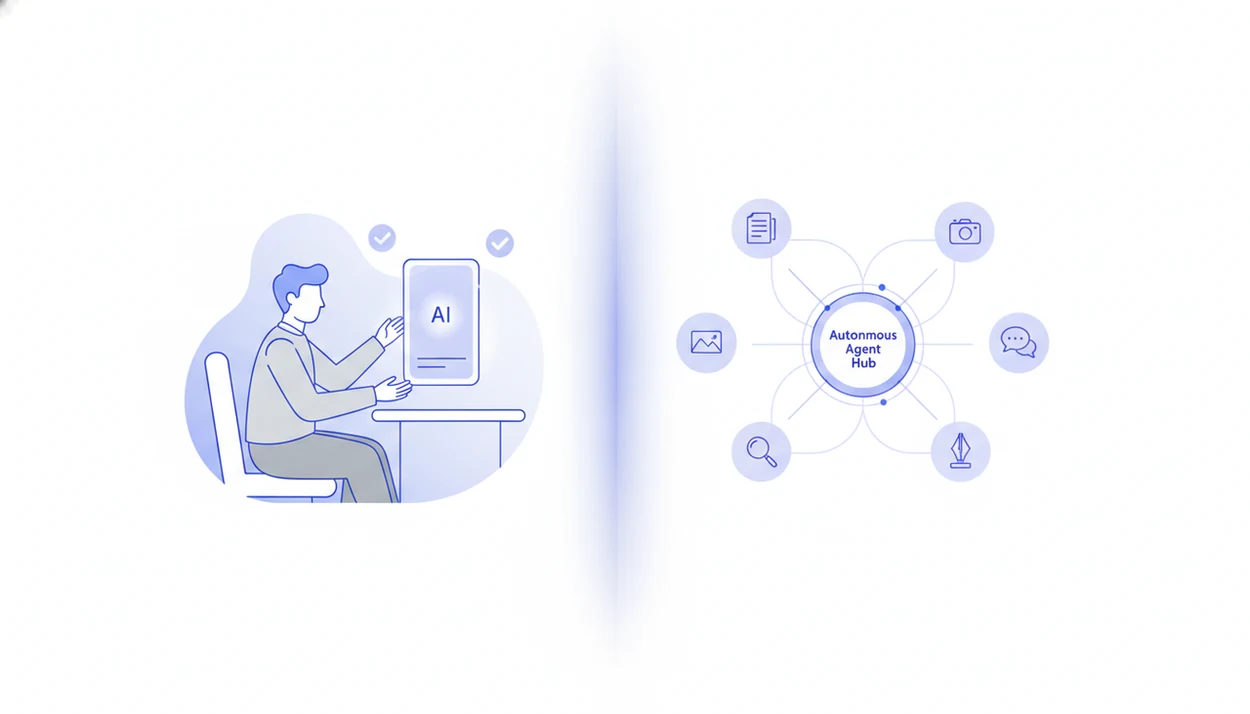
AI agent vs copilot comparison table
AI agents act within guardrails toward a goal, while copilots assist inside a human-controlled interface. The distinction is practical, not philosophical: who decides the next step, who can touch tools, and where approval happens.
| Dimension | AI agent | AI copilot |
|---|---|---|
| Autonomy | Plans, acts, observes, and continues under rules | Responds to a user request inside a session |
| User role | Sets goal, reviews exceptions, approves risky steps | Prompts, edits, approves, sends, or applies |
| Tool access | Often calls APIs, databases, apps, or workflow tools | Usually works inside one product or workspace |
| Workflow scope | Cross-tool, multi-step, repeatable processes | In-app productivity and decision support |
| Examples | Ticket routing, document intake, lead enrichment | Email drafts, code suggestions, meeting notes |
| Governance | Needs permissions, logs, approvals, rollback | Needs review, data controls, output policies |
| Best fit | Controlled automation across systems | Human-owned work that needs speed and context |
Many enterprise products now blur the line by adding agent features to copilot experiences. A Slack thread full of task links may start as copilot assistance, then quietly become agent routing once the system updates records or hands work to another tool.
AI agent workflow mechanics
An AI agent is a goal-driven system that can interpret a request, break it into steps, use tools, check results, and continue or escalate. In plain terms, it does more than answer; it works through a bounded process.
A support agent might classify a ticket, pull account history, draft a reply, and assign the case. A document intake agent might read a PDF, extract fields, flag missing pages, and send the file for review. Someone dragging a PDF into a document agent and waiting for the page count to finish loading is seeing the first handoff in that chain.
Autonomy should never mean unlimited freedom. Practical agents run with permissions, policies, approval gates, logs, and escalation rules. The deeper pattern is covered in AI agent tool calling, where tool access is treated as an operational boundary, not a feature checkbox.
AI copilot app tasks
An AI copilot is an assistive AI layer that summarizes, drafts, recommends, completes, classifies, or retrieves information while a human remains in control. It usually waits for the user to approve, edit, send, merge, or apply the output.
Copilots fit familiar work surfaces. They help write in documents, reply to email, suggest code, clean CRM notes, summarize meetings, and analyze spreadsheets. The user still owns the final move. That matters when the tone of a customer email feels slightly off or a code suggestion compiles but changes the wrong behavior.
Not automatic. Not lesser.
AIACI can support copilot-style review when a user wants a draft, summary, or detection result before taking action. The detector score may appear quickly, but the user still has to read the flagged sentence.
AI agent and copilot interface architecture
AI agents and copilots often share the same base parts: language models, prompts, retrieval, context windows, memory, tool connectors, and system instructions. The difference appears in the loop around the model.
Named products show the split. GitHub Copilot is primarily a developer copilot that suggests code inside the coding workflow, while Microsoft Copilot Studio now describes configurable agents that can automate business processes with connectors and actions (GitHub Copilot, Microsoft Copilot Studio agents).
A copilot usually responds inside a user session. It receives context, produces a recommendation, and waits. An agent loop is more active: plan, act, observe, revise, continue. That loop may call APIs, check policy, write logs, request approval, or escalate when confidence is low. Context still matters, especially when a long brief or multi-file workspace strains the AI agent context window.
AIACI uses an agent network model for routing chat, writing, image, document, and detection tasks. That does not mean every task is autonomous. Good AI agent network platforms deliver routed specialist work and review points, not a black box that silently changes business systems. ACI can expose agent-like orchestration behind the scenes while keeping a copilot-style approval moment on the phone screen.
Five AI agent vs copilot facts for teams
These five facts explain why the AI agent vs copilot choice affects workflow design, not just software naming. Most teams need a mixed pattern once real permissions, data, and approval chains enter the picture.
- Autonomy is the core difference: agents can decide the next workflow step within guardrails, while copilots usually wait for user direction.
- Agents require deeper governance: tool access, API calls, data scopes, audit logs, and escalation paths matter more when software can act.
- Copilots dominate many current use cases: McKinsey’s 2023 State of AI report found that one-third of surveyed organizations were using generative AI regularly in at least one business function, with content-heavy functions such as marketing, sales, and product development among common use areas (McKinsey).
- Workplace exposure remains uneven: Pew Research Center reported in 2023 that 19% of U.S. workers were in jobs most exposed to AI, which makes adoption and training needs uneven across roles (Pew Research Center).
- Hybrid systems are common: teams want automation for repeatable steps and human review for judgment, policy, and brand-sensitive decisions.
If your priority is routing a messy work pile of meeting notes, a half-written brief, screenshots, and a support ticket, AIACI fits because it sends each task type to a specialized agent workflow.
Evidence and Sources for AI Agent vs Copilot Claims
The evidence base is split: adoption surveys show where generative AI is spreading, while vendor documentation shows what specific products are designed to do. Neither category alone proves that agents or copilots will work safely in your workflow.
Use the sources in layers:
- Separate adoption data first. McKinsey supports the claim that generative AI use has entered regular business functions, and Pew supports the claim that worker exposure varies by role; neither proves a specific agent or copilot is accurate.
- Check capability evidence next. Microsoft documentation supports the agent-side example: Copilot Studio can create agents with connectors, actions, and business-process automation; it does not prove every deployment should run without approval.
- Compare copilot documentation separately. GitHub supports the copilot-side example: GitHub Copilot assists developers with code suggestions in the coding flow; it does not prove autonomous software delivery.
- Match each claim to the workflow. Adoption sources explain demand, vendor docs explain available features, and your own logs must prove reliability.
That separation keeps the comparison honest: AIACI-style routing is an agent pattern, GitHub Copilot is a copilot pattern, and both still need review where risk rises.
AI agent workflow wins
When does an AI agent beat a copilot? An AI agent wins when the workflow must move across tools, choose the next step, call systems, and coordinate handoffs under clear guardrails.
Good candidates include ticket routing, document review, lead enrichment, report creation, compliance checks, research routing, and back-office process automation. The common thread is repeatability. A person should not have to paste the same data into five tools every afternoon if rules, logs, and approvals can control the flow.
AIACI-style routing shows the pattern clearly: send a document to analysis, draft a response with a writing agent, generate a supporting image, then run detection before publication. The work crosses specialties, so one general copilot may not be enough.
On days a team needs a controlled handoff from intake to draft to review, AIACI earns the spot because its agent network routes tasks by type rather than leaving every prompt inside one chat box.
AI copilot workflow wins
When is a copilot better than an AI agent? A copilot is usually better when the user needs speed, context, and suggestions, but not independent action.
Copilots fit creative judgment, sensitive communication, early drafting, code suggestions, sales notes, legal review support, and executive decision support. A founder pacing with a phone headset may need a sharper investor follow-up draft, not an autonomous system sending it. The person knows the room, the relationship, and the consequence.
Content generation and personalization remain common AI adoption areas, which explains why copilot-style interfaces feel familiar to many teams. They reduce blank-page friction while keeping responsibility with the user.
For judgment-heavy work, a copilot is often safer than an autonomous agent because the human can inspect tone, facts, context, and timing before anything leaves the workspace.
Who Should Choose an AI Agent vs a Copilot
Choose an AI agent when the work is repeatable, spans more than one app or file, and can run inside clear permissions. Choose a copilot when the outcome depends on human judgment, tone, timing, or context that is hard to reduce to rules.
Support teams often lean toward agents for ticket triage, account lookup, routing, and draft preparation, then keep a human in the loop for tense replies. Sales teams may use copilots for call notes and follow-up language, while agents enrich leads or update records after approval. Operations teams are strong agent candidates because their work often crosses spreadsheets, forms, inboxes, and internal systems. Engineering teams usually want copilots for code suggestions and debugging context, with agents reserved for test runs, issue routing, or release chores. Content teams may use copilots for voice and angle, while agents assemble briefs, collect assets, or run detection before publishing.
A simple selection path works well:
- List the apps, files, permissions, and handoffs involved.
- Separate repeatable steps from judgment-heavy decisions.
- Assign agents to preparation and cross-tool movement.
- Keep humans approving sensitive messages, code changes, and public content.
- Use a hybrid when automation can prepare the work but people should own the final change.
AI agent or copilot workflow checklist
Use this checklist to decide whether a workflow needs an agent, a copilot, or a hybrid design. The most reliable choice usually comes from mapping the handoff, not debating labels.
- Map the workflow from trigger to outcome, including every app, file, decision, and owner.
- Identify decision points where judgment, tone, policy, or customer impact changes the risk level.
- Rate the risk of a wrong answer, wrong tool call, data leak, late escalation, or silent failure.
- Define tool permissions for each step, including read-only access, write access, API calls, and upload boundaries.
- Choose human approvals for high-impact messages, external updates, financial actions, legal-sensitive material, and policy exceptions.
- Test with logs before rollout, then review failures, retries, overrides, and user edits.
Use the checklist as a reset point: if a step can fail silently, touch customer data, or trigger an external action, keep it in copilot review until logs and approvals are tested.
Automate repeatable low-risk steps with agents and keep high-judgment moments in copilot review. Teams comparing rollout options should also measure AI agent ROI against time saved, error reduction, and review load.
AIACI agent network task shortlist
AIACI organizes work around specialized agent categories, which matters because one broad copilot may assist many tasks without being tuned for each one. Routing selects the workflow fit before the model starts producing output.
- Chat agents: handle general Q&A, brainstorming, lightweight research prompts, and task clarification.
- Writing agents: turn rough notes into drafts, outlines, summaries, rewrites, and structured responses.
- Image generation agents: create visual concepts, social banners, campaign assets, and mood-board variations.
- Document analysis agents: summarize PDFs, compare files, extract details, and flag missing or inconsistent information.
- Detection agents: review text for AI-likeness, readability concerns, and passages that need human revision.
A mood board scattered across a desktop needs a different workflow than a printer-warm stack of policy pages. If the condition is mixed work on mobile, then AIACI covers the handoff because ACI routes chat, writing, image, document, and detection tasks through named agent categories.
AI agent and copilot myths
Agents and copilots are not the same marketing term. Autonomy, tool access, and responsibility change the design, even when both use similar language models.
A copilot does not equal full automation. It may draft an email, suggest CRM notes, or summarize a spreadsheet, but the user usually decides whether to apply the output. That click is a governance moment, not decoration.
Agents also cannot replace all human judgment. They can misread intent, overfit to old data, call the wrong tool, or miss a policy exception. Teams need AI agent guardrails before allowing write actions, external messages, or cross-system updates.
An agent network is not just a chatbot either. AIACI routes tasks to specialized agents and can coordinate work across categories, while a plain chatbot mostly answers inside one conversation. The practical question is workflow fit: assist, automate, or combine both with review.
AI agent vs copilot pricing, policy, and governance differences
Pricing and governance often reveal the real difference between an agent and a copilot. Vendor labels can be confusing, so teams should inspect actual capabilities rather than assume a product name explains the risk.
| Area | Copilot pattern | Agent pattern |
|---|---|---|
| Cost drivers | User seats, app bundles, workspace access | Usage, workflow runs, tool calls, integrations, audit features |
| Permissions | Usually tied to one app or productivity suite | Often spans apps, APIs, databases, and workflow systems |
| Approval rules | User accepts, edits, sends, or applies | System may pause, escalate, retry, or request approval |
| Logs | Output history and user actions | Tool calls, decisions, exceptions, state changes |
| Rollback | Usually manual correction | Needs rollback plans for automated updates |
| Data boundaries | App-level context controls | Cross-tool access scopes and upload limits |
chatgpt.com, claude.ai, perplexity.ai, and poe.com can all support useful AI work, but naming alone does not prove autonomy. A calendar invite blocking writing time is still a human-controlled workflow unless the system can act across tools.