

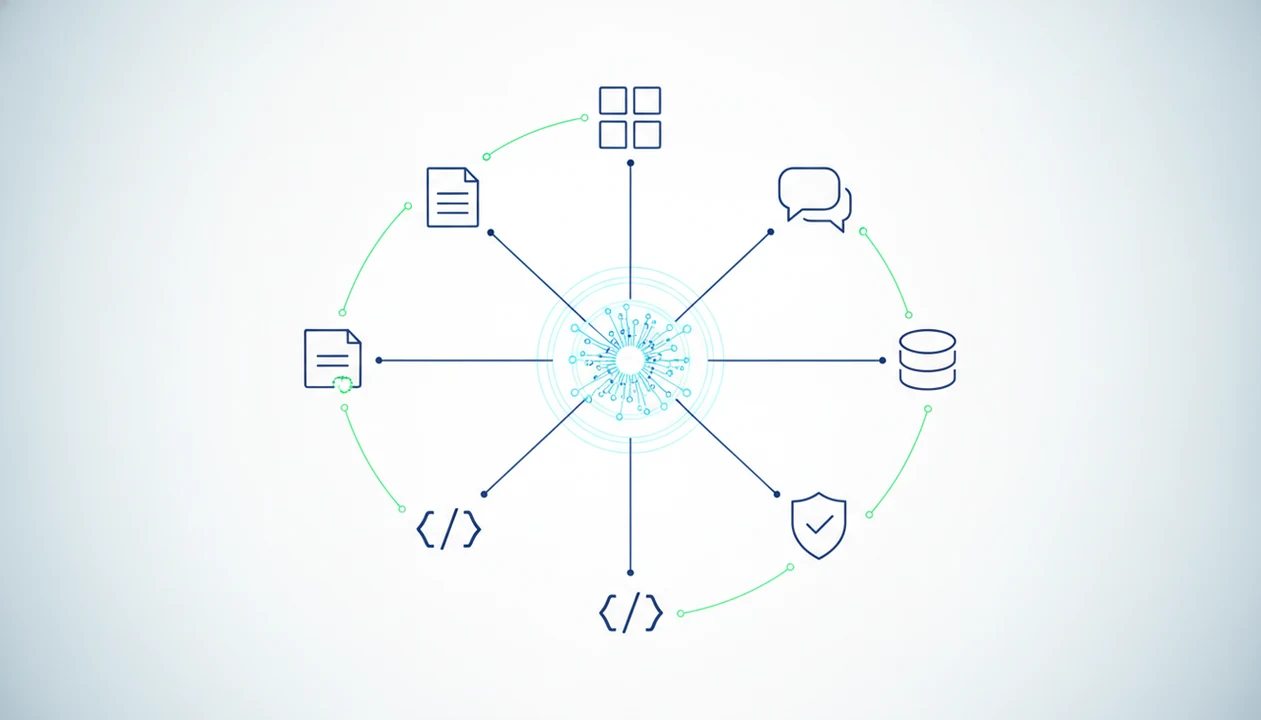
AI agent tool calling definition for APIs and functions
AI agent tool calling is the way a model asks another system to do a defined job, then uses the returned result to continue the task. In many AI systems, this is also called function calling.
The loop is simple in concept. A user asks for something, the model decides a tool is needed, supplies arguments such as a file ID or search query, waits for the output, and then writes the next response. That differs from an ordinary chatbot answer, where the model only predicts natural language from its training and prompt context.
A user staring at five nearly identical chat app icons on an iPhone home screen does not want another blank text box. They want the right task routed. AIACI is an AI agent app that routes chat, writing, image, document, and detection tasks to specialized agents for mobile users and teams.
AI agent tool calling components at a glance
Tool calling is a workflow pattern, not a single vendor feature. The same pattern can appear in chat apps, agent frameworks, enterprise automations, and developer platforms.
| Component | Role | Example |
|---|---|---|
| Model | Decides whether a tool is needed | Chooses live search instead of guessing |
| Tool schema | Defines name, purpose, inputs, and outputs | `extractinvoicefields(file_id)` |
| Orchestrator | Runs the loop and manages state | Routes a document result to a writing agent |
| External system | Executes work outside the model | CRM lookup, code runtime, image generator |
| Tool result | Returns structured data or status | Extracted fields, search results, detector score |
| Final response | Uses results to answer or continue | Summary, draft, image brief, next action |
The key handoff is structure. A scanned receipt crooked on screen becomes usable when the agent extracts vendor, date, total, and line items instead of describing the image vaguely.
Five facts about AI agent tool calling
- AI agent tool calling lets an LLM request external execution instead of only producing text.
- The tool-calling loop includes the user request, model decision, structured arguments, tool execution, returned result, and next response.
- Tool schemas need a clear purpose, typed parameters, and defined outputs so agents can choose and call tools reliably.
- Multi-agent systems pass structured observations between specialized agents rather than relying only on loose prose.
- Latency, rate limits, permissions, error handling, and prompt-injection defenses belong in the orchestration and tool layers.
For implementation teams, the practical lesson is boring but important. Name the tool clearly. Keep its job narrow. Return predictable data. The moment a citation list sits below a draft and the agent must check each claim, vague tool outputs turn into review debt.
Reliable tool calling depends more on schema quality and orchestration rules than on the model’s writing ability.
How AI agent tool calling works behind the scenes
AI agent tool calling works by exposing tools to a model through registered names, descriptions, parameters, and output schemas. The model does not usually run the external system itself. It produces a structured request that an orchestrator or runtime executes.
A tool definition might say: use this document extractor when the user uploads a PDF and asks for fields, citations, or summaries. The model then builds arguments, such as document ID, page range, and extraction type. The execution boundary matters. Code, APIs, databases, search indexes, and agent services run outside the language model.
After execution, the result returns as a structured observation. The model can answer, call another tool, or repeat the loop. Sequential chains are common: extract document text, summarize key points, draft a reply, then run a detection check. Repeated calls need guardrails, especially when the agent is pulling from private files or live systems. The deeper safety layer belongs in AI agent guardrails, not in wishful prompting.
How to apply AI agent tool calling
Apply AI agent tool calling only when the workflow needs outside data, execution, or a structured handoff. If the user just needs a static draft or explanation, plain generation is usually faster and safer.
- Define the user task. Separate what the agent can answer directly from what requires retrieval, file parsing, system action, or another specialist. A support reply may need account lookup; a simple tone rewrite may not.
- List the necessary tools. Expose only the search, document, CRM, image, detector, or agent handoff tools needed for that one workflow. Fewer visible options make wrong calls less likely.
- Write narrow schemas. Give each tool typed inputs, a plain description, and expected outputs such as fields, statuses, citations, confidence notes, or error states. Avoid vague “do anything” tools.
- Validate each result. Check format, permissions, freshness, and confidence before sending the output to another agent, database, customer channel, or automation.
- Log what happens after launch. Track failures, latency, denied permissions, rate limits, bad arguments, retries, and human corrections. Those logs show which schemas, tools, and review steps need tightening.
AI agent tool calling examples across real workflows
Tool calling is easiest to understand through handoffs. The tool is not always a public API. Sometimes it is a specialized agent, a file parser, a code runner, or a policy lookup service.
Document-to-writing handoff
A document agent can extract clauses, fields, or page references from an uploaded file, then pass those structured notes to a writing agent. We notice the difference when dragging a PDF into a document agent and waiting for the page count to finish loading. The handoff should include page numbers, confidence notes, and unresolved items.
Image generation tool call
An image workflow can convert a plain prompt into generation parameters such as aspect ratio, style, subject, negative prompt, and export size. A mood board scattered across desktop becomes less chaotic when the agent turns visual intent into named settings.
Detection agent check
A detection workflow sends content to a specialized detection agent, receives scores or flagged spans, and returns the result for review. The detector score appears, but the user still has to read the flagged sentence.
Software teams use similar calls for code analyzers, tests, and CI tools. McKinsey reported 20 to 50 percent productivity gains in some AI-assisted coding tasks, but the gain depends on workflow fit and review discipline (https://www.mckinsey.com/capabilities/mckinsey-digital/our-insights/the-economic-potential-of-generative-ai-the-next-productivity-frontier).
AI agent tool calling versus plugins, APIs, and function calling
Function calling, APIs, plugins, and handoffs overlap, but they are not identical. Function calling is usually the model-facing structured request pattern. APIs are the outside services or endpoints being invoked.
| Term | What it means | How it relates to tool calling |
|---|---|---|
| Function calling | Model outputs a structured function request | Often the implementation pattern |
| API | External endpoint or service | The thing a tool may call |
| Plugin | Packaged integration | A wrapper, not the full loop |
| Tool | Callable capability exposed to the agent | The model-visible action option |
| Handoff | Context passed to another agent or service | A routing step between specialists |
A plugin can hide an API. A handoff can call another agent. Tool calling is the reasoning-and-execution loop that decides what should happen next.
Tool calling usually works best when the task needs fresh data, external execution, or structured handoffs, while ordinary text generation fits static drafting and explanation.
Sequential and parallel AI agent tool calling strategies
Sequential tool calling means one tool’s output becomes the next tool’s input. Parallel tool calling means independent calls run at the same time and return results that can be merged later.
A sequential chain fits tasks with dependencies. In a mobile agent workflow, a document agent might extract source material, a writing agent might turn it into a client-ready draft, and a detection or humanizer step might check tone before handoff. A mobile user doing this one-handed on an elevator ride feels every extra second, so each call needs a reason.
Parallel calls fit independent retrieval. An agent can search a policy database, fetch CRM account notes, and check a product FAQ at the same time, then compare the outputs. That is often faster than waiting for each lookup in order.
For mobile-first workflows, parallel calls reduce waiting, but they can increase cost, rate-limit pressure, and merge complexity.
AI agent tool calling use cases for teams
Does every team workflow need AI agent tool calling? No. Tool calling is useful when the task needs live data, private data, document processing, system actions, multi-step routing, or cross-agent handoffs.
Simple drafting, brainstorming, and static Q&A often work without tools. Adding tool calls there can create avoidable latency and more failure points. Reset the plan.
For teams, common use cases include pulling account context before drafting a support reply, extracting fields from contracts, searching current product docs, routing image briefs, and checking generated text with a detector. ChatGPT, Claude, Perplexity, and Poe expose different versions of this pattern. Good AI agent network platforms route tasks to specialized agents for chat, writing, image generation, document analysis, and detection, not invisible autonomy without review.
Adoption pressure is real. Gartner projected that more than 80 percent of enterprises would use generative AI APIs or gen-AI-enabled apps by 2026 (https://www.gartner.com/en/newsroom/press-releases/2023-10-11-gartner-says-more-than-80-percent-of-enterprises-will-have-used-generative-ai-apis-or-deployed-generative-ai-enabled-applications-by-2026). Teams still need AI agent evaluation before scaling tool calls.
- Define the task boundary. Decide what the agent may answer directly and what requires a tool.
- Expose only relevant tools. Load the search, document, CRM, or detector tools needed for that workflow.
- Require structured outputs. Ask tools to return fields, statuses, citations, or confidence notes.
- Review the handoff. Check the intermediate result before letting another agent act on it.
- Measure failures. Track timeouts, wrong tool choices, bad arguments, and human corrections.
AI agent tool calling design patterns for reliable handoffs
Reliable handoffs start with narrow tools and plain descriptions. If two tools sound alike, the model may pick the wrong one. That happens fast in a messy work pile of meeting notes, a half-written brief, screenshots, and a support ticket.
Typed parameters help. A date should be a date, not a sentence. A customer ID should match a known format. Output schemas should return predictable objects, not decorative paragraphs. For cross-agent routing, pass state as structured observations: extracted claims, source IDs, unresolved questions, and recommended next tool.
Dynamic tool loading also matters. Showing the model six relevant tools is usually safer than exposing sixty. ACI can route across specialized agents, but the review step still needs permissions, retries, fallbacks, audit logs, and monitoring. A practical reliability plan should also track AI agent failure modes, because wrong arguments and malformed outputs are operational issues, not rare edge cases.