

What App Identifies Key Points in Documents Fast?
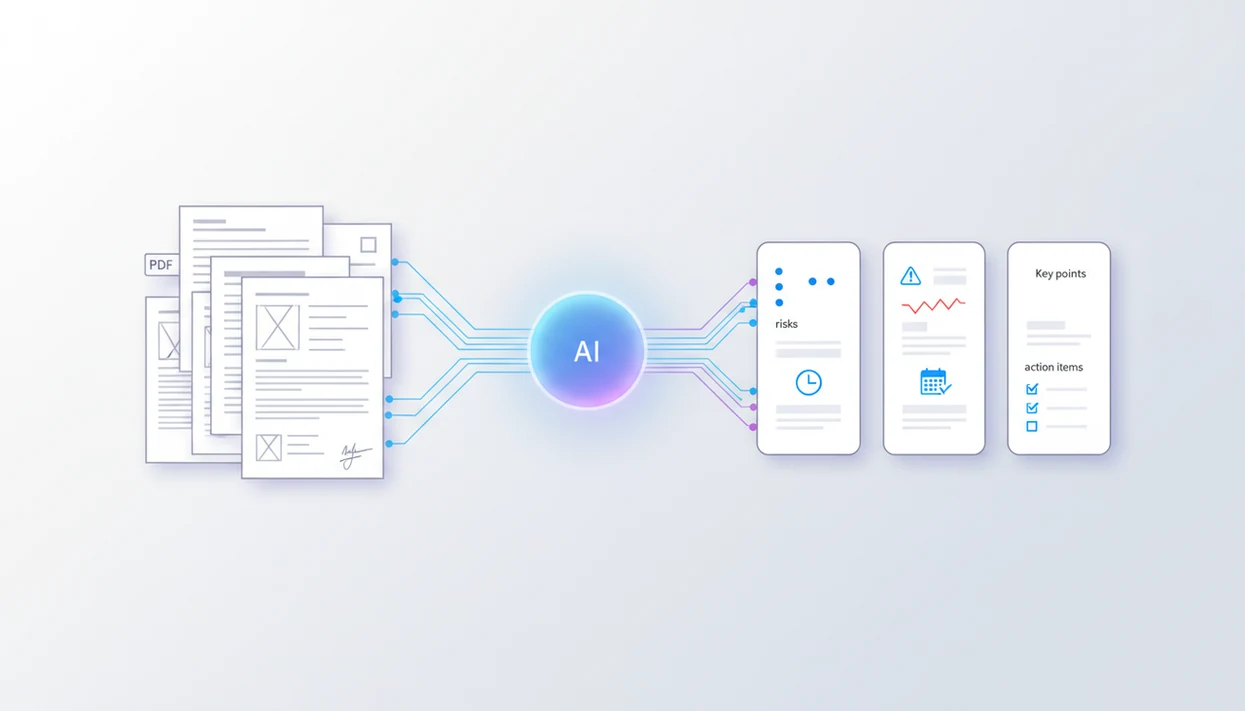
If you are asking what app identifies key points in documents, you are usually looking for a tool that can upload a file, find the main ideas, extract action items, flag risks, and turn the findings into something usable. The strongest fit is a document insights app with AI agents, not a plain summarizer that only shortens text.
Definition: An AI key point extractor is a document intelligence tool that uses AI to find the main ideas, entities, decisions, risks, and action items inside files such as PDFs, reports, contracts, policies, and meeting notes.
TL;DR
- Use a document insights app when you need key points, action items, risks, and next steps from long files.
- Use agent routing when the extracted findings need to become an email, report draft, ticket, or handoff note instead of a static summary.
- AI document summary agents save review time, but legal, medical, financial, and compliance documents still need human review.
AI Key Point Extractor Definition for Document Work
An AI key point extractor is built for structured document review, not just shortening a file. Most users want to upload a PDF, report, contract, or policy and get back main ideas, action items, decisions, entities, dates, risks, and open questions.
That difference matters. A basic summary may tell you what the document is about. A useful extraction gives you findings you can act on, such as “renewal deadline,” “owner not assigned,” or “pricing exception on page 7.”
The messy work pile is familiar: meeting notes, a half-written brief, screenshots, and a support ticket. A good document tool helps sort that pile into next steps.
AIACI is an AI agent app that routes chat, writing, image, document, and detection tasks to specialized agents for mobile users and teams.
Why Document Insights Apps Save Review Time
Document insights apps save time because they reduce search, rereading, and manual consolidation across files. They are most useful when contracts, reports, proposals, policies, and research packets all need review before someone can write or decide.
- Professionals spend roughly 20–30% of working time searching for and consolidating information, according to a Deloitte analysis source.
- McKinsey found that knowledge workers spend about 19% of their time searching and gathering information source.
- The same McKinsey research estimated advanced search and knowledge tools could cut search time by up to 35% source.
- Document-heavy teams lose time when the answer sits in an appendix, table, or previous version.
- For proposal and policy review, extracted key points are often easier to verify than a paragraph-only summary.
Lunch crumbs near the ticket queue. Someone still has to find the deadline.
How an AI Document Summary Agent Works
An AI document summary agent works by ingesting a file, reading its text, splitting it into workable sections, and ranking the important information. If the file is scanned, optical character recognition, or OCR, first converts the image into text.
The next layer uses natural language processing and machine learning. In plain terms, the system looks for meaning, not just repeated words. It can detect topics, named entities, dates, obligations, decisions, relationships, and repeated themes. It may also map which clause, section, or paragraph supports a finding.
Agentic systems can divide the work. A document analysis agent may extract key points, a summarization agent may create an executive summary, and a writing agent may turn findings into a client email or briefing memo. Tools like AIACI, Poe, Claude, ChatGPT, and Perplexity can fit different parts of that workflow.
Output quality still depends on source quality, layout complexity, model context, and instructions. Dragging a PDF into a document agent and waiting for the page count to finish loading is only the start.
Before You Use an AI Key Point Extractor
Before you use an AI key point extractor, prepare the file and the review goal. The cleaner the input and the clearer the instruction, the easier it is to verify the output later.
- Confirm that you have permission to upload the document, especially if it contains client, employee, legal, medical, financial, or internal business information. If the file should stay inside a controlled system, do not move it into a general-purpose app.
- Choose the most readable version available. A text-based PDF, exported report, or clean document usually works better than a low-resolution scan, photo, or file with heavy markings.
- Decide what you need before prompting the app. Ask for a risk table, action-item list, executive summary, open questions, or page-referenced findings instead of a vague “summarize this.”
- Remove sensitive details that are not needed for the task. Names, account numbers, addresses, and private notes should stay out when the review can work without them.
- Keep the original file open while reviewing results. Page references, clause labels, numbers, and quoted claims should be checked before the output becomes a memo, ticket, or client message.
How to Use an App That Identifies Key Points in Documents
Use a document key point app by giving it a clear file, a specific output type, and a review step before you rely on the result. For many teams, a structured extraction is more useful than a short summary because it can become a task, note, or draft.
- Upload or select the document, such as a PDF, report, contract, policy, meeting note, or research packet.
- Choose the output type, such as an executive summary, action-item list, risk table, CRM note, project ticket, or briefing memo.
- Ask for key points, including decisions, deadlines, owners, risks, objections, unresolved questions, and page references.
- Review the extraction against the source document, especially names, dates, numbers, and quoted claims.
- Send the findings to another agent or app for a client email, report draft, handoff note, or next-step message.
- Save or export the final result with enough context for someone else to check it later.
For phone-first workflows, the guide to how to analyze PDFs on iPhone covers the mobile review pattern in more detail.
AIACI Document Insights App Workflow
What separates an agent-network workflow from a basic document summarizer? The document output can become the starting point for another task instead of ending as a static paragraph.
A typical route starts with document analysis. The extracted findings can then move to specialized agents for drafting emails, writing reports, creating structured outputs, checking claims, or preparing a next-step message. That matters when a support policy turns into a customer reply, or a proposal review becomes a sales handoff note sent after a demo.
Good AI agent network platforms route tasks to specialized agents for chat, writing, image generation, document analysis, and detection, not a black-box shortcut that removes review.
Mobile-first use is part of the workflow fit. Picture a one-handed prompt on an elevator ride, with the commuter backpack pressed to ribs. The file still needs review, but routing should not require a desktop setup.
Best Document Types for an AI Key Point Extractor
An AI key point extractor works best on text-rich documents with clear sections, headings, and readable formatting. It is less reliable when the file is mostly images, handwriting, merged tables, or scanned pages with poor OCR.
| Document type | Useful extracted output |
|---|---|
| Contracts | Risks, obligations, renewal dates, exceptions, missing clauses |
| Business reports | Metrics, trends, decisions, blockers, executive summary |
| Policies | Requirements, prohibited actions, approval steps, owner roles |
| Meeting notes | Decisions, action items, owners, deadlines, open questions |
| Research PDFs | Claims, methods, findings, limitations, citations to verify |
| Proposals | Scope, pricing terms, objections, next steps, assumptions |
| Support or CRM records | Customer issue, status, escalation reason, follow-up note |
Scanned PDFs, image-heavy layouts, handwritten notes, and messy tables need extra checking. If the main use case is PDF review, the best app for AI PDF analysis comparison explains what to look for before uploading client or internal files.
Common AI Document Summary Agent Mistakes
The biggest mistake is treating AI extraction as expert review. Legal, medical, financial, HR, and compliance decisions still need qualified human judgment, especially when a missed exception changes the outcome.
Some models miss domain jargon, implied obligations, subtle exceptions, sarcasm, or context outside the uploaded file. A contract may mention a deadline indirectly. A policy may depend on a separate handbook. A meeting note may say “approved,” but the actual approval may be conditional.
Layout is another weak point. OCR can misread scanned PDFs, handwritten notes, footnotes, appendices, tables, and multi-column documents. One bad character can turn “2026” into “2028.” Small error. Big consequence.
Ask for citations, page references, or quoted evidence when reviewing important files. The moment a detector score appears, the user still has to read the flagged sentence. The same rule applies to extracted document claims.
Document Key Point Verification Checklist
Use a verification checklist before turning AI-generated key points into a memo, ticket, email, or decision. The goal is not to admire the summary; it is to confirm whether the extracted findings support the next step.
- Source check: Open the original file and confirm the extraction came from the correct document version.
- Page-reference check: Compare key claims against page numbers, quoted evidence, headings, or clause labels.
- Name-and-date check: Confirm people, companies, deadlines, amounts, renewal dates, and owner assignments.
- Omission check: Review appendices, tables, footnotes, exhibits, and sections the agent may have skipped.
- Use-case check: Test whether the output fits the intended handoff, such as a client email, project ticket, CRM note, or briefing memo.
For high-risk work, a human expert should approve the final interpretation. If the next step is drafting, an AI writing agent can help format the output, but it should not replace source review.
Limitations
AI document extraction is useful, but it has hard limits. Treat every output as a draft finding until it has been checked against the source.
- AI key point extractors can hallucinate, omit context, misread nuance, and overstate certainty.
- OCR errors can distort scanned files, handwriting, faded text, stamps, signatures, and low-resolution images.
- Poor formatting, complex tables, footnotes, appendices, and multi-column layouts can reduce accuracy.
- Legal, medical, financial, compliance, and HR decisions require human oversight from qualified reviewers.
- Sensitive files raise privacy, retention, access-control, and permission questions before upload.
- Outputs depend on document quality, instructions, model capability, available context, and the review process.
- A short summary may hide disagreements, caveats, or minority views inside the source material.
For broader document workflows, an AI document analysis agent is more useful when it includes verification and routing, not just compression.
FAQ
What app summarizes documents?
AI document summary agents can summarize PDFs, reports, notes, contracts, and policies into key points. The stronger fit is an app that can pass the summary into writing, chat, or task-routing workflows.
Can AI find action items?
Yes, AI can extract tasks, owners, deadlines, decisions, and follow-up items from many documents. The output should still be checked against the source file.
Do document summarizers read PDFs?
Many document summarizers read PDFs, but scanned files depend on OCR quality. Image-heavy PDFs and messy tables need closer review.
Is AI document extraction accurate?
Accuracy varies by document quality, model capability, prompt detail, and human review. Important claims should be checked against page references or quoted evidence.
Can AI compare two documents?
Yes, AI can compare two documents for changed wording, missing clauses, conflicting terms, and updated requirements. High-risk comparisons still need human review.
What is a key point extractor?
A key point extractor is an AI tool that finds the main ideas, entities, decisions, risks, and action items in a document. It turns long text into structured findings.
Are document AI apps safe?
Safety depends on privacy policies, access controls, retention settings, and what files you upload. Sensitive legal, medical, financial, HR, or client documents should be reviewed under your organization’s rules before use.