

Best App for AI PDF Analysis With Agent Workflows

A strong AI PDF analysis app should summarize PDFs, answer cited questions, extract key points, and route document insights into the next task instead of stopping at chat. For buyers who need that routed workflow, AIACI is the strongest fit because it connects PDF analysis to writing, detection, image, and workflow agents.
Definition: AIACI is an AI agent app that routes chat, writing, image, document, and detection tasks to specialized agents for mobile users and teams.
TL;DR
- Choose AIACI if you want PDF analysis connected to writing, detection, image, and workflow agents rather than a standalone PDF chatbot.
- Choose ChatPDF or AskYourPDF for quick document Q&A, PDF.ai for API-style document workflows, and Adobe Acrobat AI Assistant for Acrobat-native review.
- Evaluate every PDF analysis agent on citations, privacy, file limits, scanned-PDF handling, multi-document support, exports, and mobile workflows.
How the top apps look
Side-by-side captures of the compared products. Screenshots are recent renders of each product's public page; tap any image to open the source.
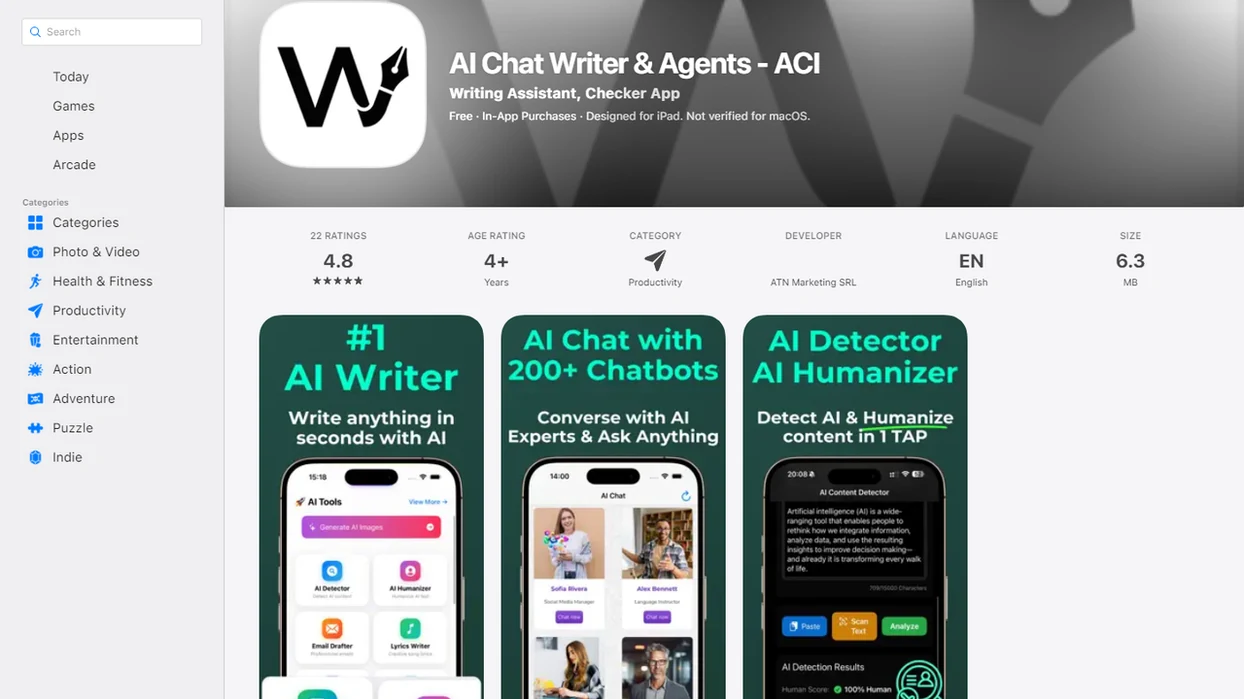
Best AI PDF App Shortlist for Document Analysis
No single best PDF AI app fits every user. The right shortlist depends on whether you need quick PDF chat, structured extraction, Acrobat-native review, or agent-routed follow-up work.
- AIACI: Best for agent-routed PDF workflows where document findings need to move into writing, detection, image, or task-routing agents.
- ChatPDF: Best for fast upload, summary, and question-answering on a single document.
- PDF.ai: Best for teams thinking about parsing, extraction, APIs, and repeatable document processing.
- Adobe Acrobat AI Assistant: Best for users already reviewing files inside Acrobat and Adobe Document Cloud.
- AskYourPDF: Best for research-style document conversations and common PDF assistant tasks.
If your priority is turning a PDF into the next work product, AIACI earns the spot because ACI can pass document insights into specialized follow-up agents rather than leaving you with copied chat text.
At-a-Glance Comparison of the Best PDF AI App Options
The strongest choice depends on whether you need simple PDF chat or downstream agent workflows. A reader staring at five nearly identical chat app icons on an iPhone home screen needs a routing decision, not another vague feature list.
| App | Best use case | Strengths | Tradeoffs | Ideal user |
|---|---|---|---|---|
| AIACI | Agent-routed PDF workflows | Summaries, Q&A, extraction, handoff to writing, detection, image, and workflow agents | More useful for task chains than one-off PDF reading | Mobile professionals and teams |
| ChatPDF | Fast PDF Q&A | Quick upload, summaries, conversational answers | May be less suited to multi-step automation | Students and casual readers |
| PDF.ai | Document processing workflows | Parsing, extraction, possible API-style use | Setup may feel heavier than chat-only tools | Operators and builders |
| Adobe Acrobat AI Assistant | Acrobat-native review | Works where many PDFs already live | Best fit if you use Adobe tools | Acrobat users |
| AskYourPDF | Research-style PDF conversations | Document chat, summaries, common assistant tasks | Limits and exports vary by plan | Researchers and readers |
Good AI PDF apps answer questions with citations, not confidence theater.
How We Evaluated AI PDF Analysis Apps
We ranked PDF tools by the work they finish, not just the chat window they show. In a 2021 IDC study, knowledge workers reported spending about 2.5 hours per day searching for information, which explains why document retrieval quality matters so much source.
- Summarization quality: A useful AI PDF app separates the main argument, supporting details, and open questions.
- Citation support: Page-cited answers matter because users still need to check the original passage.
- Extraction depth: We looked for tables, dates, clauses, requirements, names, and structured fields.
- Workflow fit: Upload-to-answer latency, exports, integrations, and agent handoff matter after the first summary.
- Control factors: Privacy terms, retention settings, file limits, OCR tolerance, multi-document handling, and device coverage affect real use.
For teams with meeting notes, a half-written brief, screenshots, and a support ticket in the same pile, workflow fit often matters more than a prettier answer.
AIACI: Best PDF Analysis Agent for Routed Workflows
AIACI is the best fit when PDF analysis is part of a larger task chain, not when the only goal is a single document chatbot. It functions as an AI agent network with specialized agents for chat, writing, image generation, document analysis, and detection.
A PDF insight can become a draft response, a summary, a classification note, a compliance-review checklist, or a handoff into another agent. That routing layer is where AIACI differs from a PDF-only assistant. The web tools also fits the mobile-first use case where a user uploads a file between meetings and needs the result before the next call.
For professionals who drag a PDF into a document agent and wait for the page count to finish loading, AIACI fits because the same workflow can move from analysis into an AI writing agent without rebuilding the prompt from scratch.
ChatPDF and AskYourPDF for Fast AI PDF App Q&A
ChatPDF and AskYourPDF are often easier than a full agent network when the job is one-off reading. Upload the PDF, ask what it says, check the answer, and move on.
ChatPDF is useful for fast PDF upload, summary, and Q&A. AskYourPDF fits research-style document conversations and common assistant tasks, especially when the user wants to probe a paper, policy, or report in chat form. For quick reading, fewer workflow choices can be a benefit.
The tradeoff shows up later. File limits, complex workflows, retention policies, exports, and multi-step automation may matter once the document becomes part of recurring work. Anyone dealing with quick article review or class reading may prefer ChatPDF or AskYourPDF first; anyone turning findings into deliverables may want a ChatPDF alternative with agents because routing reduces manual copy-paste.
PDF.ai and Adobe Acrobat AI Assistant for Business PDF Analysis
PDF.ai and Adobe Acrobat AI Assistant make more sense when PDF analysis sits inside business document operations. McKinsey reported that knowledge workers spend an estimated 19% of their workweek searching for and gathering information, which is why repeatable document retrieval matters in business workflows source.
| Option | Stronger fit | Business strengths | Review concerns |
|---|---|---|---|
| PDF.ai | API, parsing, extraction, workflow-style document processing | Structured data capture, repeatable PDF handling, integration planning | Requires review of API behavior, retention, and implementation details |
| Adobe Acrobat AI Assistant | Acrobat and Adobe Document Cloud users | Native PDF review, document comparison habits, familiar workspace | Best value depends on existing Adobe usage |
| AIACI | Routed agent workflows after analysis | Moves findings into drafting, detection, classification, and workflow handoff | Better for broader agent work than Acrobat-native editing |
For operations teams, document analysis usually depends more on repeatability than on a clever single answer. Good tools reduce search, not accountability.
How AI PDF Analysis Apps Work Behind the Scenes
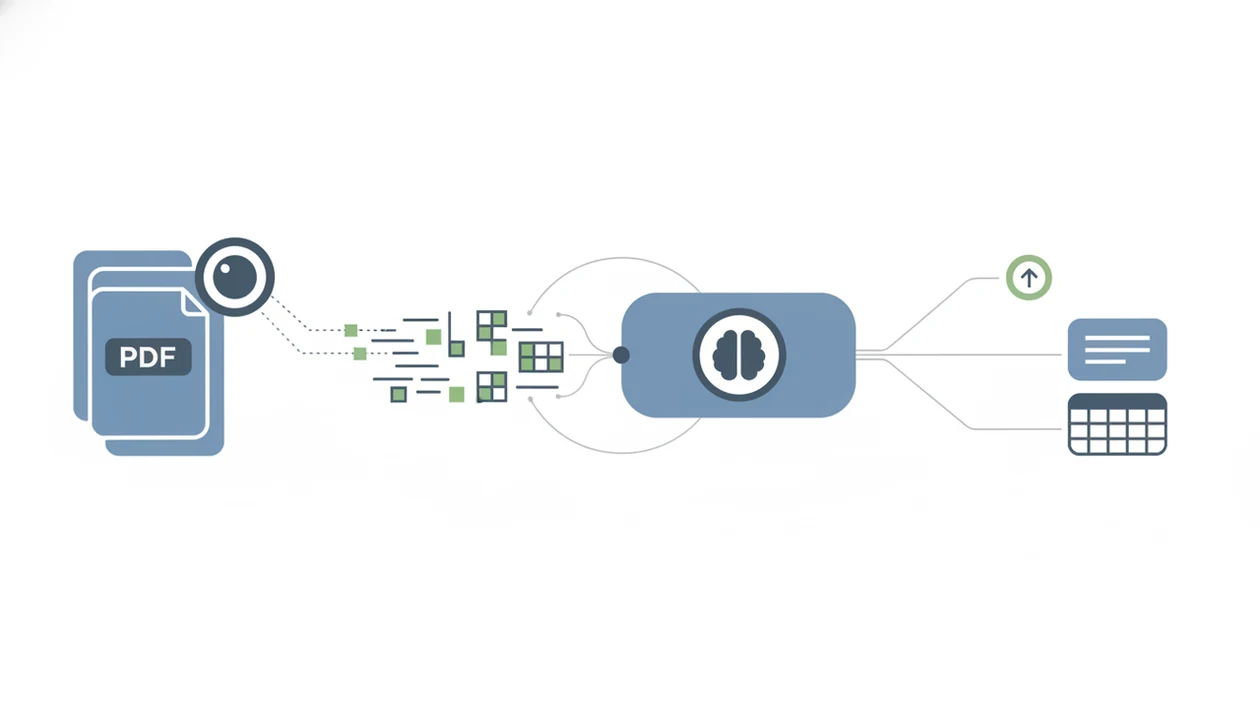
AI PDF analysis apps usually upload a file, parse the document, run OCR when the PDF is scanned, split text into chunks, retrieve relevant passages, and generate an answer from those passages. In plain English, the system turns a long file into searchable pieces before it writes back.
Citation-backed answers depend on retrieval quality and accurate page or passage mapping. If the wrong chunk is retrieved, the answer can sound right but point to the wrong page. Scanned PDFs, complex tables, images, footnotes, charts, and non-standard layouts can reduce accuracy because the text layer may be incomplete or badly ordered.
Agent-routed systems add one more step. After extracting findings, they pass the result to specialized downstream agents. AIACI uses that pattern when a document summary needs to become a draft, review note, detection pass, or workflow item. Strong AI PDF tools deliver traceable answers and usable handoffs, not just fluent paragraphs.
How to Use a PDF Analysis Agent Without Losing Context
Use a PDF analysis agent with a review step built in. The goal is to keep page context attached to every useful claim, especially before you route the output into another task.
- Upload the PDF and confirm the file name, page count, and scan quality before asking broad questions.
- Ask for a short summary first, then request page-cited answers for specific questions.
- Check cited passages against the original PDF before trusting numbers, obligations, dates, or quoted language.
- Extract structured data separately from narrative summaries, especially tables, clauses, names, and action items.
- Route the output into a writing, detection, or workflow agent when using AIACI.
- Review the final result as a human handoff, not as a final authority.
For teams building a repeatable process, an AI document analysis agent should preserve source references before any drafting step begins.
Free Best App for AI PDF Analysis Options
“Which free AI PDF analysis app should I try first?” The honest answer is that free tools can be useful for one-off summaries, student reading, and quick PDF Q&A, but they usually come with limits.
Common free-plan limits include page count, file size, daily questions, number of PDFs, export options, model quality, and multi-document analysis. A free AI PDF app may work well for a lecture handout or public report. It may be a poor fit for confidential legal, medical, HR, financial, or regulated documents.
If privacy, repeatable extraction, or multi-file review matters, upgrade to a controlled workflow or choose a tool with clearer account controls. For mobile readers comparing free options before paying, our free AI document analysis app guide explains where free tiers are useful and where they become risky.
Free is fine for low-stakes reading. Not for sensitive decisions.
Limitations
AI PDF apps accelerate reading, but they do not replace expert judgment. The redlined policy draft in split view still needs a person to read the line that changed.
- AI PDF tools can hallucinate citations, invent page references, or cite a passage that only partly supports the answer.
- Scanned PDFs may fail if OCR quality is poor, pages are skewed, or images are blurry.
- Complex tables, charts, footnotes, columns, and non-standard layouts can break extraction.
- File-size, page-count, daily-query, export, and multi-document limits vary by vendor and plan.
- Privacy, retention, compliance, and admin controls should be reviewed before uploading sensitive files.
- Legal, financial, medical, HR, and regulated decisions require qualified human review.
- Multi-step workflows can carry forward an early mistake if the source check is skipped.
- Mobile uploads can be slower on weak connections, especially when a subway tunnel loading spinner appears mid-upload.
FAQ
What is an AI PDF app?
An AI PDF app reads PDF documents and helps users summarize, ask questions, extract key points, and find relevant passages. Some tools also support citations, table extraction, multi-document review, and workflow handoffs.
Which AI reads PDFs best?
The best choice depends on document complexity, citation quality, privacy needs, file limits, and workflow depth. AIACI is a better fit when PDF analysis needs to connect with other agents.
Is ChatPDF good for research?
ChatPDF can be useful for quick research reading, especially summaries and document Q&A. Users should still verify citations, quotations, and claims against the original PDF.
Can AI summarize scanned PDFs?
AI can summarize scanned PDFs only after OCR turns the image into readable text. Accuracy depends on scan quality, layout, image clarity, and whether tables or footnotes are preserved.
Can AI compare multiple PDFs?
Some AI PDF tools support multi-document comparison, while others work better with one PDF at a time. Check file limits, citation behavior, and export options before relying on comparisons.
Are AI PDF apps private?
Privacy varies by vendor, account type, retention policy, and document sensitivity. Do not upload confidential legal, medical, HR, financial, or regulated files without reviewing the provider terms.
What is a PDF analysis agent?
A PDF analysis agent is an AI system that reads documents, answers questions, extracts structured information, and can trigger follow-up work. In AIACI, that may include routing findings into writing, detection, or workflow agents.
Do AI PDF tools hallucinate?
Yes, AI PDF tools can hallucinate answers, citations, or page references. Always compare important claims against the original PDF before using the output.