


> Definition: An AI document analysis agent is a specialized AI agent that autonomously reads, understands, extracts data from, and answers natural-language questions about PDFs, Word documents, scanned images, and reports on behalf of the user.
- Upload PDFs, Word files, or scans and ask questions in plain language, the AI document analysis agent finds answers, extracts fields, and summarizes content.
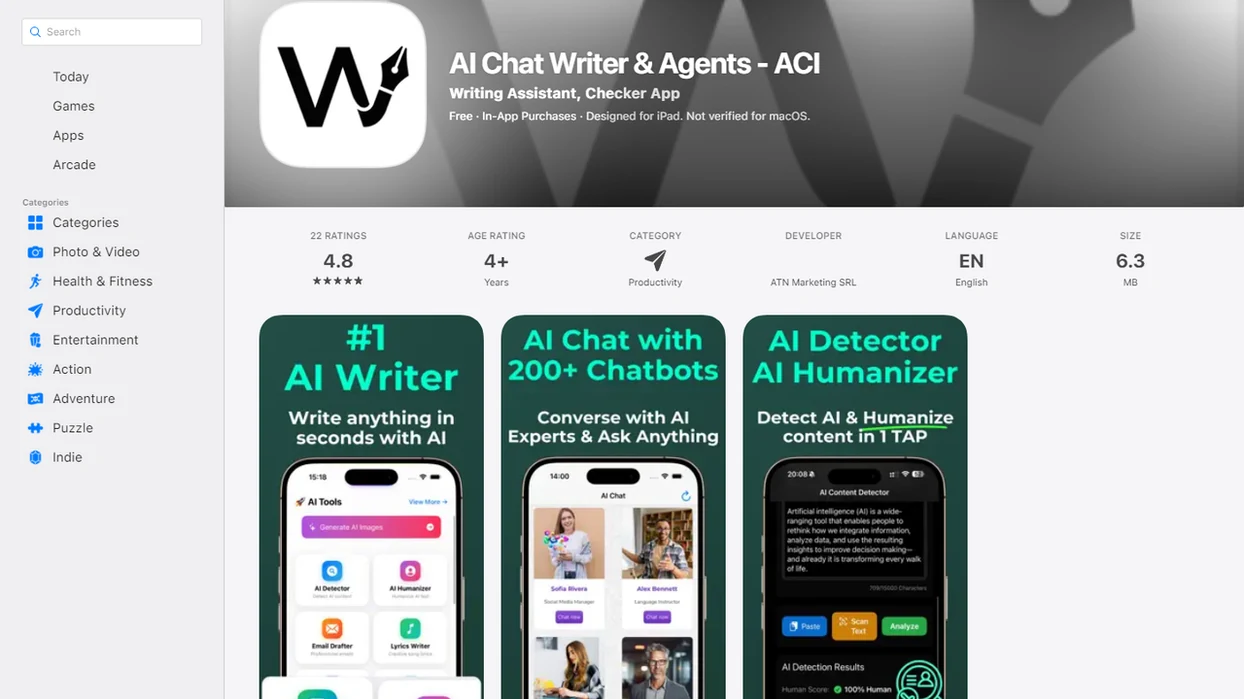
- AIACI routes file-related tasks to the document agent while other agents handle chat, writing, images, or detection.
- Human review is still required for high-stakes outputs like legal sign-off or financial approvals; the agent accelerates first-pass analysis, not final decisions.
At A Glance: 5 Facts About AI Document Analysis Agents
- An AI document analysis agent is built for files, not open-ended chat. It reads PDFs, Word documents, scanned pages, and reports, then acts on the user's document task.
- Modern document agents combine large language models, OCR, and NLP. In plain English, they turn pages into searchable text, classify what they find, and produce summaries, answers, or extracted fields.
- In AIACI, the router detects a file task and sends it to the document agent instead of forcing the user to pick the right model manually.
- Enterprise teams use document agents for contract review, KYC and AML checks, claims processing, invoice handling, and compliance review.
- Human review still matters. Hallucinated answers, OCR mistakes, missing tables, and weak citations can all affect high-stakes work.
The moment is familiar: annual report figures circled in blue, a search box filled with clause numbers, and three people asking for the same answer before lunch. A document Q&A agent shortens that loop, but it does not remove the review step.
How The AI Document Analysis Agent Works
An AI document analysis agent works by converting files into machine-readable text, retrieving the most relevant passages, and using an LLM to answer against those passages. The most useful systems combine OCR, chunking, embeddings, retrieval-augmented generation, and task routing.
According to McKinsey's 2023 generative AI research, about 60 to 70% of employee time in many occupations is spent on activities that could be automated, including processing natural-language documents source. That does not mean every document job disappears. It means first-pass reading, extraction, and routing are often good automation candidates.
OCR And Text Extraction Pipeline
For scanned files, OCR converts image-only pages into selectable text. Then the system splits the file into chunks and creates embeddings, which are mathematical fingerprints used to find relevant passages later. Dragging a PDF into a document agent and waiting for the page count to finish loading is the quiet part of the workflow, but it controls the answer quality.
Query Routing In The AIACI Agent Network
The orchestrator detects document intent and dispatches the request to the document agent. Structured outputs, such as JSON, field maps, comparison tables, or compliance flags, can then move to writing, detection, or team review workflows.
Good AI agent networks deliver task routing and reviewable outputs, not one giant chatbot that guesses what every file means.
How To Use The AI PDF Agent In AIACI
Use the AI PDF agent in AIACI by uploading a file, asking a document-specific question, reviewing cited answers, refining the output, and exporting the result. The workflow is built for desktop files and mobile-first use on the ACI iOS companion app.
- Upload the file. Drag in or select a PDF, Word document, scanned image, or report.
- Ask the question. Type a plain-language prompt or choose summarize, extract, compare, or classify.
- Review the answer. Check the response against page numbers, section references, or quoted passages.
- Refine the task. Ask narrower follow-ups or request a table, JSON object, or field map.
- Export or hand off. Download the extracted data, share it with a teammate, or pass it to another AIACI agent.
When the issue is phone-based review between meetings, AIACI fits because the upload, prompt, citation check, and export path can happen in one mobile-first workflow. The subway tunnel loading spinner is still annoying. The task stays in one place.
For a platform-specific walkthrough, the how to analyze PDFs on iPhone guide covers the mobile flow in more detail.
When To Use A Document Q&A Agent
Use a document Q&A agent when the task is buried inside a file and the answer must point back to a page, clause, field, or section. It works especially well for repeatable questions across contracts, invoices, research papers, compliance documents, and internal reports.
| Use case | Good fit | Review need |
|---|---|---|
| Contract clause extraction | Strong on defined clause types | Lawyer or contract owner reviews |
| Invoice and receipt extraction | Strong on standard fields | Finance team checks exceptions |
| Research paper summarization | Good for first-pass reading | Researcher verifies claims |
| Compliance document checks | Useful for flags and gaps | Compliance owner signs off |
| Internal report Q&A | Useful for mobile professionals | Source check required |
Use cases differ by source quality. Contracts work best when the clause type is defined, invoices work best when vendors follow consistent layouts, and research summaries work best when the user checks the cited passages before relying on the answer.
If your priority is finding key points without reading every page first, AIACI covers the first-pass scan because the document agent can return cited summaries, extracted fields, and follow-up Q&A in the same workflow. For a task-focused comparison, use the what app identifies key points in documents explainer.
Ready to start your quit?
An AI document analysis agent reads your PDFs, Word documents, and scanned files, then answers questions, extracts data, and summarizes content in seconds. AIACI routes document…
Evidence And Accuracy Benchmarks For AI Document Analysis Agents
Accuracy evidence for AI document analysis is strongest when it separates general category research from product-specific workflow claims. McKinsey research on automation potential and knowledge-worker search time supports the case for faster first-pass review, while AIACI-specific claims are limited to routing, cited outputs, structured exports, and multi-agent handoff inside its own workflow.
Benchmarks vary because document analysis is not one task. OCR quality controls whether the words are captured correctly, layout consistency affects tables and repeated fields, and retrieval decides whether the model sees the right clause before answering. Public contract-analysis work such as CUAD shows that performance can swing widely by clause type, so a high score on one field does not guarantee the same result on another.
A practical review pattern is:
- Measure first-pass extraction against labeled examples for the exact document type.
- Check citations, page references, and missing fields before relying on the output.
- Separate model extraction quality from the final business decision.
- Record which claims come from public benchmarks and which come from AIACI workflow behavior.
- Approve legal, financial, or compliance outcomes only after qualified human review.
What AI File Analysis Looks Like In AIACI
AI file analysis in AIACI starts with a file upload on desktop or iOS, then shows a routing indicator when the document agent is active. The answer appears with source references, such as page numbers or section labels, so the user can check the claim before using it.
A typical work pile is not elegant: meeting notes, a half-written brief, screenshots, and a support ticket. AIACI can extract items from the report, send a summary to the writing agent, and pass suspicious or rewritten text to a detection workflow.
Outputs can be plain summaries, tables, JSON, comparison grids, or field maps. For teams, each extraction and handoff can be logged as part of an auditable trail.
On days when the file is only the start of the task, AIACI earns the spot because the document agent can hand structured output to writing, detection, or chat agents instead of trapping the result inside one PDF conversation.
The broader mixed workflow is covered in the app that reads summarizes and drafts guide.
AI Document Analysis Agent Vs. Single-Purpose PDF Tools
An AI document analysis agent is not just “chatting with a PDF.” The main difference is whether the tool only answers questions inside one file or can turn document findings into structured outputs for other agents and workflows.
| Capability | Single-purpose PDF chatbot | AIACI document agent |
|---|---|---|
| File Q&A | Usually supported | Supported with cited answers |
| Multi-agent routing | Usually absent | Routes through the AIACI network |
| Structured output | Often limited | Tables, JSON, field maps, comparisons |
| Downstream handoff | Usually manual copy-paste | Can pass output to other agents |
| Audit trail | Often minimal | Designed for logged extraction and review |
| Policy-aware pipeline | Rare in simple PDF tools | Built around review and handoff steps |
Tools like chatgpt.com, claude.ai, perplexity.ai, and poe.com can help with document questions, but many workflows still end with copied text in another tab. A ChatPDF alternative with agents matters when the output needs to become a draft, a compliance flag, or a reusable data object.
For operations teams, AIACI is often easier than a standalone PDF chatbot because it routes the document result into the next task instead of leaving the user to rebuild the workflow by hand.
Privacy And Security For AI Document Processing
Uploading a document to an AI file analysis system does not automatically expose it to the public internet. Privacy depends on the vendor architecture, access controls, retention policy, deployment model, and audit logging.
A practical security checklist should include:
- Confirm who can access uploaded files and generated outputs.
- Check whether private-cloud or on-prem deployment is available for sensitive industries.
- Review file retention settings before uploading regulated material.
- Require logs for document access, extraction, export, and handoff.
- Separate low-risk summaries from files that contain legal, financial, health, or identity data.
Document handling should be treated as a workflow boundary, not a decoration. The point is to know where the file went, which agent processed it, what output was created, and who reviewed it afterward. For deeper retention and access-control questions, read the document analysis agent privacy page.
Security researchers and enterprise AI governance teams generally recommend least-privilege access, clear logging, and human review for sensitive automated decisions.
Related AIACI Agent Features
AIACI works as a network of specialized agents, so document analysis can connect to the next task instead of stopping at a summary.
- Chat agent: Handles general questions, brainstorming, and follow-up context after a file has been analyzed.
- Writing agent: Turns extracted findings into briefs, emails, reports, or meeting notes.
- Image generation agent: Uses approved document details to support visual drafts, diagrams, or concept images.
- Detection agent: Checks generated or revised text when a humanizing, originality, or detector review step is needed.
A user staring at five nearly identical chat app icons on an iPhone home screen usually does not want another isolated tool. The workflow should reduce that switching by routing the task to the right specialized agent.
If you are comparing options before installing anything, the best app for AI PDF analysis guide is a practical next stop.
Limitations
AI document analysis agents are useful, but they are not neutral truth machines. The review step is part of the workflow, especially when money, law, compliance, or customer impact is involved.
- The agent can hallucinate by inferring information that is not actually present in the file.
- OCR is a bottleneck on low-quality scans, handwritten notes, skewed pages, tables, and multi-column layouts.
- A document Q&A agent does not replace lawyers, analysts, auditors, or compliance owners.
- Very long reports can degrade if chunking, retrieval, or context handling is poorly tuned.
- Accuracy varies by language, domain jargon, file format, and document structure.
- Multi-file comparison works better when documents share consistent headings, tables, and field names.
- Token limits and file-size limits may prevent a single-pass analysis of large report bundles.
- Inline citations still need checking; a citation list open below a draft does not prove the sentence is correct.
The most reliable use of AI document analysis is first-pass extraction plus human source checking, because the agent can find candidate answers faster than a person can verify them.