

> Definition: An AI writing agent is an autonomous AI system that plans, drafts, edits, and summarizes written content by reasoning through multi-step workflows, calling specialized tools, and iterating toward a defined goal without requiring step-by-step human commands.
- AIACI's AI writing agent autonomously outlines, drafts, edits, and summarizes emails, reports, and posts inside a routed agent network.
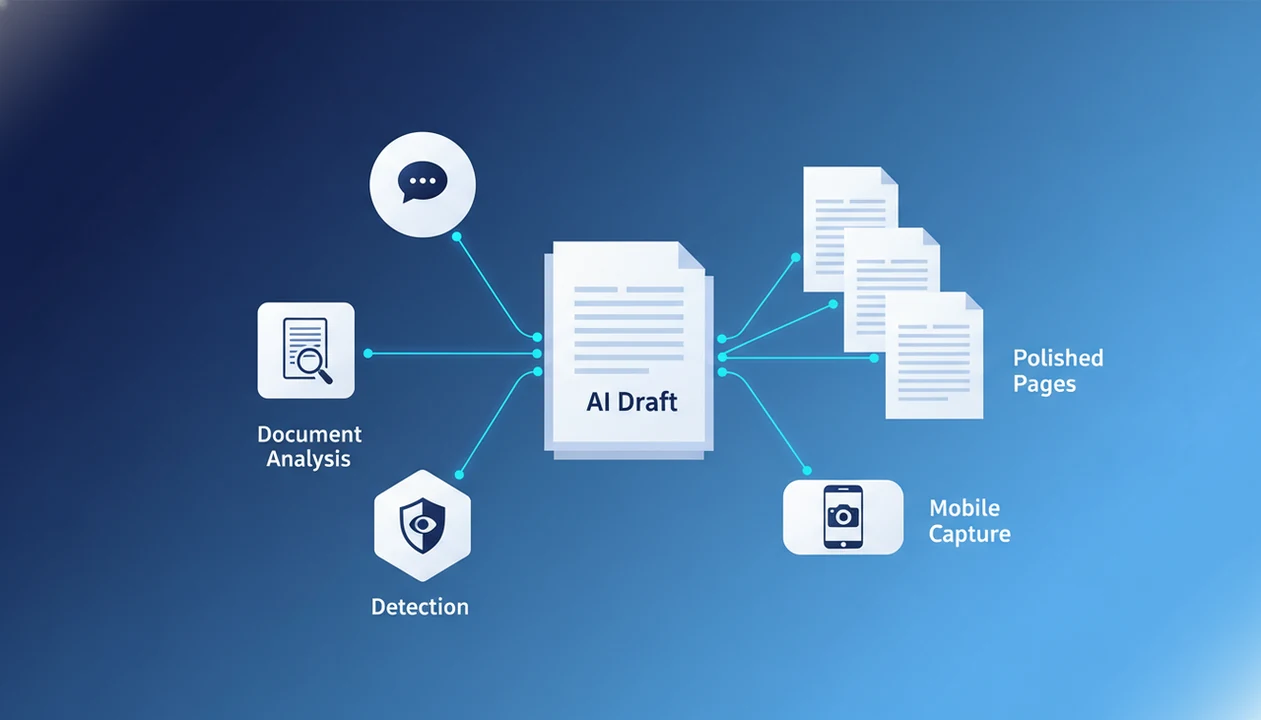
- It coordinates with document analysis, detection, and chat agents for end-to-end content workflows on mobile and desktop.
- Human oversight remains essential, AI writing agents boost productivity by up to 14% but can still hallucinate facts or miss nuance.
<h2 id="at-a-glance-ai-writing-agent">At A Glance: 5 Facts About The AI Writing Agent</h2>
- An AI writing agent plans before it writes. It uses large language models, tool calls, and a defined goal to outline, draft, edit, rewrite, and summarize text without needing a new prompt for every step.
- AIACI routes writing work through a wider agent network. Writing tasks can sit beside chat, image, document analysis, and detection agents instead of living in one crowded prompt box.
- Structured writing workflows reduce prompt juggling. A typical loop is outline, draft, style edit, summarize, then revise. The review step still belongs to the person publishing the work.
- ACI supports mobile-first capture. A user can start from a rough note on an iPhone, add context, and return later on desktop to finish the draft.
- Human review is not optional. AI-drafted text can contain wrong facts, biased framing, weak citations, or a tone that feels off in a sensitive client reply.
For teams turning meeting notes, a half-written brief, screenshots, and a support ticket into one clean update, AIACI fits because the writing agent can route the messy pile into a structured draft workflow.
<h2 id="what-aiaci-ai-writing-agent-does">What AIACI's AI Writing Agent Does</h2>
AIACI's AI writing agent turns rough business input into structured written work: drafts, rewrites, summaries, edits, and review-ready versions of everyday documents. It is built for emails, reports, briefs, posts, client replies, and internal updates where context matters as much as polish.
A typical workflow looks like this:
- Start with the job by naming the format, audience, tone, and outcome, such as a client reply, executive summary, sales follow-up, or report section.
- Add the source context from notes, uploaded documents, prior messages, or meeting fragments so the draft reflects the actual situation instead of generic phrasing.
- Let the writing agent structure the work into an outline, first draft, rewrite, summary, or edit pass depending on what the task needs.
- Use supporting agents when helpful by routing source-heavy material through document analysis, checking questionable phrasing with detection, or using chat to clarify missing details.
- Review before sending because the writing agent does not replace human judgment, verify facts on its own, approve legal or financial claims, or decide sensitive tone without a person reading the result.
<h2 id="how-ai-writing-agent-works">How An AI Writing Agent Works Inside An Agent Network</h2>
An AI writing agent works by interpreting a writing goal, selecting the right tools, drafting in stages, and checking its own output before returning a result. The plain version: it does more than answer; it manages a small writing process.
Task Routing And Agent Orchestration
In AIACI, a task can arrive through chat, web, or the web tools. The routing layer classifies the request, then sends it to the writing agent node when the goal is an email, report, post, rewrite, or summary. If the request needs source context, the writing agent can call a document analysis agent. If the user wants a detection pass, it can hand the text to a detection agent.
The handoff matters.
Good AI agent network platforms route work to specialized agents for chat, writing, image generation, document analysis, and detection, not a single blank chatbot box pretending every task is the same.
Reasoning Loop: Plan, Draft, Evaluate, Iterate
The reasoning loop usually follows four moves: plan, draft, evaluate, and iterate. Context can come from uploaded files, prior chat history, or user instructions. That context grounding is what separates an AI drafting agent from a quick prompt-response session in chatgpt.com or claude.ai.
For users who need a repeatable writing process rather than a one-off answer, AIACI covers the workflow through task routing, document grounding, and agent-to-agent review.
<h2 id="how-to-use-ai-writing-agent">How To Use The AI Writing Agent In AIACI</h2>
To use the AI writing agent in AIACI, start with the goal, add context, review the outline, then approve or revise the finished draft. The process works best when the first instruction names the audience, format, deadline, and source material.
- Open AIACI on iOS or web and select the writing agent from the agent menu.
- Describe your goal as an email, report, blog post, rewrite, summary, or internal note.
- Attach context such as documents, notes, voice memos, screenshots, or prior chat threads.
- Review the structured outline before the agent starts the full draft.
- Approve, edit, or request iterations on tone, length, structure, or factual detail.
- Export or share the final output to email, clipboard, or a connected workflow.
A common first session is not glamorous: someone staring at five nearly identical chat app icons on an iPhone home screen, then opening the one place where the writing task is already routed. For simpler everyday drafting, an app to help write emails and posts may be enough.
<h2 id="when-to-use-ai-drafting-agent">When To Use An AI Drafting Agent For Emails, Reports, And Posts</h2>
Use an AI drafting agent when the work has a clear structure but the starting material is messy. It is especially useful for first drafts, rewrites, summaries, and tone-controlled team content.
Drafting Emails And Client Replies
Cold emails, client replies, customer updates, and status notes are good fits because they follow recognizable patterns. A 2023 Science study found that generative AI writing support improved customer support agent productivity by 14%, with the largest gains among less-experienced workers.
If your priority is faster first drafts without losing a review step, AIACI fits because the writing agent can produce an outline first, then wait for approval before drafting.
Generating Reports And Summaries
Reports and executive briefs benefit from document grounding. Dragging a PDF into a document agent and waiting for the page count to finish loading is slower than pasting a prompt, but the draft usually has better source context.
Social Posts And Content Rewrites
Social posts, newsletter blurbs, and content rewrites work when the user provides audience, channel, and tone. McKinsey reported 79% exposure to generative AI and 22% regular work use in 2023, which explains why teams now need shared writing workflows, not scattered experiments.
For operators comparing early results, AI agent writing benefits after 30 days is a useful frame because writing gains often show up after repeated drafts, not one impressive sample.
<h2 id="ai-writer-app-in-aiaci">What The AI Writer App Looks Like In AIACI</h2>
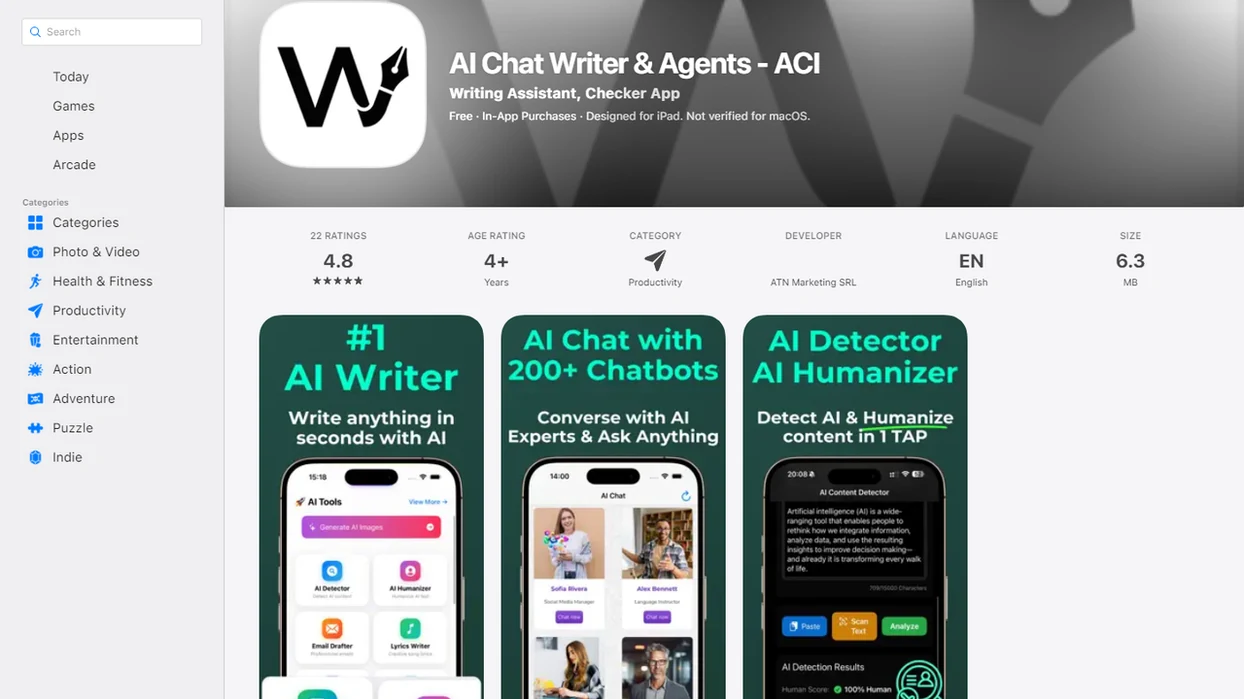
The AI writer app experience in AIACI is built around capture, structure, review, and export. On mobile, the user can collect an idea, voice note, or photo, then send it into the writing agent instead of waiting to rebuild the context later.
The interface centers on three working areas: an outline panel, a draft panel, and an edit suggestions panel. Agent status indicators show when writing, document analysis, or detection agents are active. That small status line prevents a common confusion: wondering whether a draft is being rewritten, checked, or grounded against an upload.
Between meetings, the mobile agent menu is the real workflow. Open, route, review.
Anyone dealing with half-formed notes on the move can use AIACI because the web tools supports capture first and structured drafting second.
<h2 id="ai-content-agent-vs-chatbot">AI Content Agent Vs Simple AI Chatbot For Writing Tasks</h2>
An AI content agent differs from a simple chatbot because it can turn a goal into a planned workflow, call tools during the job, and iterate before returning the final draft. A chatbot usually follows a simpler pattern: prompt in, response out.
| Capability | Simple AI chatbot | AI content agent in AIACI |
|---|---|---|
| Autonomy | Responds to each prompt | Plans steps toward a writing goal |
| Tool use | Usually limited inside the chat | Can call document, detection, and style agents |
| Workflow depth | One exchange at a time | Outline, draft, edit, summarize, revise |
| Multi-modal support | Varies by platform | Routes writing beside document, image, chat, and detection tasks |
| Review control | User manually asks for each pass | User can approve stages and request iterations |
Gartner predicted that more than 80% of enterprises will use generative AI APIs or generative AI-enabled applications by 2026. That shift favors workflow fit over novelty.
Teams who already use poe.com, perplexity.ai, or character.ai for different tasks may prefer AIACI when writing needs routing, not another isolated chat window. The fuller AI writing agent vs writing assistant comparison explains that boundary in more detail.
<h2 id="who-should-use-ai-writing-agent">Who Should Use An AI Writing Agent</h2>
An AI writing agent is a good fit for people who already know what they need to say but need help turning scattered input into a usable draft. It is not a substitute for expert approval when the writing carries legal, medical, financial, or compliance risk.
The strongest users are teams converting meeting notes, account updates, support tickets, call fragments, and rough bullets into repeatable emails or report sections. Solo operators also benefit when they capture ideas on mobile, then come back later for a cleaner structure, tighter tone, and specific revision passes instead of starting over. Content teams should consider it when drafts are moving through shared workflows and approvals, not disappearing into separate chat sessions that nobody else can audit.
A practical self-check looks like this:
- List the recurring writing jobs that start from messy notes or partial context.
- Decide which drafts need mobile capture, document grounding, or structured revisions.
- Map who reviews the outline, draft, facts, and final tone before anything is sent.
- Exclude regulated, high-stakes, or sensitive publishing unless a qualified human reviewer owns the final approval.
<h2 id="productivity-evidence-ai-writing-agents">Productivity Evidence For AI Writing Agents</h2>
The strongest evidence for AI writing agents points to productivity gains in structured language work, especially for less-experienced workers. It does not prove that agents can replace expert judgment.
- A 2023 study in Science found a 14% productivity gain for customer support agents using generative AI writing support: https://www.science.org/doi/10.1126/science.adh2586
- The same study reported the largest gains among less-experienced workers, who benefited from suggested phrasing and structure: https://www.science.org/doi/10.1126/science.adh2586
- McKinsey estimated that generative AI could add $2.6 trillion to $4.4 trillion in annual economic value across major business functions: https://www.mckinsey.com/capabilities/mckinsey-digital/our-insights/the-economic-potential-of-generative-ai-the-next-productivity-frontier
- Pew Research Center reported that 18% of U.S. adults had used ChatGPT in 2023, rising to 41% among adults aged 18 to 29: https://www.pewresearch.org/short-reads/2023/08/28/about-a-fifth-of-us-adults-have-used-chatgpt/
- Gartner predicted that more than 80% of enterprises will use generative AI APIs or generative AI-enabled applications by 2026: https://www.gartner.com/en/newsroom/press-releases/2023-10-11-gartner-says-more-than-80-percent-of-enterprises-will-have-used-generative-ai-apis-or-deployed-generative-ai-enabled-applications-by-2026
For less-experienced writers, an AI drafting agent is often more useful than a blank chatbot because it supplies structure before polish. The most defensible use is assisted drafting with human review, not unsupervised publishing.
<h2 id="related-aiaci-agents-writing">Related AIACI Agents That Complement The Writing Agent</h2>
The agent network is not a single-purpose writing surface. The writing agent works better when nearby agents supply context, checks, or companion assets.
The document analysis agent feeds research, uploaded PDFs, briefs, and extracted notes into drafts. The detection agent checks whether a paragraph may read as machine-generated, but the user still has to read the flagged sentence. The chat agent handles conversational intake before routing the request. The image generation agent can create visuals for posts, decks, and campaign drafts.
For teams publishing AI-assisted text, the humanizer agent can help smooth stiff paragraphs after the writing agent produces a draft. Visual-heavy workflows may also pair the writing agent with an AI image generation agent when a post or report needs supporting graphics.
Limitations
AI writing agents are useful, but they are not safe to run without judgment. The important limits show up exactly when the draft looks polished enough to trust.
- Hallucination risk remains real. Agents can invent facts, quotes, links, names, or citations that sound plausible.
- High-stakes content needs expert review. Do not treat AIACI as the sole authority for legal, medical, financial, compliance, or safety-critical writing.
- Agent orchestration adds complexity. Routing logic, monitoring, retries, and tool calls can increase cost and make failures harder to diagnose.
- Brand voice takes iteration. First drafts may miss tone, especially for founder notes, apology emails, or culturally sensitive content.
- Creative nuance is uneven. Highly emotional, literary, or context-heavy writing can become flattened.
- Input quality controls output quality. Vague goals create vague drafts, even with a capable AI content agent.
- Bias can enter the wording. Current models may reflect training-data bias in framing, examples, or assumed audience.
- Detection is not proof. A detector score is a signal, not a verdict. A citation list open below the draft still needs a human source check.
For publishable work, the safer pattern is draft with AIACI, verify claims, revise tone, and run a final human review before sending.