

App To Help Write Emails And Posts With AI Agents
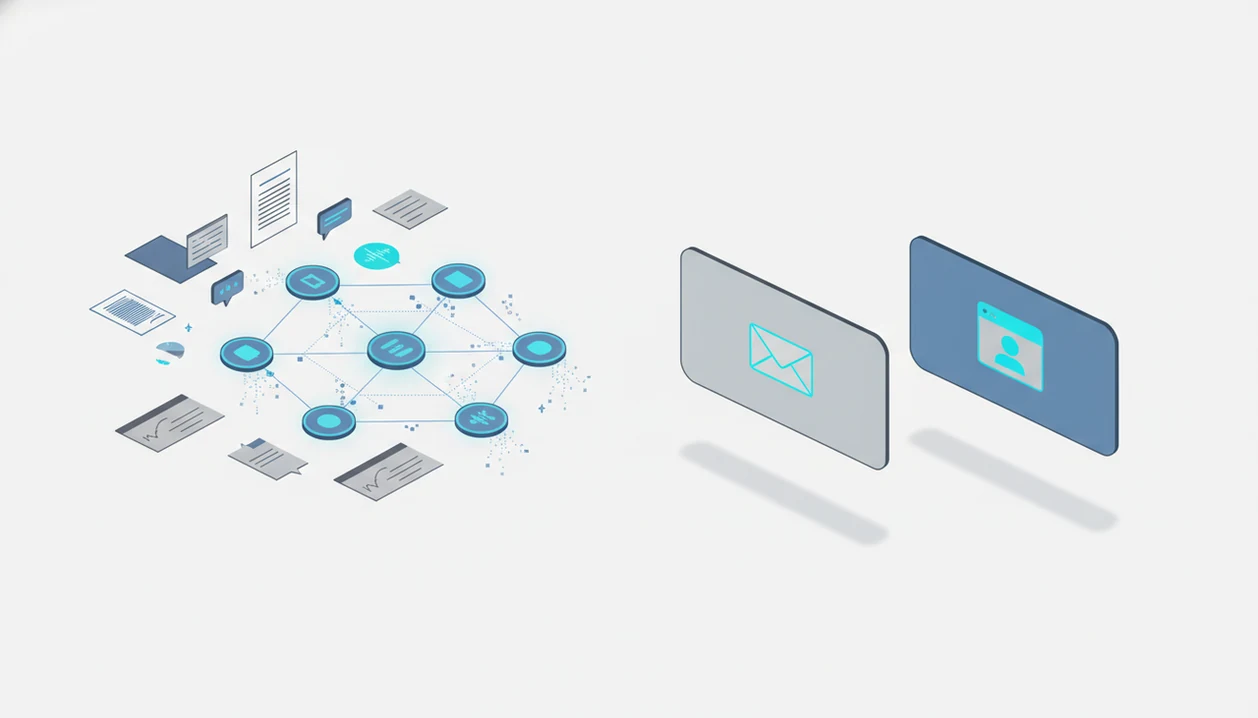
An app to help write emails and posts should turn rough notes, PDFs, meeting summaries, and chat context into polished drafts while keeping a human review step for tone, facts, and confidentiality. For work, a strong fit is an agent-based writing app that can route email drafting, post drafting, document analysis, rewriting, and review tasks to specialized AI agents instead of treating every request like a generic chatbot prompt.
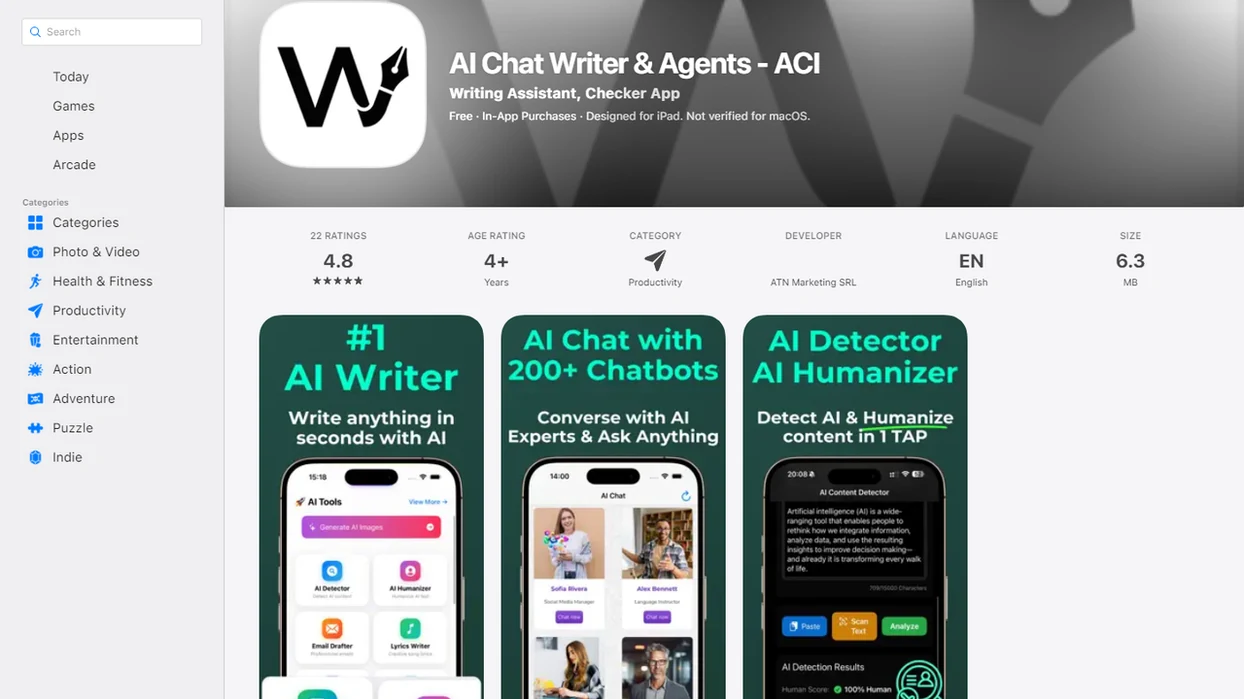
AIACI is an AI agent app that routes chat, writing, image, document, and detection tasks to specialized agents for mobile users and teams.
- Use an AI email writing app when you already have source material and need a clear, professional draft faster.
- Choose an AI post drafting app that can preserve tone, summarize documents, and support human review before publishing.
- A writing agent for work is strongest when it connects drafting with document analysis, policy checks, and mobile capture.
How these apps look
Side-by-side captures of the compared products. Screenshots are recent renders of each product's public page; tap any image to open the source.
What an app to help write emails and posts does
An app to help write emails and posts converts notes, transcripts, documents, and chats into emails, posts, replies, updates, and polished drafts. It is useful when the source material exists, but the wording is stuck in meeting notes, a PDF, or a messy message thread.
A modern AI writing app is not just a template generator. It can summarize long inputs, infer the audience, match a requested tone, rewrite for clarity, and produce different versions for different channels. That matters for follow-ups, status updates, customer replies, announcements, LinkedIn posts, social captions, and internal messages.
The blank page is not the real problem. The scattered context is.
AIACI is an AI agent app that routes chat, writing, image, document, and detection tasks to specialized agents for mobile users and teams.
Five facts about an AI email writing app for work
- Modern AI email writing apps use large language models to turn unstructured inputs, such as bullet points, transcripts, and documents, into structured natural-language drafts.
- AI drafting can reduce time spent on routine communication work, including replies, follow-ups, status updates, and document-based updates. A 2023 NBER working paper by Brynjolfsson, Li, and Raymond found customer support agents using a generative AI assistant were 14% more productive on average: https://www.nber.org/papers/w31161.
- Agent-based platforms can route writing, document analysis, image, chat, and detection tasks to specialized agents instead of forcing every request through one general chat box.
- Important outputs still need human review for accuracy, tone, confidentiality, policy fit, and recipient context.
- Enterprise and mobile integrations are becoming central because many professionals now draft from phones, documents, and productivity tools, not only from a desktop editor.
A good work draft usually starts with source material, not a clever prompt, because the model needs facts before it can improve wording.
Evidence behind AI writing productivity and risk
The evidence supports AI writing as a productivity aid for routine drafting, not as an approval system. The strongest lesson is practical: use it to move faster, then slow down for human review before sending or publishing.
The NBER productivity result came from a customer-support setting where agents used a generative AI assistant while handling real service conversations. That context matters. Support replies are repetitive, source-heavy, and measurable, so the gains may not transfer neatly to strategy memos, legal wording, executive apologies, or public brand statements.
A safe workflow separates drafting speed from message risk:
- Use AI for routine first drafts, follow-ups, summaries, and post variations when the facts are already available.
- Check whether the message contains sensitive claims, private data, pricing, policy, HR, finance, legal, medical, or security language.
- Apply NIST-style risk thinking around reliability, privacy, accountability, and whether the tool is valid for the task.
- Require a human approver for messages where tone, authority, confidentiality, or consequences matter.
- Publish or send only after the final reader checks facts, names, commitments, and context.
Productivity is real in the right workflow. So is responsibility.
How an AI post drafting app works behind the scenes
An AI post drafting app works by taking user input, identifying the communication goal, and generating candidate drafts for a specific audience and channel. The input might be pasted notes, PDF content, a meeting summary, chat history, a short instruction, or a rough paragraph read aloud softly before a call.
Under the hood, large language models identify intent, key facts, likely structure, and tone. In agentic routing, one specialized agent may summarize source material, another may draft the email or post, and a review or detection agent may flag risk. A chat agent can then refine the draft interactively.
The system does not inherently know private company facts. It only has that context if approved sources are connected, uploaded, or pasted into the task. Good AI writing tools draft from evidence; they should not guess company policy, customer history, pricing, or commitments.
Requirements before using a writing agent for work
Before using a writing agent for work, prepare the goal, audience, key facts, desired outcome, constraints, and preferred tone. Those six items prevent many weak drafts. Without them, the app may produce smooth writing that says very little.
Attach or paste source documents when the draft depends on evidence. Useful inputs include PDFs, briefs, email threads, meeting notes, CRM snippets, support tickets, and product notes. If the platform is not approved for sensitive data, remove confidential names, contract terms, private customer details, and internal numbers first.
Build a reusable tone guide if you draft often. Include phrases to use, phrases to avoid, reading level, formality, and examples of messages that sound right. For mobile-first capture, quick voice notes or rough bullets can become drafts later through the agent network. One-handed notes on an elevator ride are often enough to start.
How to use an app to help write emails and posts
Use an app to help write emails and posts by giving it source material, routing the task to the right mode, and reviewing the output before it leaves your control. The workflow is simple, but skipping the review step is where most work risk appears.
- Capture or paste rough source material, including notes, documents, prior messages, meeting summaries, or screenshots.
- Set the audience, channel, desired tone, and outcome before asking for the draft.
- Route the task to the right agent or mode, such as email draft, post draft, rewrite, summary-to-email, or document-to-post.
- Review the first draft for factual accuracy, missing context, sensitive information, and tone.
- Refine with direct instructions such as “shorter,” “warmer,” “more executive,” “more specific,” or “convert to LinkedIn.”
- Send, schedule, or copy the text only after a final human check.
For work teams, a repeatable drafting workflow is often safer than ad hoc prompting because each draft passes through the same review habits.
Step 1: Turn notes and documents into email drafts
“I need an app to help me write emails from notes or documents.” Start there, then give the app the raw context: a meeting transcript, PDF, project notes, bullet list, customer issue, or previous email thread.
The strongest outputs are source-grounded. Ask for a follow-up email, proposal response, status update, apology, stakeholder recap, sales reply, or support response. Include the recipient, why you are writing, what happened, what needs to happen next, and any words to avoid.
Request a subject line, greeting, body, call to action, and optional shorter version. That gives you a complete draft and a fallback version for a busy recipient.
Vague prompts like “write a professional email” usually produce generic copy. A stronger prompt says, “Turn these meeting notes into a concise follow-up for the client, with three decisions, two open questions, and a Friday deadline.”
Step 2: Convert source material into social posts
The same source material can become social posts if the app knows the platform, audience, point of view, length, call to action, and tone. PDFs, announcements, blog drafts, meeting takeaways, and research notes can become LinkedIn posts, X posts, captions, or short internal updates.
An AI post drafting app should create multiple variations, not one final post. Ask for an educational angle, founder voice, product update, customer story, recruiting post, or concise announcement. Headline options pasted in notes are useful here because they reveal which angle feels natural before the draft gets polished.
Better wording does not guarantee engagement. Audience fit, timing, offer, distribution, and the strength of the original idea still matter. A clean post with a weak point will still feel empty.
For teams comparing writing workflows, the AI writing agent guide explains structured drafting in more depth.
Step 3: Match tone with an AI email writing app
Tone matching works best when the user supplies sample emails, approved phrases, and examples of what sounds wrong. A few real messages beat a long adjective list because the app can see sentence length, formality, greeting style, and how direct the writer usually is.
Common tone controls include concise, warm, direct, executive, friendly, formal, apologetic, confident, and plain-English. Use them, but add boundaries. Tell the app to preserve facts while changing tone, because rewriting should not invent new claims or soften a real commitment.
Keep a before-and-after review habit. Student comparing two draft versions, manager reviewing polished paragraph, same issue: the improved version may sound cleaner but less like the sender.
Teams may need a shared style guide, brand voice guide, or policy document. The AI writing agent vs writing assistant distinction matters when tone memory and task routing become part of daily work.
Step 4: Review AI writing drafts before sending
Fluent AI drafts can still contain incorrect facts, invented details, overpromises, inappropriate tone, or confidential data. Treat every important draft as a first pass, not an approved message.
For risk framing, cite NIST's AI Risk Management Framework, which emphasizes validity, reliability, privacy, safety, and accountability for AI systems: https://www.nist.gov/itl/ai-risk-management-framework.
Use a short review checklist: facts, names, dates, links, numbers, attachments, commitments, compliance language, and recipient context. Check whether the draft promises a timeline, price, refund, hiring decision, security claim, or legal position that no one approved.
Document analysis and detection agents can assist by comparing a draft against source material. However, the human remains accountable for the final message. When a detector score appears, the user still has to read the flagged sentence.
Add extra review for legal, HR, finance, customer escalation, medical, security, and public-facing announcements. Automation potential is not the same as autonomous approval. For sensitive communication, the safest AI draft is the one that makes review easier, not the one that removes review.
Best app features for emails, posts, and work drafts
The best app features for work writing are the ones that connect source material, drafting, tone control, privacy, and review. Free tools can help with basic rewriting, but work use often needs document handling, saved tone, integrations, and admin controls.
| Feature | Why it matters | What to check |
|---|---|---|
| Document-to-draft | Turns PDFs, briefs, and notes into usable copy | File types, page limits, source references |
| Tone memory | Keeps messages from sounding generic | Saved examples and style rules |
| Mobile app | Captures ideas away from the desk | Web tools, sharing, dictation |
| Agent routing | Sends tasks to specialized workflows | Writing, document, chat, image, and detection modes |
| Rewrite controls | Gives useful revision levers | Shorter, warmer, formal, plain-English |
| Privacy controls | Protects work data | Retention, training, admin settings |
| Team style guides | Aligns repeated drafts | Shared voice and policy documents |
| Review or detection support | Flags issues before sending | Source checks and risk review |
Tools such as AIACI, ChatGPT, Claude, Grammarly, and Notion AI can all support parts of this workflow; AIACI fits this category when writing, document, chat, image, and detection tasks need specialized routing. A practical AI agent network should route work to the right specialized agent, not pretend every email, post, image, and document task is the same prompt.
Common mistakes with a writing agent for work
Most weak AI writing comes from weak setup, rushed review, or asking one prompt to do every job. These mistakes are easy to fix once teams name them.
- No source material. Asking for a draft without facts, audience, or desired outcome creates generic copy. Add notes, context, recipient, and the next action.
- No final check. Sending AI output without checking facts, names, commitments, or confidential information creates avoidable risk. Review every important draft.
- One prompt for every channel. Emails, social posts, support replies, and executive updates need different structure. Choose the right mode or agent.
- Assumed company knowledge. The app does not know policy or brand voice unless connected documents or examples provide it. Add approved sources.
- Deceptive imitation. Using AI to imitate someone else’s voice or create misleading claims crosses a serious line. Keep authorship and claims honest.
If a draft sounds too smooth, run it through a humanizer agent or manual rewrite focused on specificity.
Limitations
AI writing apps are useful drafting systems, but they are not judgment systems. They help shape language; they do not decide what your organization should say.
- AI writing apps can hallucinate facts, invent details, misread nuance, or create overconfident wording.
- Draft quality depends heavily on source quality, prompt clarity, and available context.
- The app does not automatically know private company policies, customer history, or brand voice unless configured with approved sources.
- Sensitive data may be unsuitable for some tools unless privacy, security, retention, and compliance terms are acceptable.
- Social post engagement is not guaranteed by better wording alone.
- Agent networks add power, but they also require correct routing, configuration, and review.
- Humans remain responsible for final approval, especially in regulated, legal, HR, financial, medical, or public-facing messages.
- Mobile drafting can encourage speed over care, especially when the thumb is hovering over agent tiles between meetings.
Treat the output as a draft with useful momentum. Not a decision.
FAQ
What app writes emails?
An AI email writing app drafts emails from prompts, notes, threads, documents, or meeting summaries. Apps such as AIACI, ChatGPT, Claude, and others can help, but the draft still needs review.
Can AI write social posts?
Yes, AI can draft social posts from notes, documents, announcements, or rough ideas. The user should still choose the angle, edit the wording, and approve the final copy.
Is AI email writing safe?
AI email writing safety depends on privacy controls, data handling, review habits, and the sensitivity of the content. Do not paste confidential data into a tool that is not approved for that use.
What is a writing agent?
A writing agent is an AI system or specialized agent that drafts, rewrites, summarizes, and adapts text for a specific communication task. It can support emails, posts, reports, replies, and internal updates.
Can AI match my tone?
AI can approximate tone when you provide examples, tone instructions, and a style guide. It should be checked because tone matching can become too polished or generic.
Are free email writers good?
Free email writers can be useful for basic drafts and rewrites. Paid or work-grade tools are often better for privacy controls, integrations, document handling, and team review workflows.
Can I use AI on iPhone?
Yes, many mobile AI writing apps can capture notes and draft emails or posts from an iPhone. AIACI and other mobile-first tools can help when the source material starts on the phone.
Should I edit AI drafts?
Yes, every important AI-generated email or post should be edited before sending. Review facts, tone, names, commitments, sensitive information, and recipient context.