

Tool To Turn Briefs Into Images With AI Agents
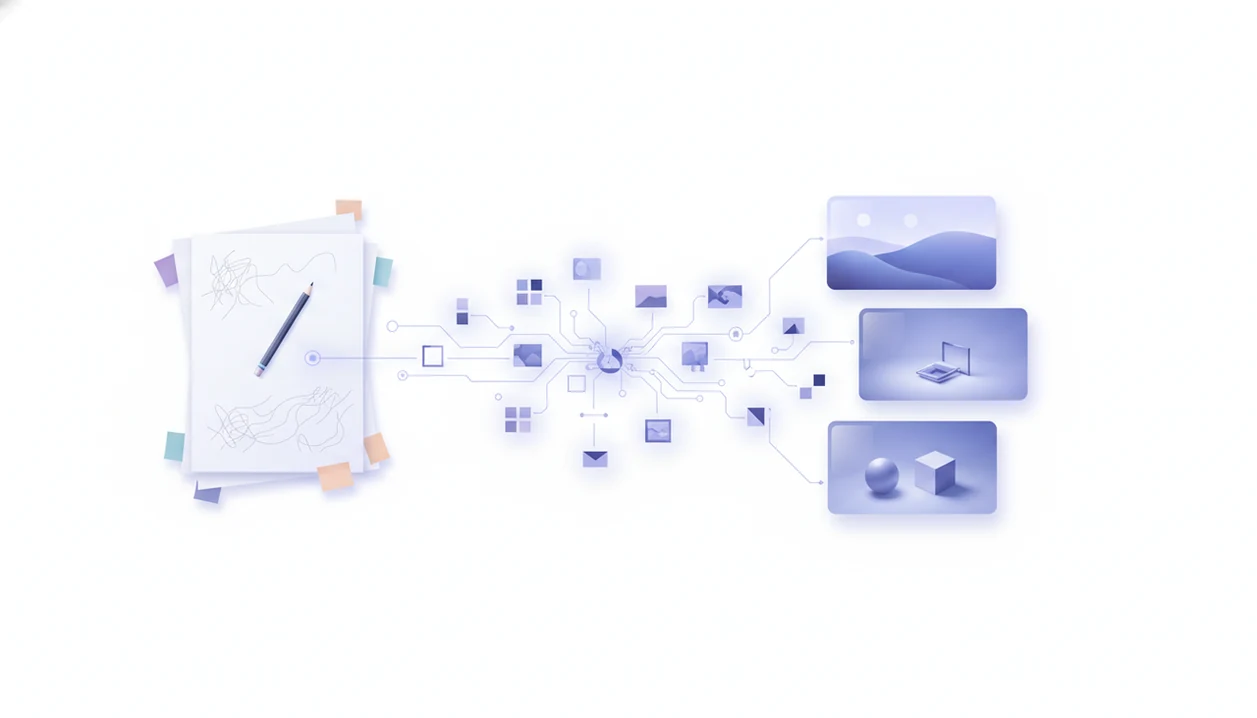
A tool to turn briefs into images should read a written creative brief, extract visual direction, generate structured image prompts, create draft visuals, and support review cycles. A stronger fit is an AI brief-to-image workflow that works like an image prompt agent, not just a blank text-to-image box.
Definition: A visual brief AI is an agentic workflow that converts natural-language creative requirements into image prompts, generated drafts, and review-ready visual options.
TL;DR
- Use brief-to-image AI when you have written direction but need faster prompts, drafts, and visual variations.
- The workflow works best when the tool extracts audience, format, style, mood, brand constraints, and image purpose before generation.
- An agent-network workflow fits this use case when it can route brief clarification, prompt writing, image generation, document review, and detection tasks to specialized agents.
AI brief-to-image tool definition for creative briefs
An AI brief-to-image tool turns written creative direction into structured image prompts, generated visuals, and revision-ready options. It takes inputs such as campaign briefs, product descriptions, social posts, ad concepts, web banners, launch notes, and mood board summaries.
The difference is planning. A plain text-to-image generator waits for a prompt. A brief-to-image agent reads the messy source first, then separates audience, channel, visual style, mood, subject, brand rules, and exclusions. That matters when the brief is a PDF, a Slack paste, or three paragraphs from a campaign doc.
In a routed agent workflow, the image task is only one handoff, not the whole job. The same brief may need clarification, prompt writing, image generation, document review, and risk checks before anything is published.
The better question is not “Can it make an image?” It is “Can it preserve the brief?”
Five facts about visual brief AI before tool selection
- Fact 1: Modern visual brief AI can infer style, mood, aspect ratio, audience, composition, and channel needs from natural language.
- Fact 2: LLMs usually restructure the brief and plan the prompt, while diffusion or image models render the final pixels.
- Fact 3: Agent networks can split work across chat, writing, document, detection, and image agents instead of forcing every step into one prompt box.
- Fact 4: Clear inputs and iterative feedback matter more than one-shot prompting for commercial creative work.
- Fact 5: Copyright, bias, hallucinated details, and review governance still matter after the image looks polished.
Creative teams are adopting generative AI quickly, but several reported market and productivity statistics still need source-level verification before publication. Treat those numbers as directional, not proof. A manager reviewing a polished paragraph knows the feeling: the output can look finished before the thinking is finished.
Before You Start: Inputs, Constraints, and Permissions
Before you turn a brief into images, gather the creative inputs and confirm the upload boundary. The tool can move faster than the approval process, so decide what is allowed before the first prompt is generated.
- List the brief source, campaign goal, audience, channel, and required dimensions in one place. Include aspect ratio, placement notes, and any must-have product or offer details.
- Collect brand rules, visual references, rejected directions, and approval owners. “No cartoon look” or “avoid competitor-style neon cyber art” is useful direction, not extra paperwork.
- Check whether confidential client material, unreleased product details, contracts, customer data, or internal strategy can be uploaded to the selected tool.
- Confirm the tool’s licensing terms, commercial-use rights, platform rules, and any disclosure requirements before generation, not after a draft is already approved.
- Assign reviewers for legal risk, bias, factual accuracy, and final brand fit. A fast image workflow still needs someone accountable for the file that leaves the folder.
This short setup keeps the agent from guessing and keeps the team from approving an asset it cannot safely use.
How a tool to turn briefs into images works
A tool to turn briefs into images works by ingesting a written brief, extracting requirements, planning prompts, generating images, collecting feedback, and revising the prompt chain. The LLM acts as the planner. The image model acts as the visual renderer.
In practice, the system may route the same job through several specialized agents. A clarifying agent asks what the brief forgot. A writing or spec agent converts loose notes into a structured creative direction. An image agent generates drafts. A review or detection agent checks for risky text, odd artifacts, or mismatch against the original document.
Apps such as AIACI, ChatGPT, Claude, and Poe approach parts of this workflow differently. The useful pattern is task routing, not a bigger chat window. Good ai agent network platforms route chat, writing, image generation, document analysis, and detection to specialized agents, not a single assistant pretending every task is the same.
Requirements for an image prompt agent brief
Vague briefs produce generic images because the model has to guess the purpose, audience, and visual rules. A usable image prompt agent brief should include goal, audience, channel, dimensions, style, mood, subject, brand rules, exclusions, references, and deadline.
| Brief element | Bad brief | Better brief |
|---|---|---|
| Goal | “Make a cool banner.” | “Create a SaaS hero banner for a data-security landing page.” |
| Audience | “Business people.” | “IT managers at mid-market finance companies.” |
| Style | “Modern.” | “Clean interface, dark navy palette, soft gradients, no cartoon look.” |
| Exclusions | “No weird stuff.” | “No fake logos, no readable UI text, no exaggerated cyber threats.” |
Mobile-first use cases are common here. Someone may review campaign documents on an iPhone, then create first-pass assets before the afternoon standup. The battery icon is red during task handoff. Still counts.
How to use a tool to turn briefs into images
To use a brief-to-image tool well, move from source material to structured spec before generation. For teams, that review step is where the workflow stops being random prompting.
- Paste the creative brief, product notes, or campaign document into the tool.
- Extract the goal, audience, channel, style, mood, format, constraints, and exclusions.
- Set dimensions, aspect ratio, brand rules, reference direction, and output count.
- Generate several prompt variants, then create first-round image drafts.
- Review drafts for brand fit, factual accuracy, layout, inclusivity, and legal risk.
- Route unclear parts to specialized agents, such as a writing agent for prompt cleanup or an AI image generation agent for draft creation.
A routed agent network can keep the brief, prompt, image, and review handoffs in one workflow. The user still decides which draft is usable.
Step 1: Extract visual direction with a visual brief AI
How do you turn an unstructured brief into visual direction? Start by asking the visual brief AI to identify image purpose, audience, format, visual hierarchy, mood, style, subject, and constraints before any image is generated.
This step is useful for SaaS hero banners, product launch images, paid social ads, pitch deck visuals, and internal concept boards. If the brief says “make it premium,” the agent should ask what premium means in that market. Is it quiet luxury, technical authority, editorial polish, or bright consumer energy?
Skipping extraction often creates attractive but useless images. The export folder fills with previews, and none of them fit the campaign. For repeatable production, the fuller workflow is closer to an image agent in content workflows than a one-line prompt.
Step 2: Generate image prompts from the brief
After extraction, the tool turns the structured brief into model-ready prompts. Strong prompts usually include subject, setting, lighting, camera angle, visual style, composition, color palette, aspect ratio, and negative constraints.
Several prompt variants are worth generating because each one explores a different interpretation of the same brief. One can test a product-led composition. Another can test an abstract brand visual. A third can simplify the scene for a mobile ad placement.
The best prompt agents preserve business intent instead of simply expanding adjectives. “Modern, clean, premium” is not enough.
Example: “Create a 16:9 SaaS hero banner for a cybersecurity analytics product. Show an abstract dashboard environment with layered data cards, dark navy background, cool blue highlights, soft studio lighting, no readable text, no fake logos, no human faces, confident enterprise mood.”
Step 3: Review AI image drafts with human feedback
AI image drafts need review for brand fit, composition, factual accuracy, inclusivity, channel fit, and legal risk. A good review loop turns human comments into revised prompts, not vague reactions like “make it better.”
For example, “the product looks too consumer” can become “reduce neon colors, remove playful icons, use enterprise dashboard shapes, keep a restrained blue-gray palette.” That is usable feedback. It gives the prompt agent a direction.
Teams also need versioning, prompt history, and approval notes. A redlined policy draft in split view is a reminder that creative work often touches governance. Adobe’s 2023 creator survey has been reported as finding strong interest in AI for productivity and image work, but adoption does not remove review duties.
For mixed drafting and image work, an app that combines writing and image agents can reduce copy-paste drift between the brief, prompt, and final visual.
Common mistakes with AI brief-to-image tool workflows
Common mistakes in AI brief-to-image workflows come from treating image generation as the whole process. The tool can accelerate drafts, but it cannot replace clear direction or approval discipline.
- The vague-brief mistake: Expecting a complete campaign visual from “make a futuristic ad” usually creates generic results.
- The art-direction replacement mistake: AI can draft options, but it does not know your brand history, market position, or internal politics.
- The image-quality-only mistake: A beautiful model output is not enough if the workflow cannot route briefs, prompts, reviews, and revisions.
- The governance gap: Brand, legal, and inclusion review should not be added after publication.
- The missing-record mistake: Save prompts, variants, feedback, and approval notes before the team chat scrolls past them.
For iPhone-heavy teams, the practical question may be how to generate AI images on iPhone without losing review context.
Verification checklist for brief-to-image AI outputs
Before using AI-generated visuals commercially, check the output against the original brief and the publishing context. The image should support the goal, fit the audience, and match the channel.
For governance checks, anchor the review to published risk and rights guidance rather than tool marketing. Useful references include the NIST AI Risk Management Framework (https://www.nist.gov/itl/ai-risk-management-framework) and the U.S. Copyright Office’s AI guidance hub (https://www.copyright.gov/ai/).
- Check the image against the original goal, audience, offer, and campaign promise.
- Check dimensions, crop safety, text legibility, visual hierarchy, and placement needs.
- Check for hallucinated logos, distorted hands, fake UI, impossible product features, and misleading claims.
- Check for stereotypes, exclusionary visual patterns, and mismatched cultural cues.
- Check licensing, disclosure, approval, and platform commercial-use requirements.
- Check whether the final file, prompt, and approval note are saved together.
If an asset looks questionable, route it to document, detection, or review agents inside AIACI before publication. A detector score can appear quickly, but the user still has to read the flagged sentence.
Limitations
Brief-to-image AI is useful, but it has real boundaries. Treat it as a drafting and routing workflow, not as final creative judgment.
- AI can misread subtle brand tone, cultural references, sarcasm, or implied creative direction.
- Complex layouts, typography, UI mockups, and exact product details often need manual design refinement.
- Commercial copyright and rights-of-publicity rules are still evolving by jurisdiction and platform.
- Training-data bias can create stereotyped, exclusionary, or culturally mismatched images.
- Generated images may hallucinate logos, product features, people, places, charts, UI screens, or readable text.
- Human review is still necessary for high-stakes brand, legal, medical, financial, political, or public-sector uses.
- Adoption forecasts for generative AI in creative work are widely discussed, but adoption does not remove governance needs.
- Some tools store prompts, uploads, or generated assets differently, so review the upload boundary before pasting confidential briefs.
A PDF contract zoomed to tiny clauses changes the mood fast. Creative speed is helpful, but review is still work.
FAQ
What is a brief-to-image tool?
A brief-to-image tool converts written creative direction into structured image prompts and generated visuals. It is used for campaigns, ads, social posts, banners, product images, and concept drafts.
How does visual brief AI work?
Visual brief AI uses an LLM to plan and structure the brief, then sends prompts to an image model for rendering. Feedback loops revise the prompts and generate improved drafts.
Can AI make images from briefs?
Yes, AI can make images from briefs when the brief includes enough direction. Clear inputs and review cycles usually improve the quality of the final output.
What makes a good image brief?
A good image brief includes goal, audience, channel, format, style, mood, brand constraints, references, exclusions, and deadline. The more specific the constraints, the less the tool has to guess.
When is an image prompt agent useful?
An image prompt agent is useful when a team needs repeatable, structured, editable image generation from written direction. It helps preserve intent across prompt variants and revisions.
Can an agent network generate image prompts?
Yes. An agent network can route creative tasks to specialized agents, including agents for writing, image generation, and review. That makes it useful when the prompt is part of a larger workflow.
Do AI images need human review before publishing?
Yes, AI images need human review for brand fit, factual accuracy, legal risk, bias, accessibility, and quality. Review is especially important for commercial or high-stakes use.
Are AI-generated images copyright safe for commercial use?
AI-generated images are not automatically copyright safe for commercial use. Check the tool license, jurisdiction, source material, rights-of-publicity concerns, and platform commercial-use policies.