

App That Picks the Right AI Agent for Your Task

Yes, an app that picks the right AI agent can automatically route your request to a specialized agent for chat, writing, files, images, detection, or document analysis. A strong version works less like a single chatbot and more like a dispatcher that classifies your intent, chooses the right expert agent, and may chain multiple agents when one task needs several skills.
> Definition: AIACI is an AI agent app that routes chat, writing, image, document, and detection tasks to specialized agents for mobile users and teams.
- An AI app that chooses agents uses intent detection to decide whether your task belongs with a chat, writing, image, document, or detection agent.
- Automatic AI agent routing can improve quality and speed because each agent is optimized for a specific workflow instead of forcing every task through one general chatbot.
- The app still needs user controls, privacy boundaries, routing transparency, and human review for sensitive work.
How these apps look
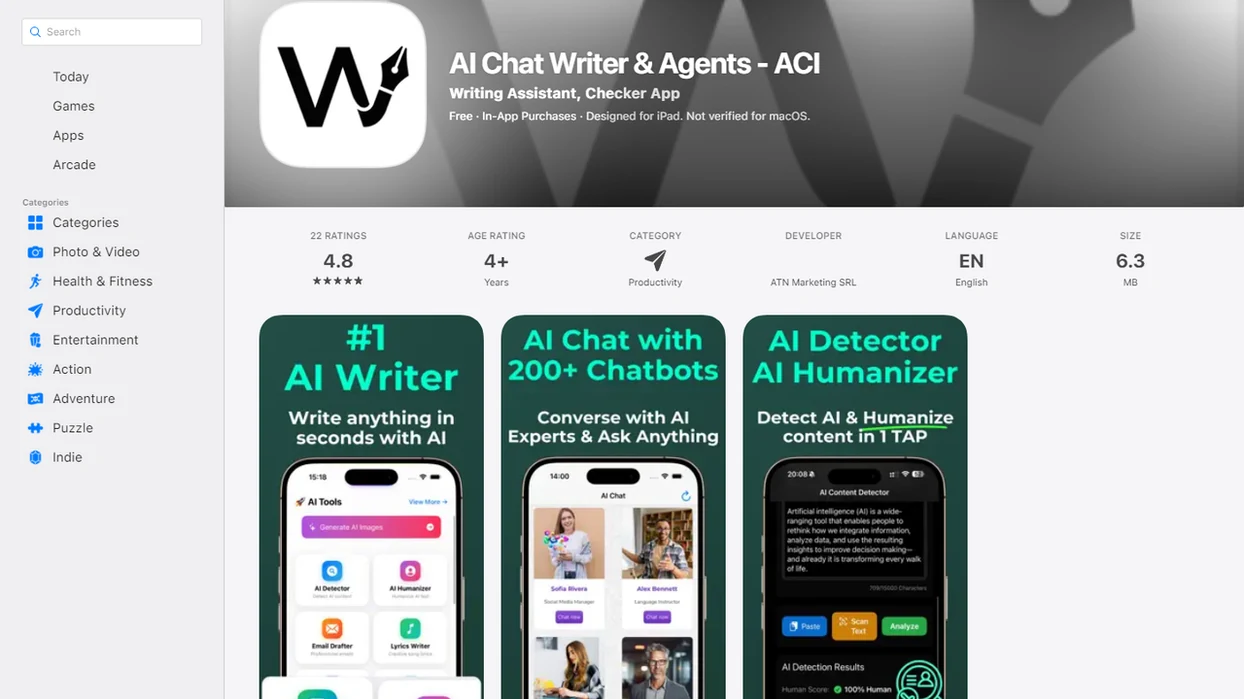
Side-by-side captures of the compared products. Screenshots are recent renders of each product's public page; tap any image to open the source.
What an App That Picks the Right AI Agent Actually Does
Yes, this type of app exists as an AI agent selector or routing layer. An app that picks the right AI agent reads your request, labels the task, and sends it to a specialized agent instead of treating every prompt as ordinary chat.
A single chatbot usually asks one general model to handle everything. A multi-agent network separates jobs by workflow fit: chat, writing, image generation, document analysis, file review, and AI detection. The difference is visible when the work pile is messy: meeting notes, a half-written brief, screenshots, and a support ticket all need different handling.
Tools like AIACI fit this category for mobile users and teams because they put one front end over several specialized agents. Good routing means the user spends less time staring at five nearly identical chat app icons on an iPhone home screen.
One app. Several task paths.
Five Facts About Automatic AI Agent Routing
- Automatic AI agent routing sits on top of a multi-agent network, where each agent is designed for a narrower job than a general chatbot.
- Routing depends on intent detection and task classification, so the system must infer whether you want drafting, analysis, summarization, image creation, or review.
- A router can select one agent or orchestrate several agents in sequence, such as file reader, summarizer, then writer.
- Specialized agents can outperform one general-purpose chatbot for specific workflows because they use task-specific tools, formats, and context windows.
- Routing is not self-aware. It still needs guardrails, logging, permission boundaries, and human oversight.
Demand is rising because generative AI is already part of normal work. In McKinsey’s 2023 global survey, 79% of respondents reported at least some exposure to generative AI at work, and 22% used it regularly (McKinsey, 2023). That creates a practical need for better agent routing, not just more chat boxes.
How an AI App That Chooses Agents Works
An AI app that chooses agents works by turning one user request into a classified task, then routing it to the agent or agent chain most likely to complete it. The prompt enters a unified chat or chat interface first, then the router evaluates intent, context, files, permissions, and safety rules.
Intent detection and task labels
Intent detection asks, “What is the user trying to get done?” Task classification turns that answer into labels like draft, summarize, compare, detect, extract, or generate image. A user dragging a PDF into a document agent and waiting for the page count to finish loading is giving the router more than text. The file type, length, and prompt all matter.
Agent orchestration and tool access
Agent orchestration means the app may hand work from one specialized agent to another. A document reader can extract key points, a summarizer can condense them, and a writing agent can draft the reply. Production systems also need observability, tool permissions, cost controls, latency budgets, and safety policies. The deeper mechanics are covered in how AI agent routing works.
How to Use an AI Agent Selector App
Use an AI agent selector app by giving it a clear job, enough context, and a review step after routing. The router can help, but it cannot guess missing requirements from a vague sentence like “make this better.”
- Write the task in plain language, including the outcome you want.
- Attach the needed context, such as files, screenshots, notes, or links.
- Let the app route the request to a chat, writing, document, image, file, or detection agent.
- Check the selected agent or task mode before trusting the output.
- Split mixed tasks when routing confidence seems low, especially if one prompt asks for analysis, drafting, and image work.
- Refine the result, then save, copy, export, or hand it off to the next workflow.
For mobile-first work, this prevents the airport gate problem: phone brightness glare, a short deadline, and no patience for switching apps.
Best Tasks for an AI Agent Selector App
The best tasks for an AI agent selector app are mixed knowledge-work jobs where the task type changes across chat, writing, files, images, and review. Mobile-first professionals often need one app because the work arrives in fragments, not neat project folders.
| Task | Best agent type | Why it fits | Example prompt |
|---|---|---|---|
| Quick question | Chat agent | Handles open-ended reasoning and follow-up | “Explain this vendor term in plain English.” |
| Drafting | Writing agent | Uses structure, tone, and revision steps | “Turn these notes into a client update.” |
| Image generation | Image agent | Converts visual intent into image prompts | “Create three banner concepts for this launch.” |
| Document analysis | Document agent | Reads long files and extracts facts | “Summarize the risk section of this PDF.” |
| File summarization | File review agent | Handles uploads and metadata | “Compare these two reports.” |
| AI detection | Detection agent | Flags machine-like text patterns | “Check this paragraph for AI signals.” |
| Multi-step workflow | Agent chain | Uses handoffs instead of one response | “Read this file, summarize it, then draft an email.” |
Some workflows need chaining, not one agent. For PDF-heavy work, an AI document analysis agent is usually easier than pasting pages into a general chat because it preserves file context.
AI Agent Selector App Requirements Before You Start
Before relying on an AI agent selector app, check whether it supports your real task types, files, devices, and governance needs. Routing quality depends on the app knowing enough context to classify the task correctly.
- Task coverage: Confirm support for chat, writing, images, document analysis, file review, detection, and multi-step workflows.
- File and export support: Check upload limits, accepted formats, export options, and whether scanned files are readable.
- Mobile availability: Look for iOS or mobile web support if your work happens between meetings.
- Routing transparency: The app should show the active agent, task mode, or handoff path.
- Controls and governance: Teams need permission controls, privacy policy review, auditability, and tool-access boundaries.
Gartner reported that 86% of surveyed IT and business leaders expected AI to become mainstream in their organization by 2025. That is why routing is becoming infrastructure, not just a convenience. A good AI agent network platform routes tasks to specialized agents for chat, writing, image generation, document analysis, and detection with the web tools, not a promise that judgment disappears.
AIACI as an AI Agent Network for Real Workflows
AIACI routes chat, writing, image, document, and detection tasks to specialized agents, with a unified front end and task-specific agents on the back end. That structure is useful when the user knows the job but does not want to manually pick a different tool for every step.
In practice, someone can upload a document and summarize it, draft a response, generate an image, check text for AI signals, or continue with a chat agent. The web tools also makes sense for mobile-first use cases, where the next task might arrive from email, a saved file, or a team message.
There are limits. Treat agent selection as routing support for real work, not a fully autonomous worker. The selected agent still needs review, especially when a file is sensitive or the output will be sent to a customer.
Common Mistakes With Automatic AI Agent Routing
Common routing failures usually start with unclear input. If you write “fix this deck” with no audience, goal, length, or file context, the app may classify the request as writing when you really wanted strategy review.
Another mistake is mixing unrelated jobs in one prompt. “Summarize this contract, design a logo, and tell me if the email sounds AI-written” should be split unless the app clearly supports orchestration. Otherwise, the router may choose the first visible task and ignore the rest.
Users also should not assume the selected agent is always correct. When a detector score appears, the user still has to read the flagged sentence and decide whether it is actually a problem. Teams face a separate risk: broad tool permissions. Give agents narrow access first. Over-routing can also increase latency and cost, especially when several agents touch a task that one simple chat response could handle.
How to Verify the Right AI Agent Was Picked
Was the right AI agent picked? The right agent was probably picked if the output uses the correct format, applies the right tools, preserves your context, and needs only light rework.
Use this short checklist after each result:
- Did the answer match the task type you requested?
- Did the output use the format you asked for, such as table, draft, summary, or image brief?
- Did the app keep the file, thread, or prior context intact?
- Did the agent use appropriate tools without asking for unrelated access?
- Did you spend less time fixing the result than you would have spent starting over?
Transparent apps should show the active agent or task mode. That small label matters when tracked changes are glowing in margins and you need to know whether a writing agent or detection agent touched the paragraph. For example, an NBER working paper on generative AI in a call-center setting found a 14% average productivity lift, but those results do not guarantee every routed task will improve (NBER, 2023).
Evidence Behind AI Agent Routing and Productivity Claims
The evidence supports two separate claims: generative AI is widely entering workplace use, and well-scoped AI assistance can improve productivity in some tasks. It does not prove that every router will always choose the best agent or that every multi-agent handoff saves time.
Use the evidence in layers:
- Separate adoption from performance. Surveys show that workers and organizations are using generative AI, which explains demand for routing, but adoption alone does not prove quality.
- Treat productivity studies as task-specific. Working papers and field studies can support claims about faster writing, support, or analysis workflows, but only when the user’s task resembles the studied setting.
- Use vendor documentation for routing mechanics. Product docs can explain intent detection, agent selection, tool permissions, and orchestration, but they are not independent proof of productivity gains.
- Apply routing claims narrowly. A router can improve fit by sending a PDF, image, draft, or detection request to the right workflow; it cannot fix unclear instructions or missing context.
- Keep human review in the loop. Routing quality still depends on task clarity, permission boundaries, and a person checking the selected agent and final output before the work matters.
Limitations
An app that picks the right AI agent is useful, but it is not a substitute for judgment, policy, or expert review. Treat routing as a decision aid, not a final authority.
- Routing can fail when prompts are vague, contradictory, too broad, or missing context.
- Multi-agent orchestration may add latency and cost because several agents process one task.
- The app may choose an agent that sounds confident but misunderstands the actual request.
- Sensitive files require privacy controls, retention settings, upload boundaries, and permission limits.
- Autonomous tool use should require human approval for high-risk actions, especially sending, deleting, buying, or publishing.
- AI detection outputs should be treated as signals, not final judgments about authorship or misconduct.
- Some tasks belong with human experts, especially legal, medical, financial, compliance, safety, or employment decisions.
- Team rollouts need logs, escalation paths, and periodic source checks.
The boring controls are the point. Without them, routing speed can become operational risk.
FAQ
Can an app choose AI agents?
Yes. An app can choose AI agents when it includes an intent classifier and a network of specialized agents for different task types.
What is AI agent routing?
AI agent routing is the process of matching a user task to the most suitable AI agent or agent chain. It may route by intent, file type, tool need, context, confidence, or policy rules.
Is agent routing always accurate?
No. Agent routing can misclassify vague, mixed, unusual, or contradictory prompts, so users should review the selected agent and final output.
Which tasks need AI agents?
Writing, chat, image generation, document analysis, file summarization, AI detection, and workflow automation are common tasks for AI agents. Multi-step work may need more than one agent.
How is this different from ChatGPT?
A general chatbot usually presents one broad chat experience. An agent selector app adds a routing layer that can send tasks to specialized agents or chained workflows.
Can agents work together?
Yes. A document agent might read a PDF, a summarization agent might extract key points, and a writing agent might draft the response.
Is an AI agent app safe?
Safety depends on permissions, privacy controls, logging, human approval, and clear task boundaries. No agent app should receive broad access without review.
Do I need coding skills?
Most end users do not need coding skills for a consumer AI agent selector app. Builders and enterprises may need configuration for tools, permissions, workflows, and governance.