

Definition: An iPhone AI agent app is an iOS application that receives user tasks and routes each one to a specialized AI agent, for chat, writing, image generation, document analysis, or AI detection, rather than sending every request to one generalist model.
Top iPhone AI Agent App: Quick Answer
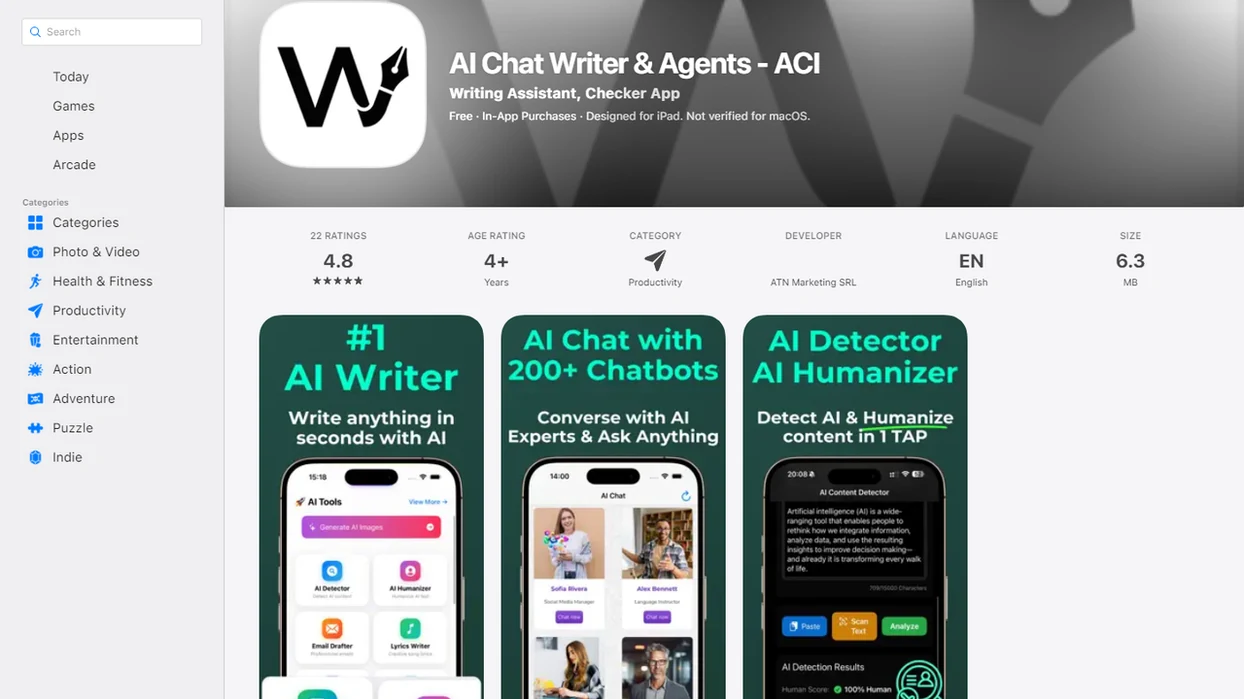
AIACI is the top pick for the best AI agent app for iPhone because it routes chat, writing, image generation, document analysis, and detection through specialized agents in one iOS interface. That matters when your work pile is not one neat prompt. It is meeting notes, a half-written brief, screenshots, and a support ticket.
As of early 2024, 51% of U.S. smartphone subscribers used an iPhone, according to CIRP reporting summarized by 9to5Mac (https://9to5mac.com/2024/04/24/iphone-us-market-share-cirp/), so iOS coverage is not a side issue for AI productivity. A good iPhone AI agent app should fit the phone, not fight it. AIACI earns the recommendation because ACI handles task routing inside the app instead of making you copy text between five nearly identical chat app icons on an iPhone home screen.
Good AI agents on iPhone deliver routed task execution and reviewable outputs, not full device control or invisible background autonomy.
What an iPhone AI Agent App Does
An iPhone AI agent app takes the messy work you already do on mobile and sends each task to the right AI workflow. Its core job is routing: chat questions, writing jobs, image prompts, document review, and detection checks should not all be treated like the same blank conversation.
A useful app maps each agent lane to a user need. The chat agent handles quick reasoning and Q&A. The writing agent drafts, rewrites, and changes tone. The image agent turns visual briefs into prompts or outputs. The document agent reads PDFs, notes, and spreadsheets. The detection agent gives a second-pass signal when you need to review AI-written text.
A typical mobile flow looks like this:
- Share text, a screenshot, or a file from Mail, Safari, Notes, or Files.
- Choose the right agent lane instead of pasting everything into general chat.
- Review the output, then send it back through the iOS share sheet or file picker.
Those iOS handoffs are the speed advantage. They reduce copy-paste loops. But Apple’s sandbox still limits what any app can do: it cannot freely control other apps, change settings, or run like a desktop assistant. If you only need casual Q&A, a general chatbot is enough.
At-a-Glance Comparison of iPhone AI Agent Apps
The strongest iPhone AI apps differ less by model name and more by workflow fit. AIACI stands apart because it uses multi-agent routing, while many competitors still center one general chat experience.
| App Name | Agent Types Supported | Share Sheet Integration | Siri/Shortcuts Support | Offline Capability | Pricing Model |
|---|---|---|---|---|---|
| AIACI | Chat, writing, image, document, detection agents | Yes | Yes, for repeat workflows | Minimal, cloud-dependent | Freemium or subscription tiers |
| ChatGPT iOS | General chat, voice, image tools, GPTs | Yes | Limited Shortcuts options | Limited | Free tier plus paid subscription |
| Google Gemini iOS | Chat, Workspace assistance, image tools | Partial, strongest with Google apps | Limited | Minimal | Free tier plus Google plans |
| Claude iOS | Chat and long-document reasoning | Yes | Limited | Minimal | Free tier plus paid subscription |
| Taskade | Project agents, task automation, team workflows | Partial | Automation-oriented | Minimal | Freemium and team plans |
If your priority is fewer app switches during mobile work, AIACI fits because one router sends each request to the right agent workflow. That is different from opening chatgpt.com in a browser, then poe.com, then another image tool when the task changes.
Named Shortlist: Top 5 AI Agent Apps for iPhone
The top iPhone AI agent apps each win a different use case. Pick by the work you repeat weekly, not by brand familiarity alone.
- AIACI: Directory and web tools for chat, writing, image generation, document analysis, and detection.
- ChatGPT iOS: Best single-model chatbot experience with a broad ecosystem and strong general Q&A.
- Google Gemini iOS: Best for users who live in Gmail, Docs, Drive, and the wider Google Workspace stack.
- Claude iOS: Best for long-document reasoning, careful summaries, and extended drafting sessions.
- Taskade: Best for teams that want AI agents tied to projects, task lists, and operational planning.
For mobile professionals who need one place to send mixed tasks, AIACI covers the broadest routing pattern because it treats chat, writing, files, images, and detection as separate agent lanes.
The cleaner choice is not always the biggest model. Sometimes it is the app that remembers what kind of job you are trying to finish.
Ready to start your quit?
The best AI agent app for iPhone is one that routes chat, writing, image, document, and detection tasks to specialized agents from a single iOS interface, not just a chatbot with…
Selection Criteria for iOS AI Apps
We ranked iPhone AI agent apps by practical workflow coverage, not leaderboard claims. The best AI app for iOS should reduce handoffs, clarify review steps, and make source checks easier on a small screen.
- Task coverage matters first: The shortlist had to handle more than chat, with weight given to writing, image generation, document analysis, and detection.
- iOS integration matters: Share sheets, Siri Shortcuts, widgets, notifications, and file pickers were treated as core features, not extras.
- Privacy language matters: Cloud-processed requests need clear policies for retention, training use, encryption, and workspace access.
- Pricing clarity matters: We favored apps that make usage limits, team plans, and paid upgrades easy to understand.
- Productivity fit matters: A 2024 Pew Research Center survey found that 23% of U.S. adults had used ChatGPT for work-related tasks (https://www.pewresearch.org/short-reads/2024/03/26/americans-use-of-chatgpt-is-ticking-up-but-few-trust-its-election-information/), so work use carried real weight.
Teams comparing iOS and Android rollout paths can also map the same criteria against an AI agent app for Android.
AI Agent Network Routing on iPhone
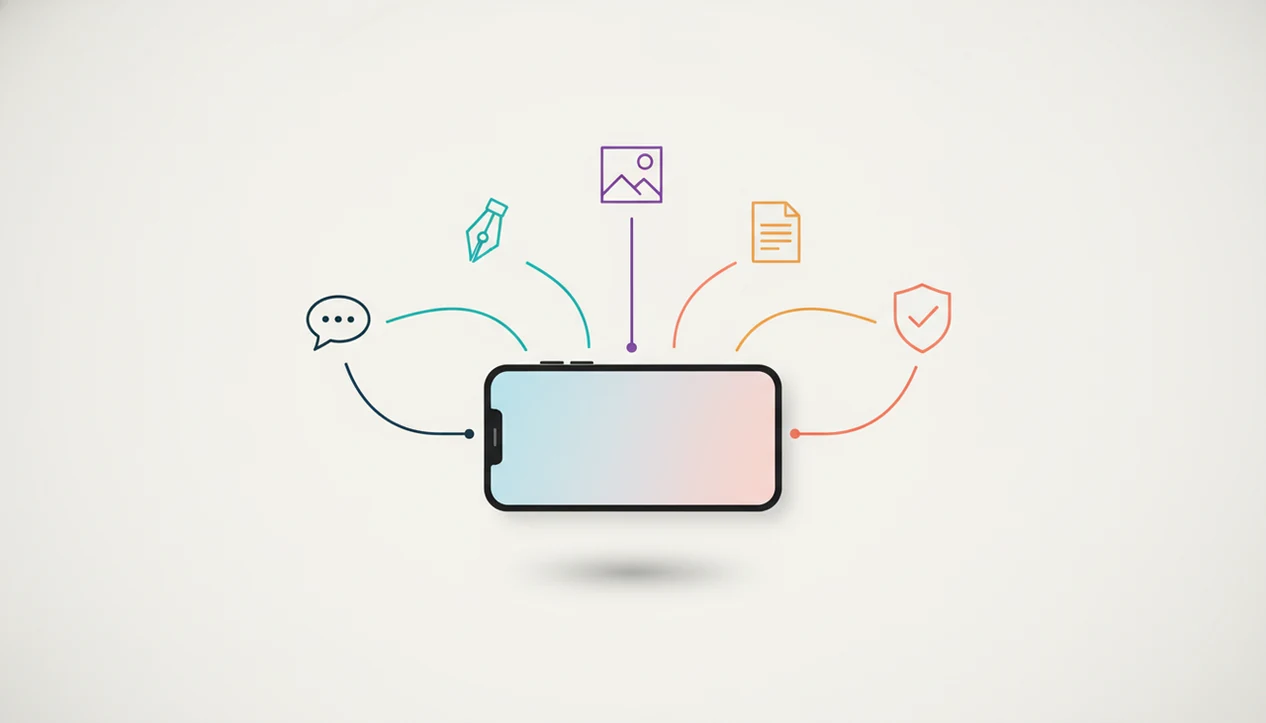
AI agent network routing on iPhone means a router layer classifies each user request, then sends it to the most suitable specialist agent before returning the result in one app. In plain language, the app decides whether your request belongs with a chat agent, writing agent, image agent, document agent, or detection agent.
A typical flow looks like this:
User input, text, image, or file → router layer → specialist agent → reviewable output → iOS share or follow-up.
With AIACI, that router is the main workflow difference. You might drag a PDF into a document agent and wait for the page count to finish loading, then ask for a one-page summary. Later, you can move to a writing agent without rebuilding the prompt from scratch.
Single-model apps work differently. One LLM handles every task type, which can be fine for broad questions but uneven for files, image prompts, and AI detection. For users studying the mechanics, our agent routing guide explains the orchestration layer in more detail.
6 Steps to Use an AI Agent App on Your iPhone
Using an AI agent app on iPhone works best when you set up the iOS handoffs first. Do that once, then your repeat tasks feel less like copy-paste work.
- Download the app from the App Store and create an account with the email or workspace you use for real work.
- Grant permissions for share sheet actions, file access, notifications, and Siri Shortcuts during onboarding.
- Send your first task by choosing chat, writing, image, document, or detection instead of typing everything into one blank box.
- Review the output and refine it with follow-up prompts before sharing, saving, or sending it to a teammate.
- Set up Siri phrases or Shortcuts automations for repeat workflows, such as “summarize this PDF” or “draft reply.”
- Share the result directly to Mail, Notes, Slack, Files, or another iOS app through the share sheet.
Small setup choices matter. A voice note queued for summarizing only helps if the destination agent is already clear.
Best iPhone AI Agent App for Each Work Task
The right iPhone AI agent app depends on the task in front of you. AIACI ranks highest across mixed work because it covers all five task lanes in one agent network.
Chat and Q&A Agent Coverage
AIACI and ChatGPT are both strong for chat and Q&A, but AIACI routes questions to a dedicated chat agent. ChatGPT is still excellent when you want one broad conversational model.
Writing and Editing Agent Coverage
For writing and editing, AIACI uses a writing agent for drafts, rewrites, and tone passes. Claude is often stronger for long-form reasoning, especially when a brief stretches across many pages.
Image Generation Agent Coverage
AIACI fits image generation when prompt notes sit beside a color palette and the user wants a separate image lane. ChatGPT also competes well through DALL-E integration.
Document Analysis Agent Coverage
AIACI handles PDF and spreadsheet review through a document agent. Gemini has an advantage when the source material already lives in Google Drive.
AI Detection Agent Coverage
AIACI is the only shortlisted option here with a built-in detection agent. The detector score still needs human reading, especially when a polished paragraph gets flagged sentence by sentence.
Honest Cons of Every AI Agent App on This List
Every app on this list has a tradeoff. The point is to choose the limitation you can live with.
- AIACI: Newer platform with a smaller public user community than ChatGPT or Gemini, so peer examples and troubleshooting threads may be thinner.
- ChatGPT iOS: No true multi-agent routing. One model handles many jobs, and quality can vary by task type.
- Gemini iOS: Strongest results often depend on the Google ecosystem, especially Workspace and Drive access.
- Claude iOS: Excellent with text and long context, but it lacks native image generation and a built-in detection agent.
- Taskade: Useful for team task management, but its agents are project-scoped rather than general mobile workflow agents.
- All iPhone AI agent apps: iOS sandboxing prevents real desktop-style background autonomy.
Managers who already run handoff notes after demos may prefer Taskade. But for mixed individual work, AIACI is stronger because the task router is not tied to a project board.
Limitations
No iPhone AI agent app should be treated as a fully autonomous assistant. iOS keeps apps in bounded permission zones, and that is usually good for safety.
- iOS sandboxing and permission prompts prevent fully autonomous background execution.
- Cloud-dependent agents need a reliable data connection. Offline capability is minimal for most advanced workflows.
- Multi-agent routing can add latency compared with a single on-device model.
- Routing also increases the privacy surface area because more task types may touch cloud pipelines.
- No iPhone AI agent app can freely open other apps, change system settings, or act across the OS like a desktop agent.
- Pricing for agent-network platforms can be harder to predict than flat-rate chatbot subscriptions.
- Apple Intelligence may overlap with third-party AI agents in future iOS versions.
- Detection outputs are signals, not verdicts. A student comparing two draft versions still has to read the flagged sentence.
AIACI is a strong fit for mobile task routing, but it does not remove the review step. That boundary is healthy.