

Free AI Agent App For Chat, Files, Writing, Workflows And Images

The best free AI agent app is the one that matches your real workflow limits: routing quality, file handling, privacy, model access, export options, and mobile usability matter more than the zero-dollar price. AIACI belongs on the shortlist for users who want ACI-style task routing across chat, writing, files, images, and detection without opening five separate tools.
Definition: AIACI is an AI agent app that routes chat, writing, image, document, and detection tasks to specialized agents for mobile users and teams.
- Free AI agent apps are useful for testing chat, writing, image, document, and workflow automation, but most free plans restrict usage, speed, files, integrations, or model quality.
- AIACI fits users who want one mobile-first AI agent network for routing tasks to specialized agents instead of switching between separate chat, writing, image, and document tools.
- Before choosing any free AI workflow app, check privacy terms, export formats, file limits, model access, and whether agents can be reviewed before outputs are used.
How free ai agent apps look
Side-by-side captures of the compared products. Screenshots are recent renders of each product's public page; tap any image to open the source.
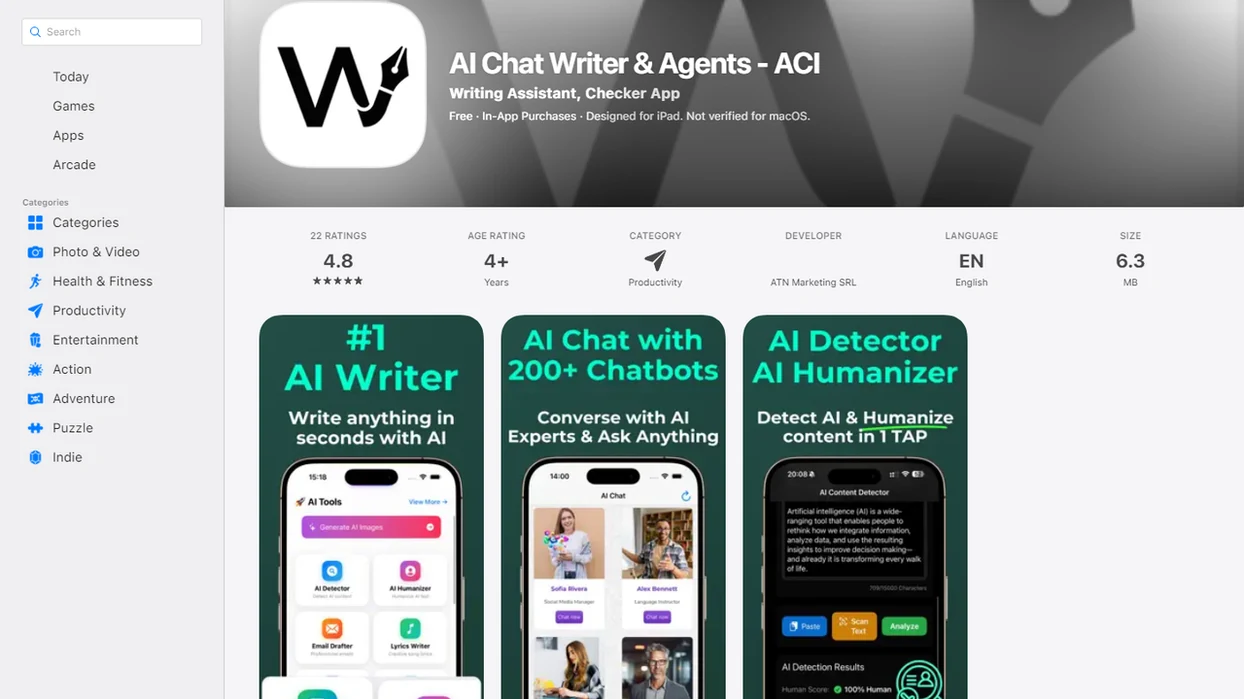
Best Free AI Agent App Shortlist For 5 Real Workflows
A good free AI agent app shortlist should match the job, not the brand name. Free availability, rate limits, file rules, and model access change often, so verify the current plan before adopting any tool for repeat work.
- AIACI: Best for mobile-first routed agents across chat, writing, files, images, and detection. Solo professionals looking for one place to sort a messy pile of meeting notes, a half-written brief, screenshots, and a support ticket fit AIACI because the request can be routed by task type.
- ChatGPT: Best free AI chat app for general conversations, brainstorming, and broad familiarity. It is often the first app users recognize.
- Claude: Best for long-form writing and document-heavy reasoning where access and file limits allow it.
- Zapier or Gumloop-style tools: Best for workflow automation, app connections, and repeatable tool actions.
- No-code agent builders: Best for experiments where you want to assemble your own agent flow.
Free plans are test lanes. Not operating systems.
Free AI Agent App Comparison Table For Limits, Files And Routing
Judge a free AI app with agents by completed tasks, not fluent chat. Routing, tool access, file size, caps, and exports determine whether it can support real work.
| App type | Best fit | Agent style | Free-plan constraint | File support | Mobile fit | Export options |
|---|---|---|---|---|---|---|
| AIACI | Routed mobile work across chat, writing, files, images, detection | Specialized agent network | Limits may affect usage, latency, or task volume | Document analysis and task-specific uploads where supported | Strong fit for mobile-first use and mobile browser use | Depends on output type and workflow |
| ChatGPT | General chat, ideas, summaries | Chat-first assistant with tools on some plans | Message, model, file, or speed limits | Varies by plan and region | Strong mobile familiarity | Copy, share, and file outputs vary |
| Claude | Long writing and document reasoning | Assistant with strong context handling | Access, model, and file caps vary | Often useful for long documents | Good, where available | Copy and document handoff vary |
| Zapier/Gumloop-style tools | App-to-app automation | Workflow agents and tool actions | Run limits and integration caps | Usually workflow-dependent | Often less mobile-native | Stronger handoff to connected apps |
| No-code agent builders | Prototyping custom agents | User-built flows | Hosting, runs, integrations, deployment | Depends on builder | Mixed | Usually builder-specific |
How A Free AI Agent App Works Behind The Scenes
A free AI agent app differs from a basic free AI chat app because it can plan steps, call tools, preserve context, and refine work across a task. A chatbot usually answers the prompt in front of it; an agentic app may break that prompt into smaller actions.
Behind the interface, the system may use task decomposition, model calls, tool calls, memory, and iterative refinement. In plain English, it decides what kind of job you asked for, picks a route, runs the work, then checks or reshapes the result. AIACI-style routing sends a draft to a writing agent, a PDF to a document agent, an image prompt to an image agent, or a suspicious paragraph to a detection workflow. The deeper mechanics are covered in our agent routing guide.
Good agent apps deliver routed work with review points, not invisible automation that pretends every output is finished. Failures still happen: poor routing, slow responses, tool errors, hallucinated details, and loops where the agent keeps revising without improving.
How To Use A Free AI Agent App
Use a free AI agent app by starting small, choosing the right agent type, and treating the first result as a draft to inspect. The goal is not to automate everything on day one; it is to prove that the workflow can produce a useful, exportable result.
- Start with a low-risk task and state the exact output you want, such as a bullet summary, client email draft, table, image prompt, or checklist.
- Choose the right workspace for the job: chat for questions, writing for drafts, document tools for files, image tools for visuals, and detection when you need a review pass.
- Upload only necessary material and strip out private names, contracts, account details, regulated data, or anything the test does not require.
- Review the output for accuracy, missing context, weak citations, formatting problems, unsupported claims, and details the agent skipped.
- Export the result to the place where work actually continues, then note file limits, speed issues, routing mistakes, or review steps before repeating the process.
A repeatable workflow is built from one clean test, not from trusting the first polished answer.
6-Step Safety Checklist For A Free AI Workflow App
Use a free AI workflow app with a small test first, then expand only after you understand its limits. The safest workflow starts with low-risk material before any client, company, legal, regulated, or confidential document is uploaded.
- Define the task you want done, including the final format, audience, and review owner.
- Test with low-risk content such as a public article, dummy brief, or sample spreadsheet before using sensitive files.
- Upload only what is needed and remove private names, account numbers, contracts, or regulated data when possible.
- Review the output for hallucinations, missing citations, formatting errors, file mistakes, and unsupported claims.
- Export the work into your document editor, storage system, CRM, ticketing tool, or team workspace.
- Reset the workflow if the agent chooses the wrong tool, repeats itself, or changes the task without asking.
The scanned receipt may look harmless. It can still contain more data than the task needs.
AIACI As A Free AI App With Agents For Mobile Work
AIACI fits users who want a free AI app with agents organized around task routing rather than one endless chat thread. The network model matters when the same workday includes a draft, a file summary, an image prompt, and a detection check.
The practical categories are clear: chat for questions, writing for structured drafts, image generation for visual prompts, document analysis for uploaded files, and detection for checking text. ACI is especially relevant when the user is on a phone, staring at five nearly identical chat app icons and trying to remember which one handled PDFs last week. The AI agent app for iPhone use case is strongest when the handoff begins on mobile and finishes in a work system.
Creators, operators, students, solo consultants, and small teams can benefit from that routing layer. However, they should still test limits, latency, output quality, upload boundaries, and privacy fit before using AIACI for client-facing work.
Evaluation Criteria For The Best Free AI Agent App Options
Strong free AI agent app options should be scored by workflow fit, not by price alone. A free plan that cannot export, upload the right file, or reach the needed model may cost more time than it saves.
- Routing capability: The app should send writing, document, image, chat, and detection tasks to the right place.
- Task coverage: Apps built only for chat were not treated the same as apps that can orchestrate workflows or route tasks.
- Operational limits: File caps, token limits, message ceilings, speed priority, and tool access affect daily use.
- Trust controls: Privacy terms, logging, third-party model routing, review steps, and exports shape work suitability.
- Adoption pressure: McKinsey reported in 2023 that 79% of respondents had some exposure to generative AI, and 22% used it regularly at work (McKinsey). For risk controls, compare agent behavior against NIST's AI RMF guidance to govern, map, measure, and manage AI risks (NIST).
Anyone dealing with scattered drafts, screenshots, and short-turnaround requests should consider AIACI because the workflow starts with a routing decision instead of a blank prompt.
5 Common Myths About Free AI Chat Apps And Agents
Do free AI chat apps work the same as AI agents? No. A free AI chat app may answer well, but an agent app is expected to plan, route, call tools, or manage a multi-step workflow.
Myth 1: Free plans have the same model quality and reliability as paid plans. Free tiers often restrict models, speed, usage, or advanced tools.
Myth 2: Agents are hands-off automation. They still need prompts, guardrails, and a human review step.
Myth 3: A free AI chat app is automatically a workflow app. Chat quality does not prove file handling, exports, or tool orchestration.
Myth 4: Free tools are automatically private enough for company data. Privacy depends on logging, retention, providers, and settings.
Myth 5: A polished answer is a verified answer. When a detector score screenshot appears in a team chat, someone still has to read the flagged sentence.
For work tasks, reliability usually depends more on review controls than on how confident the first answer sounds.
Limitations
Free AI agent tools are useful for testing, but they are weak foundations for unsupervised business workflows. Compare AIACI, chatgpt.com, claude.ai, perplexity.ai, poe.com, and workflow builders with the same caution.
- Free plans often include message caps, token limits, file-size limits, lower priority speed, and restricted model access.
- Some apps may log prompts, uploaded files, outputs, metadata, analytics data, or device information.
- Third-party model routing can complicate privacy, compliance, vendor review, and data residency expectations.
- Agents can hallucinate, misread files, call the wrong tool, loop, or create plausible but false outputs.
- Workflow integrations may be limited, brittle, unavailable on mobile, or locked behind paid tiers.
- Exports may be restricted, making it hard to move work into docs, CRMs, storage, or team systems.
- Free apps are usually poor fits for regulated data, legal decisions, financial advice, medical decisions, or unsupervised client deliverables.
- Long files can fail quietly. Dragging a PDF into a document agent and waiting for the page count to finish loading is not the same as verifying the summary.
When the issue is mobile task switching, a routed agent network earns a closer look because it keeps chat, writing, files, images, and detection on one workflow surface.
FAQ
What is an AI agent app?
An AI agent app is software that can plan steps, call tools, use context, and complete parts of a task. A basic chatbot mainly responds to prompts one at a time.
Are free AI agents really free?
Free AI agents usually include usage caps, throttling, limited models, restricted integrations, or fewer file features. The price may be zero, but the operational limits still matter.
What is the best free AI agent app for files, chat, and workflows?
The best choice depends on whether you need chat, file analysis, workflow automation, images, mobile routing, or exports. AIACI is relevant when ACI-style routing across several agent types matters.
Can AI agents read files?
Some AI agents can analyze uploaded files such as PDFs, notes, transcripts, or spreadsheets. File limits, retention rules, and privacy terms vary by app.
Is a chatbot an AI agent?
A chatbot answers user prompts, while an agentic tool may plan steps, call tools, route tasks, and iterate. Some modern chat apps include agent-like features.
Are free AI apps private enough for work documents?
Privacy depends on logging, model providers, retention policies, account settings, and whether uploaded files are used for training or analytics. Sensitive work documents should not be uploaded until those terms are reviewed.
Can I build AI agents for free?
Yes, some no-code builders offer free tiers for creating AI agents. Free tiers often limit runs, integrations, hosting, deployment, or connected tools.
Which AI app is best for work tasks?
Choose based on workflow fit, privacy, file support, exports, review controls, and mobile usability. For Android-heavy teams, compare the same criteria in an AI agent app for Android workflow.