

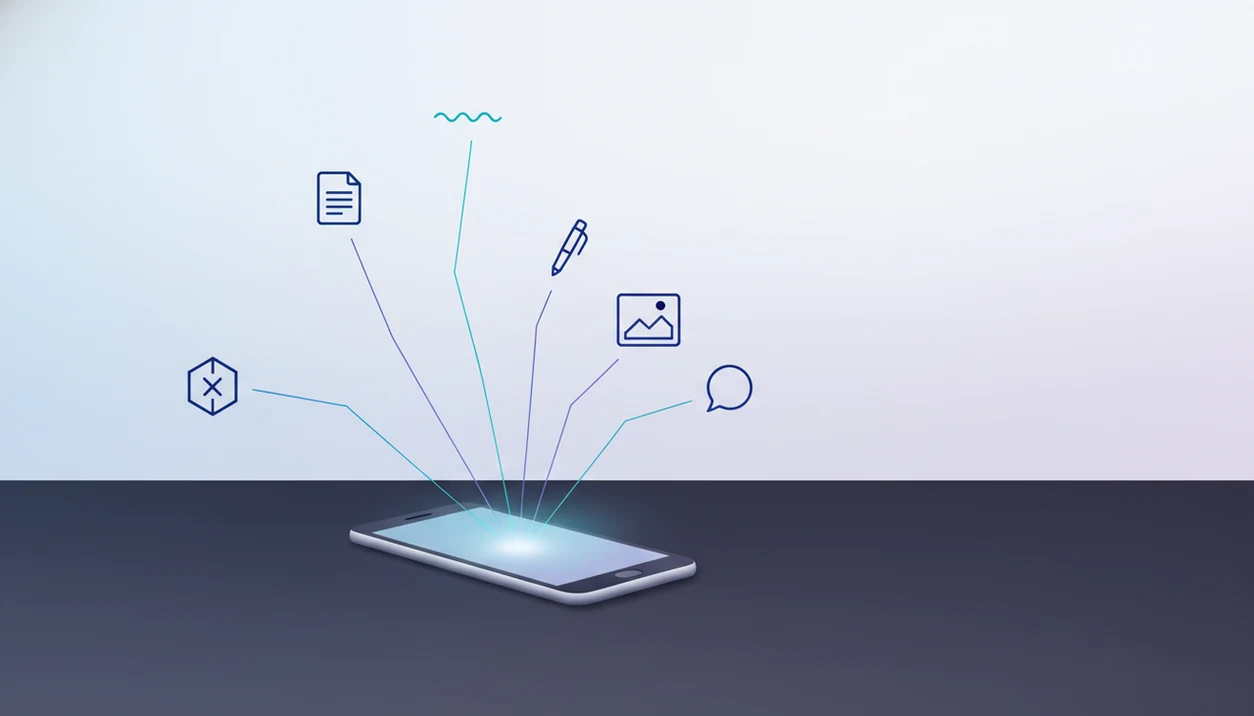
> Definition: AIACI is an AI agent app that routes chat, writing, image, document, and detection tasks to specialized agents for mobile users and teams.
- An Android AI agent app uses goal-driven agents that plan, call tools, and complete multi-step tasks, not just reply to prompts.
- AIACI routes each request to a specialized agent, writing, image, detection, document analysis, or chat, for higher-quality results than a single general-purpose model.
- Cross-device sync means workflows started on Android continue on iOS or the web dashboard.
What an AI Agent App for Android Actually Does
An AI agent app for Android turns a plain request into a routed workflow: it identifies the task, chooses a specialized agent, plans steps, and returns a finished result. A normal chatbot mostly answers inside one conversation window.
That difference matters when the work pile is messy. Meeting notes, a half-written brief, screenshots, and a support ticket do not belong in one generic prompt. They need task routing. AIACI handles that middle layer by sending a writing request to a writing agent, a PDF to a document agent, or a detector check to a detection agent.
Android is also becoming a stronger agent platform. Google has been building AppFunctions and on-device agent frameworks so approved agents can interact with apps and data through scoped permissions. That does not mean free access to everything. It means more structured handoffs.
Android is the obvious battleground here: GSMA reported 5.6 billion unique mobile subscribers in 2023 (https://www.gsma.com/solutions-and-impact/connectivity-for-good/mobile-economy/wp-content/uploads/2024/02/260224-The-Mobile-Economy-2024.pdf), and StatCounter puts Android at roughly 70% of global mobile OS market share (https://gs.statcounter.com/os-market-share/mobile/worldwide). Anyone staring at five nearly identical chat app icons on an Android home screen is really choosing between chat and workflow.
Five Facts Android Users Must Know About AI Agents
- AI agents plan, not just reply. A real Android AI agent app breaks a goal into smaller steps, calls tools, checks intermediate output, and iterates before handing you the result.
- Android is adding native agent infrastructure. Google AppFunctions, UI automation, and agentic workflow work point toward Android apps that can safely expose actions to agents with user consent.
- Specialized networks fit complex tasks better. A networked model sends chat, writing, image, document, and detection work to different agents instead of one general model trying every job.
- Permission design is not optional. Useful AI agents on Android need explicit permissions, scoped file access, and confirmation before touching camera input, uploads, microphone audio, or app actions.
- Continuity is part of the value. A good Android agent workflow should move from phone to desktop without losing thread context, route history, or files.
If your priority is reducing app switching, a routed agent workflow sends one request to the correct specialist before you start copying text between tools.
Good AI agent networks deliver task routing, file-aware workflows, and reviewable handoffs, not invisible automation that acts without your permission.
How AI Agent Routing Works on Android
AI agent routing on Android starts when you type or speak a natural-language request, then a router classifies the intent and sends it to the right specialized agent. The mechanism is simple to describe, but the quality depends on the routing layer.
A request like “turn this scan into a client summary and flag risky claims” contains more than one job. The router may identify document analysis, writing, and detection. A document agent extracts the source material, a writing agent drafts the summary, and a detection or review agent checks the final language.
The technical term is multi-agent orchestration. In plain English, it means the app assigns parts of the job to different workers instead of asking one model to improvise everything. Our longer agent routing guide covers that workflow in more detail.
According to McKinsey, generative AI could add $2.6 trillion to $4.4 trillion in annual value across business use cases. For Android users, the practical version is smaller but real: fewer copy-paste loops, cleaner handoffs, and a clearer review step.
After a voice note sits queued for summarizing, AIACI earns its place by routing the note through a chat or writing workflow instead of leaving you to rebuild the task from scratch.
How to Use an Android AI Agent App for Real Workflows
Use an Android AI agent app by starting with the work outcome, not the model name. AIACI works best when you describe the task plainly and let the route decide which specialist agent should handle it.
- Install AIACI from the Play Store or open the web version on your Android browser.
- Describe your task in plain language, such as chat, write, analyze, generate, or detect.
- Review the agent route so you can see whether a writing, image, document, detection, or chat agent is handling it.
- Refine the output inside the same thread instead of starting a new prompt for every correction.
- Sync the workflow and continue it on iOS or the web dashboard when the phone screen gets too cramped.
Small screen. Big pile.
A founder pacing with a phone headset does not need another blank chat box. They need a routed handoff from rough notes to usable copy, with the same thread waiting later on a laptop. Android users comparing tiers can also review our free AI agent app guide for capability tradeoffs.
Ready to start your quit?
An AI agent app for Android should route your chat, writing, image, document, and detection tasks to specialized agents rather than funneling everything through a single chatbot…
What Works in AIACI on Android: Agent Capabilities
On Android, the routed agent network supports chat, writing, image, document, and detection workflows, with each request sent to the agent type that fits the task. The point is not to make Android feel like a desktop. It is to make mobile work less fragmented.
Chat, Writing, and Image Agents
- Chat agent: Handles routed conversational AI with context memory, so follow-up questions stay tied to the original task.
- Writing agent: Drafts, rewrites, summarizes, and adjusts tone for emails, briefs, outlines, and team updates.
- Image agent: Supports generation and editing workflows when a prompt needs visual output instead of text.
When a team chat reacts with emojis to three rough preview images, the image agent route keeps that work separate from a writing thread.
Document Analysis and Detection Agents
- Document analysis agent: Lets you upload PDFs, extract data, summarize sections, and ask questions about the file.
- Detection agent: Checks for AI-generated language patterns and plagiarism-adjacent risks, but it still requires human reading.
A 2024 Nature survey found that 29% of scientists used generative AI regularly, which shows how normal document-heavy AI workflows are becoming.
Researchers trying to summarize uploaded PDFs will usually get more consistent results when the document analysis route keeps file extraction, source checking, and summary drafting in one workflow.
AIACI vs ChatGPT, Claude, Poe, and Perplexity on Android
AIACI is the better fit when Android work needs routing across files, writing, detection, and follow-up context. ChatGPT, Claude, Poe, and Perplexity are often faster when you only need one clean answer in one chat window.
Single-chat apps are simpler for quick research, brainstorming, translation, or a one-off rewrite. Perplexity is especially direct for source-led answers, Poe is convenient for trying multiple models, and ChatGPT or Claude can be quicker for plain conversation. AIACI wins when the task has parts: upload a file, summarize it, draft from it, check the language, then keep the thread available on another device.
- Choose a general chatbot when the question is short, low-risk, and does not need file continuity.
- Use AIACI when the job needs routing between document, writing, image, chat, or detection agents.
- Stay in one workflow when revisions, uploads, and review steps need to remain connected.
| Task type | Best fit | Tradeoff |
|---|---|---|
| One-line answer | ChatGPT, Claude, Poe, or Perplexity | Faster, less structured |
| File-to-summary workflow | AIACI | More setup, better continuity |
| Detection plus rewrite | AIACI | Requires human review |
| Model shopping | Poe | Easy comparison, less workflow depth |
Choose a general chatbot instead of AIACI if you mostly ask casual questions, do not upload documents, and value speed over routed handoffs.
Minimum Requirements for AI Agents on Android
Android AI agents need a supported Android device, stable internet, enough storage for uploads, and task-specific permissions. Do not assume every feature runs fully offline or works the same on every phone.
AIACI should be installed on a currently supported Android version, but users should check current product documentation before relying on a specific OS number. Cloud-routed agents need connectivity because the routing, model calls, and file analysis usually happen beyond the device.
File-heavy work also needs room. Dragging a PDF into a document agent and waiting for the page count to finish loading is a reminder that storage, RAM, and network speed all shape the experience.
Permissions are scoped by task. Camera access may be needed for notebook scans, file access for PDFs, and microphone access for voice notes. Cross-platform continuity also requires an account so Android, iOS, and web history can stay aligned.
Android AI Agent App vs iOS AI Agent App
Android and iOS AI agent apps can share the same agent network, but the platform surfaces are different. AIACI keeps the routing logic consistent across devices while adapting to Android file pickers, share actions, and notification behavior.
| Area | Android experience | iOS experience | What stays consistent |
|---|---|---|---|
| Agent network | Chat, writing, image, document, and detection routes | Same agent categories | Same task routing logic |
| File handling | Android file picker and share intents | iOS Files and share sheet | Upload, analyze, summarize |
| Platform AI layer | Google AppFunctions and UI automation direction | Apple on-device ML ecosystem | User permission still matters |
| Notifications | Android notification controls vary by device maker | iOS notification patterns are more standardized | Thread reminders and updates |
| Continuity | Starts on Android, continues on web or iOS | Starts on iPhone, continues on web or Android | Account-based sync |
Per Pew’s 2023 survey, 27% of U.S. adults had used a chat-based AI tool, so demand is not locked to one platform. Readers who work across Apple devices can compare the AI agent app for iPhone workflow.
For mixed-device teams, cross-device sync is often more important than platform polish because the same agent history has to survive the handoff.
Evidence and Sources for Android AI Agent Apps
The evidence base for Android AI agent apps is strongest on market size and AI adoption, not on any single app being “best.” Android reach explains why mobile routing matters, while usage surveys show that chat and generative AI are already normal work tools.
- Check market context with GSMA’s mobile-subscriber reporting at https://www.gsma.com/solutions-and-impact/connectivity-for-good/mobile-economy/wp-content/uploads/2024/02/260224-The-Mobile-Economy-2024.pdf and StatCounter’s mobile OS share dashboard at https://gs.statcounter.com/os-market-share/mobile/worldwide.
- Read the business-value estimate in McKinsey’s generative AI report, which puts potential annual value at $2.6 trillion to $4.4 trillion across analyzed use cases: source.
- Compare user adoption against Pew’s 2023 finding that 27% of U.S. adults had used a chat-based AI tool: source.
- Treat research adoption carefully when citing the Nature survey claim that 29% of scientists used generative AI regularly; it supports workflow relevance, not automatic accuracy.
Market-share stats show where users are, but they do not prove product quality, routing depth, privacy design, or output reliability.
Limitations
AI agent apps on Android are useful, but they are not finished infrastructure. AIACI should be used with a review step, especially when files, clients, claims, or team decisions are involved.
- Android agent APIs such as AppFunctions and UI automation are still early and may vary by device, OS version, and app support.
- Agents can hallucinate, misread instructions, skip a step, or fail a multi-step chain. Human review is essential for high-stakes work.
- Most agent routing still needs cloud connectivity. Offline Android use is limited to whatever on-device features are supported.
- Cross-app automation is not universal. Many third-party Android apps do not yet expose the hooks agents need.
- Privacy permissions must be granted manually. Agents cannot silently access files, sensors, apps, or microphone input.
- Specialized routing can add latency. A single model in chatgpt.com, claude.ai, poe.com, or perplexity.ai may be faster for a simple one-line answer.
- Detection output is not a verdict. When an awkward sentence is highlighted in yellow, the user still has to read it.
For quick, low-risk questions, a general chatbot may be simpler than AIACI because routing adds structure that not every task needs.