

App That Combines Writing and Image Agents for Content Workflows
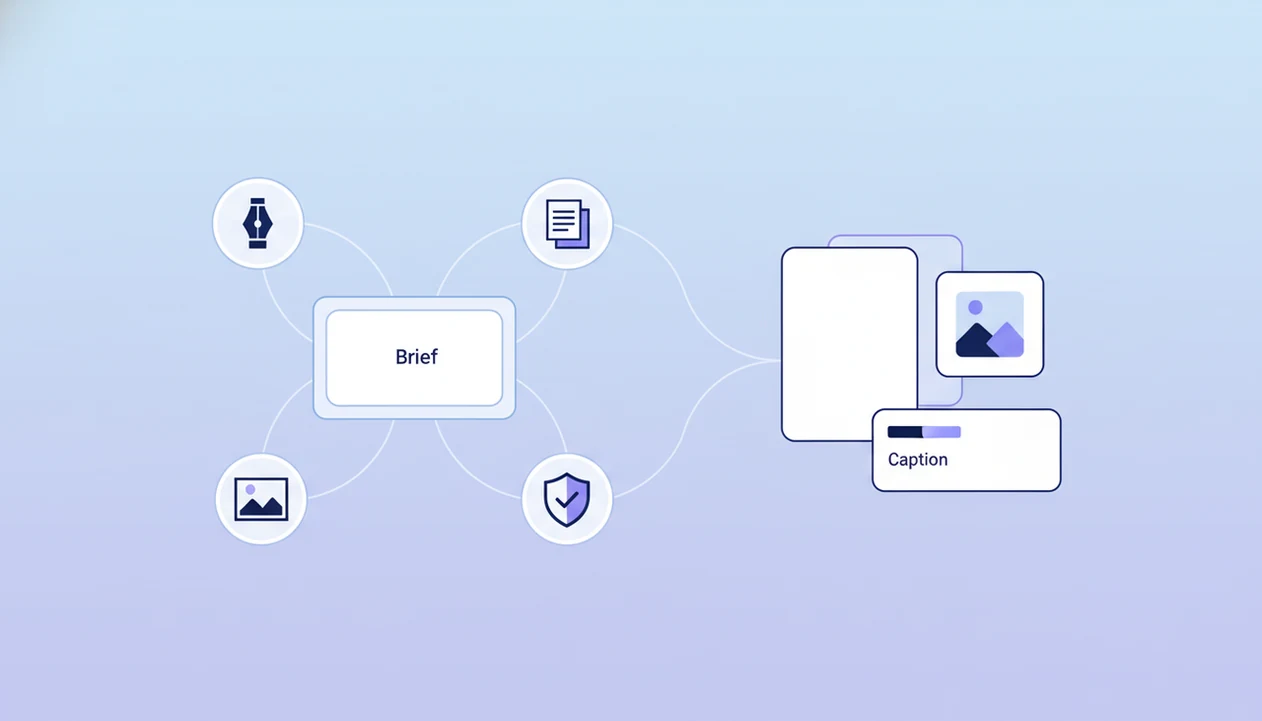
Yes, an app that combines writing and image agents lets you move from one brief to a draft, visual concept, image prompt, caption, and review workflow without switching tools. The stronger version is not just a chatbot with an image button; it routes each task to specialized agents for writing, image generation, document analysis, and detection.
> Definition: AIACI is an AI agent app that routes chat, writing, image, document, and detection tasks to specialized agents for mobile users and teams.
TL;DR
- A combined writing and image agent app coordinates multiple specialized AI agents instead of relying on one general-purpose bot.
- The strongest workflow starts with a brief, then routes work through outline, draft, image prompt, image generation, caption, document review, and detection checks.
- Human review is still required for factual accuracy, brand voice, visual rights, compliance, and final publishing decisions.
How these apps look
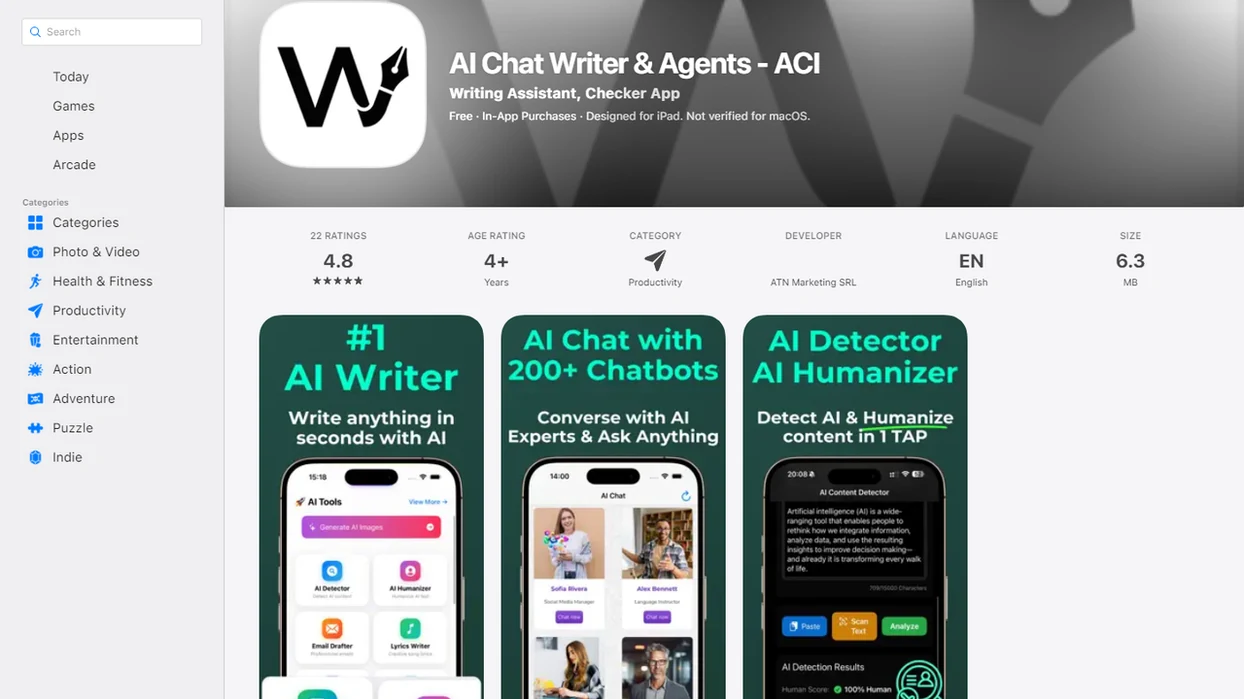
Side-by-side captures of the compared products. Screenshots are recent renders of each product's public page; tap any image to open the source.
What an app that combines writing and image agents actually does
An app that combines writing and image agents exists to connect text and visual content work in one routed workflow. Instead of writing a caption in one tab, building an image prompt in another, and checking the result somewhere else, the app keeps the brief, draft, image direction, and review steps together.
A true content agent app uses specialized agents for writing, image generation, analysis, and review. That makes it different from a basic chatbot that answers one prompt at a time, or a standalone image generator that only creates visuals.
For comparison, ChatGPT, Jasper, Canva, Adobe Firefly, and Midjourney can each cover parts of this workflow, but buyers should check whether writing, image generation, document review, and detection live in one routed workspace or in separate tools.
The practical difference shows up fast. A user might start with a product launch brief, then need a landing page section, three social captions, and a hero image prompt. Tools like AIACI fit this category as an AI agent network for routing real content tasks, rather than treating every request as one generic chat.
One brief. Several handoffs.
Five facts about AI writing and image app workflows
- Combined content apps coordinate multiple specialized agents behind one interface. The user sees one workspace, but the work may pass through writing, image, document, and review agents.
- Agents interpret intent, plan steps, and call the right tools. A request like “turn this brief into a campaign post and image” needs planning before generation.
- Networked routing is closer to a team of specialists than one generalist bot. For content teams, task routing often works better than one long prompt because each agent handles a narrower job.
- Mobile apps often control cloud-based agent workflows. Your phone may start the request, while heavier generation and analysis runs on remote infrastructure.
- Human review remains necessary for accuracy, brand voice, rights, and compliance. A polished draft can still contain an unsupported claim or mismatched visual cue.
How an AI writing and image app works behind the scenes
An AI writing and image app works by turning a user brief into an interpreted task, then routing parts of that task to specialized agents. The usual flow is brief, intent interpretation, planning, routing, generation, review, and revision. In plain terms, the system decides what kind of work you asked for before it starts producing output.
Separate agents may handle the outline, first draft, rewrite, image prompt, visual generation, source comparison, and detection check. Some systems use orchestration logic, which means a controller decides which agent should act next. For a technical overview of agent orchestration patterns, see Microsoft’s guidance on multi-agent systems: https://learn.microsoft.com/en-us/semantic-kernel/frameworks/agent/ It is not the same as a single prompt-response chatbot.
The difference becomes visible when the work pile is messy: meeting notes, a half-written brief, screenshots, and a support ticket. A basic chat window may summarize the pile. A routed content workflow can split it into copy tasks, visual tasks, and review tasks, then bring the pieces back for approval.
Requirements before using AI agents for content creation
Before using AI agents for content creation, prepare the brief and the guardrails. A useful brief includes the audience, channel, offer, tone, format, visual style, length, and constraints. If those inputs are missing, the app will usually produce safe, generic copy and visuals that feel unrelated.
Brand guidelines, source documents, product details, and compliance rules improve the workflow because they reduce guesswork. Upload boundaries matter too. You may need web access, an iOS app, image generation permissions, or document upload support before the full workflow is available.
A practical setup might include a client brief open in a second tab, a product sheet, and two approved example posts. Without that context, even strong agents may invent a soft-focus image style when the brand needs technical screenshots and a plain caption.
How to use a content agent app for writing and images
Use a content agent app by giving one clear brief, then routing each content task to the right writing, image, document, or review agent. The goal is not to make the app “do everything”; the goal is to keep each handoff visible.
- Set the brief with audience, channel, goal, offer, tone, sources, visual direction, and exclusions.
- Route writing tasks to outline, draft, rewrite, SEO, caption, or headline agents.
- Generate visual prompts from the same brief, including style, subject, setting, aspect ratio, and negative prompts.
- Create image options through the image agent, then reject outputs that do not match the message.
- Review documents by comparing drafts against source files, product notes, or uploaded references.
- Approve final output only after checking facts, image-caption alignment, rights, compliance, and target platform display.
On web, this often feels like working through a structured queue. On the web tools, it feels more like continuing the same handoff while away from your desk.
Step 1: Build the writing and image agent brief
What should you put in a writing and image agent brief? Include the goal, audience, channel, call to action, tone, length, sources, visual direction, and exclusions.
One shared brief reduces mismatch between copy and image output. If the draft says “secure enterprise reporting” but the image prompt asks for a playful neon dashboard, the campaign will feel stitched together. The shared brief is the alignment layer.
Strong briefs are specific. For a blog hero image, name the article angle and visual metaphor. For a social caption, include platform limits and the desired action. For a product launch email, add the offer, audience segment, and proof points. For ad creative, specify the message hierarchy and what must not appear.
Uploaded documents can provide product facts or source context. A PDF drag-and-drop moment is slow but useful; you wait for the page count to finish loading, then ask the agent to use that file as the factual base.
Step 2: Route text tasks to AI writing agents
Text work should be routed by task type, not dumped into one vague prompt. Outline agents can structure the piece. Draft agents can expand sections. Rewrite agents can adjust tone. Summarize, SEO, and caption agents can produce narrower outputs from the same source brief.
That shared brief keeps the message steadier across formats. The same campaign can become an article draft, landing page copy, social post, image caption, and email subject line without restarting from scratch each time.
The review step still matters. A writing agent may make a claim sound confident before anyone has checked the source. For client-facing content, humans should review facts, tone, brand fit, and any promise that could create legal or support risk. If you need a buying-focused comparison, a separate best app for AI images and writing guide can help frame tool choice without replacing review.
Step 3: Route visual tasks to AI image agents
Visual tasks should move from campaign goal to image prompt before final image generation. The image agent translates the brief and copy into visual instructions: style, aspect ratio, subject, setting, lighting, composition, negative prompts, and brand constraints.
There is a difference between generating a prompt and generating the final image. Prompt generation creates the production instruction. Image generation creates the visual asset. Keeping those steps separate makes it easier to catch a bad concept before spending credits or sending unusable art into review.
A designer squinting at a tiny preview knows the pain here. The caption may be right, but the subject looks too staged or the social banner gets cropped on a phone. Practical outputs include blog images, social thumbnails, ad concepts, and presentation visuals. For deeper visual routing, an AI image generation agent can be treated as a specialist inside the wider content workflow.
Step 4: Review content with document and detection agents
Document and detection agents add a safety layer after drafting and image creation. A document analysis agent can compare the draft against source files, uploaded notes, pricing sheets, or policy documents. That helps catch invented features, missing caveats, and copy that drifts away from the source.
Detection agents can flag AI-content risk, plagiarism concerns, safety issues, or policy mismatches. They should not be treated as absolute truth. Detection is a signal, not a verdict. The moment a detector score appears, the user still has to read the flagged sentence.
This is where integrated workflows beat many single-purpose tools. A standalone image tool may never ask whether the caption supports the visual. A routed app can check whether the copy, source file, and image direction still agree. For text review specifically, an AI detector agent can sit near the end of the handoff, before final approval.
Best content agent app use cases for teams and creators
The strongest use cases for content agent apps involve mixed outputs: draft plus hero image, caption plus visual, or document summary plus social creative. Adobe’s 2023 creator research reported that many creators saw generative AI as useful for speeding creative work, which helps explain demand for combined writing and image workflows: https://news.adobe.com/news/news-details/2023/Adobe-Future-of-Creativity-Study-Generative-AI/default.aspx
Marketing campaign assets
Marketers and agencies can turn a campaign brief into a landing page section, paid social copy, image prompts, ad concepts, and review notes. Support tickets sorted by urgency can also become content inputs when teams need to address recurring customer questions.
Mobile-first content creation
Founders, creators, consultants, and mobile professionals often need drafts and visuals between meetings. A mobile-first use case is not about doing heavy rendering on the phone; it is about controlling the workflow from the phone.
Document-based repurposing
Students, consultants, and teams can turn source documents into summaries, explainers, slides, social captions, and visual concepts. For image-specific planning, an image agent in content workflows helps separate visual direction from final generation.
AIACI as an AI agent network for content creation
AIACI is an AI agent app that routes chat, writing, image, document, and detection tasks to specialized agents for mobile users and teams. In content creation, that means the app functions as a workflow router, not only as an AI writer or image generator.
The practical fit is mixed work. A user can move from chat planning to structured drafting, image direction, document review, and detection checks without treating each step as a separate tool hunt. ACI also includes web access, which matters for mobile-first professionals who start a task at a desk and review it later from an iPhone.
Good AI agent network platforms route chat, writing, image generation, document analysis, and detection to specialized agents with mobile access, not a promise that every output is ready to publish without review.
Common mistakes with AI writing and image agent apps
The first mistake is treating the app like one magic model instead of a routed workflow. If you ask for “make a campaign,” you may get a bland draft and a vague image idea. If you route outline, copy, image prompt, and review separately, the work becomes easier to inspect.
The second mistake is giving the image agent no visual direction. Style, layout, lighting, aspect ratio, exclusions, and brand constraints are not decoration. They are production instructions.
Another mistake is publishing without fact-checking or legal review. Generative systems can produce confident errors, and regulated claims need specialist approval. Users also assume mobile apps perform all heavy AI processing on-device, but many workflows depend on cloud systems. Battery icon red during task handoff? That is when latency, connection quality, and upload size suddenly matter.
Skipping source documents is the quiet failure. No sources, no specificity.
Final verification checklist for AI agents for content creation
Before publishing AI-assisted content, run a final verification checklist. The goal is to catch mismatches between the source, draft, image, channel, and approval requirements.
- Check factual accuracy against source documents, product pages, and approved notes.
- Confirm brand voice, reading level, terminology, and formatting.
- Verify that claims have support and risky promises are removed or reviewed.
- Cross-check image-caption alignment so the visual does not imply something the copy never says.
- Review accessibility, including alt text needs, contrast, readability, and mobile cropping.
- Check image rights, likeness issues, copyright concerns, and usage permissions.
- Confirm compliance needs for regulated, client-facing, or contractual content.
- Test the final asset on the target platform or device before approval.
Final approval should stay human, especially for client-facing or regulated content. A social banner cropped on phone can undo an otherwise careful campaign.
Evidence and Source Notes for AI Content Agent Workflows
Source notes for AI content agent workflows should support the review process, not promise perfect drafts or images. Use them to separate general AI guidance from product-specific claims about AIACI or any other app.
- Anchor workflow claims in agent design references, such as Microsoft’s overview of multi-agent orchestration and handoffs: source. That supports the idea of routed specialists, not the quality of any single output.
- Treat risk guidance as a review requirement. NIST’s AI Risk Management Framework discusses risks such as reliability, transparency, and human oversight; in content work, that means checking facts, claims, tone, and approval status before publishing.
- Separate image rights questions from image quality. The U.S. Copyright Office has noted ongoing uncertainty around AI-generated material and copyright protection: source.
- Label product claims clearly. Statements about AIACI features should come from product documentation or testing, while broader statements about hallucinations, orchestration, and rights should come from research, standards, or industry guidance.
- Keep human approval visible so citations inform the workflow instead of becoming a shortcut around judgment.
Limitations
Combined writing and image agent apps can reduce tool switching, but they add their own tradeoffs. Treat them as workflow systems that need review, not as automatic publishing machines.
- Hallucinations still happen. Writing agents can invent facts, sources, features, prices, or dates.
- Brand voice can drift. Weak prompts, missing examples, and loose templates can produce inconsistent copy.
- Visual style may vary. Image agents may ignore subtle brand constraints or produce uneven sets.
- Rights review is still required. Likeness, copyright, trademark, stock-style outputs, and client usage rights need human judgment.
- Compliance cannot be delegated fully. Legal, medical, financial, academic, and regulated claims need the right specialist review.
- Cloud dependency affects workflow. Upload speed, latency, outages, cost limits, and account permissions can interrupt production.
- Mobile use has limits. Small screens make detailed visual review harder, especially for typography and cropping.
- Detection tools are imperfect. False positives and false negatives can both occur, so flagged text needs human reading.
- Workflow complexity can increase. A single-purpose tool may be faster for one small task.
FAQ
Is there an all-in-one AI app for writing and images?
Yes, all-in-one AI content apps exist, but the better ones route work to specialized writing, image, document, and review agents. They are most useful when one brief needs several connected outputs.
What is a content agent app?
A content agent app is software that coordinates AI agents for content planning, drafting, visuals, document analysis, and review. It manages task handoffs instead of treating every request as one isolated prompt.
Can AI create text and images in one workflow?
Yes, AI can generate text and images in one workflow. Quality depends on the model, prompt, context, routing, source material, and human review process.
Are writing agents and image agents different?
Yes, writing agents handle language tasks such as outlines, drafts, captions, and rewrites. Image agents handle visual prompts, image generation, style refinement, and composition changes.
Do writing and image agent apps work on iOS?
Some do; for example, AIACI includes the web tools for accessing its agent network on mobile. It is intended for continuing chat, writing, image, document, and detection workflows away from a desktop.
Can I use a writing and image agent app on Android?
Android users should check whether the product offers an Android app, mobile web access, or a browser-based workflow. Some agent apps prioritize iOS first while still supporting mobile browsers.
What should I check in Reddit recommendations for AI content apps?
Check real workflow examples, pricing limits, image quality, privacy terms, mobile access, and review features. Ignore recommendations that only compare hype words without showing outputs.
Is a free AI app safe enough for client content?
A free AI app may be enough for drafts, brainstorming, or low-risk internal content. Client work often needs source checking, rights review, governance controls, privacy review, and higher usage limits.