

Image Agent in Content Workflows for Posts, Reports, and Briefs
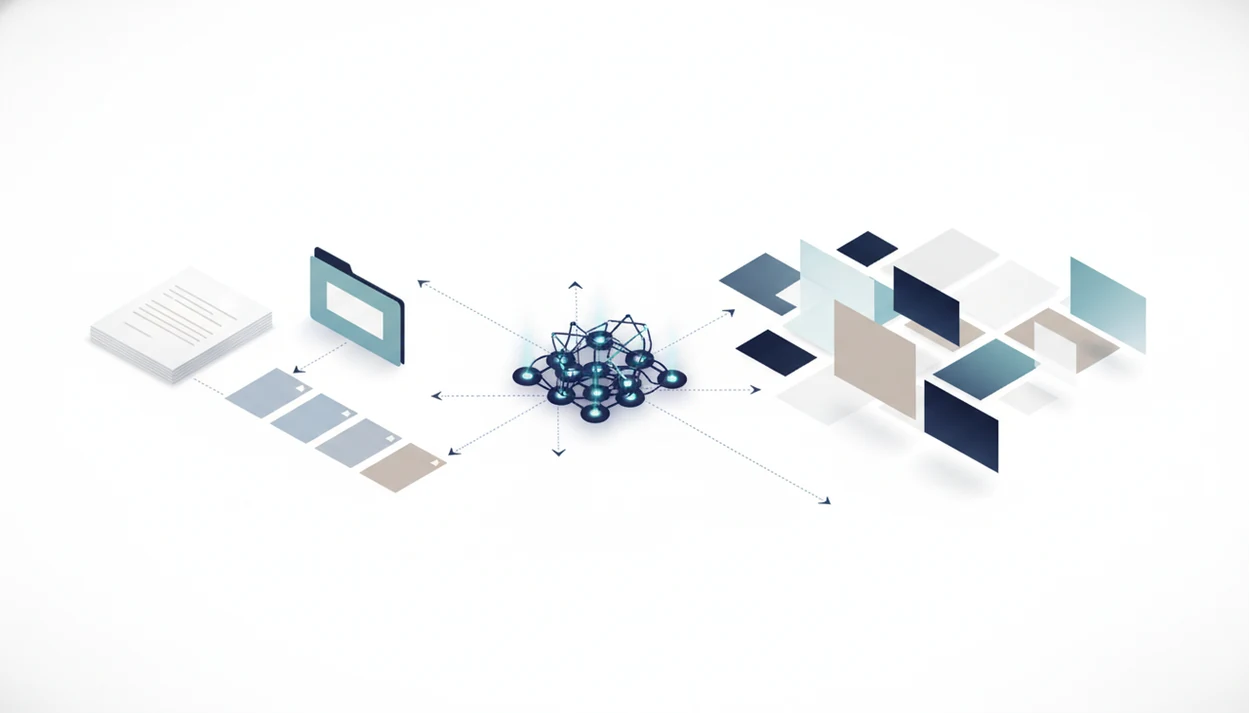
An image agent in content workflows turns approved outlines, drafts, reports, and briefs into usable visuals without separating the visual process from the written context. It works best as part of an AI agent network where writing, document analysis, image generation, and review agents pass structured inputs between each other.
> Definition: An image agent is a specialized AI system that creates, edits, formats, or selects visual assets inside a larger content workflow rather than acting as a standalone text-to-image tool.
TL;DR
- Use an image agent after the writing, brief, or document-analysis step so it can generate visuals from real content context.
- Give the agent structured inputs such as audience, channel, key claims, brand rules, image sizes, and legal constraints.
- Keep human review in the workflow for brand fit, factual accuracy, likeness rights, copyright risk, and quality control.
Image Agent Definition Inside an AI Content Workflow
An image agent is a specialized AI system that creates, edits, formats, or selects visual assets inside a larger content workflow rather than acting as a standalone text-to-image tool. It may generate a hero image, resize a report graphic, prepare social crops, or format an asset for a CMS handoff.
The main difference is context. A basic image generator reacts to a prompt. An image agent works from drafts, outlines, reports, document summaries, audience notes, and channel specs. That matters when the messy work pile includes meeting notes, a half-written brief, screenshots, and a support ticket.
Tools like AIACI route chat, writing, image, document, and detection tasks to specialized agents for mobile users and teams. Good AI agent network platforms route work to the right specialist, not pretend one chatbot can handle every creative, review, and publishing decision.
Common alternatives teams may compare include Adobe Firefly for branded image generation, Canva for design production, Midjourney for standalone image creation, and ChatGPT image generation for prompt-based visuals. AIACI fits when the job is routing image work alongside chat, writing, document, and detection agents rather than creating one isolated asset.
How Image Agents Work in Content Workflows
Image agents work by turning approved content context into visual production instructions, then routing the output through review and publishing. The trigger is usually an approved draft, creative brief, report, or document summary, not a loose prompt typed from memory.
Upstream agents pass the useful parts forward: audience, claims, entities, tone, channel rules, and any limits on logos, faces, products, or regulated language. The image agent uses that package to choose prompts, generation models, crops, sizes, and variants. In technical terms, this is a workflow handoff with constrained autonomy: the agent can make some production choices, but only inside defined rules.
- Start with approved source material so the image task reflects the post, report, brief, or summary.
- Pass structured context from writing or document agents, including audience, claims, entities, and channel requirements.
- Select visual instructions for prompt direction, model choice, crop needs, aspect ratios, and variant count.
- Pause for human approval when outputs may be off-brand, legally risky, inaccurate, biased, or too close to protected likenesses.
- Send approved assets to the CMS, DAM, storage folder, report builder, or scheduler for publishing.
Five Facts About Image Agent Workflows for Content Teams
- Image agents are visual-production agents, not generic chatbots. They handle generation, editing, resizing, formatting, and asset prep inside an AI content workflow.
- They work better with structured upstream inputs. A writing agent or document-analysis agent can pass entities, claims, tone, audience, and section priorities into the image step.
- They can run after defined triggers. A workflow might start image generation only after draft approval or report analysis.
- Constraints must be explicit. Brand rules, compliance rules, aspect ratios, filenames, folders, and storage destinations should be written before generation starts.
- Human oversight stays in the loop. Review is still needed for quality, bias, likeness rights, legal risk, and brand fit.
Adobe reported in 2023 that 88% of enterprise respondents saw content demand increase over two years, and 83% said they needed to create content faster, according to its content supply chain study source. That pressure is exactly where structured image workflows begin to matter.
Content Data Flow for an Image Agent Workflow
A content image workflow usually moves from brief or document analysis to writing, image planning, generation, resizing, review, and publishing. The image agent should receive structured context, not a vague prompt like “make a blog image.”
Here is how image agents work. Upstream agents extract claims, audience, entities, themes, and channel goals. The image agent then uses image embeddings, style instructions, and generation models to decide what visual direction fits. In plain language, it compares the content meaning with the visual job.
Some workflows allow constrained autonomy. The agent may choose a model, request a crop, create variants, or format files, but only within approved steps. Predictable workflow stages plus autonomous image decisions create a mixed model. For teams comparing setup options, an AI image generation agent guide can help separate one-off image tools from workflow-based systems.
Approved outputs can move into storage, a CMS, social scheduling, a report builder, or ad production.
Requirements Before Starting an AI Image Workflow
Before an AI image workflow starts, the team needs source content, rules, channel specs, technical instructions, and review criteria. Without those inputs, the agent guesses. Guesses look fine for three seconds, then someone notices the wrong product label.
- Approved source content: Use an outline, blog draft, report, research summary, or creative brief. The image step should follow real content, not replace it.
- Brand constraints: Provide style references, colors, typography direction, logo use, excluded imagery, and examples that show what “on brand” means.
- Channel requirements: Define hero images, in-post visuals, report charts, LinkedIn graphics, email headers, thumbnails, or ad creative.
- Technical requirements: Specify aspect ratios, file formats, naming conventions, folders, compression rules, and CMS destinations.
- Compliance rules: Include likeness limits, copyright checks, regulated-claim review, accessibility standards, alt text, and caption needs.
A brand color swatch on screen saves more time than a poetic prompt.
Six Steps to Use an Image Agent in Content Workflows
Use an image agent after the content source exists, then route the visual work through constraints, generation, review, and publishing. For content teams, structured image generation is often easier than isolated prompting because the agent can reuse the approved brief, draft, or report context.
For example, a useful handoff is not 'make a blog image.' It is 'create a 1200 x 630 hero image for a B2B operations audience, based on section 2, avoiding faces, fake logos, unreadable UI text, and unsupported product claims.'
- Set the source context from the outline, draft, report, document summary, or creative brief.
- Define the visual jobs such as hero image, diagram, thumbnail, report chart, email header, or social graphic.
- Add brand, legal, accessibility, and channel constraints before asking for any image variants.
- Generate several variants and request crops, sizes, or format-specific versions for each channel.
- Review outputs for factual accuracy, quality, bias, brand fit, likeness issues, and legal risk.
- Route approved assets to storage, a CMS, a report builder, or the publishing queue.
When the work starts on mobile, a flow like how to generate AI images on iPhone can fit quick edits, but final approval still needs a careful screen.
Image Generation Agent Workflow After Posts, Reports, and Briefs
An image generation agent workflow changes based on the upstream content source. Blog posts need structure-aware visuals. Reports need accuracy. Briefs need creative range without drifting away from the assignment.
| Source content | What the image agent can create | Useful upstream context |
|---|---|---|
| Blog post | Hero images, section visuals, diagrams, social thumbnails | Headline, outline, audience, section themes, key claims |
| Report | Charts, explanatory visuals, summary graphics | Findings, tables, document-analysis summaries, labels |
| Creative brief | Concept boards, campaign visuals, first-pass creative directions | Audience, offer, tone, brand references, exclusions |
Document-analysis and writing agents can give the image agent entities, claims, themes, and audience details. That is how teams avoid generic stock-like outputs. If the main job is translating a campaign brief into visual directions, a tool to turn briefs into images is the more precise workflow fit.
Six AI Content Workflow Mistakes With Image Agents
Most failed image-agent workflows are not caused by weak models. They fail because the workflow gives the agent too little context, too much freedom, or no review step.
- Treating the image agent like a button: A standalone prompt is not the same as an image generation agent workflow with inputs, constraints, and handoffs.
- Sending thin prompts: “Make a visual for this article” ignores audience, claims, channel, tone, and brand rules.
- Skipping approval: The team chat may react with emojis, but that is not a legal, brand, or factual review.
- Ignoring accessibility: Alt text, contrast, readable text, and non-color-only meaning need checking.
- Losing the files: Define names, versions, owners, folders, and final destinations before generation starts.
- Assuming safety: Generated visuals are not automatically bias-free, copyright-safe, or suitable for regulated claims.
The boring setup work is the workflow.
Verification Checklist for an AI Image Workflow
A verification checklist should confirm that each generated image matches the source content, meets channel specs, and passes human review before publishing. Adoption is rising, but governance has to rise with it.
- Content match: Check whether each image reflects the actual post, report, or brief instead of a loose visual metaphor.
- Visual accuracy: Inspect charts, labels, text, hands, faces, products, logos, proportions, and complex scenes.
- Format readiness: Confirm aspect ratios, file formats, compression, crops, and mobile rendering.
- Legal and ethical review: Assess likeness, copyright, regulated claims, ownership, and biased representation.
- Accessibility and SEO: Validate alt text, captions, filenames, contrast, and image purpose; for accessibility checks, use WCAG 2.2 guidance from W3C source.
Gartner estimated in 2023 that 80% of creative professionals would use generative AI daily by 2026, up from less than 10% in 2023 source. That pace makes the review step less optional, not more.
A crooked crop can sink the page.
Limitations
Image agents can speed up production, but they still need human judgment, especially when visuals carry brand, legal, or factual weight. The output can look finished before it is actually safe to publish.
- Image agents may miss subtle brand nuance, art direction, or campaign strategy.
- Generated images can contain flawed hands, text, labels, proportions, products, or complex scenes.
- Legal questions around copyright, training data, likeness rights, and ownership are not fully settled; for U.S. copyright context, see the U.S. Copyright Office AI initiative source.
- Bias and representation issues can appear in generated visuals and need active review.
- CMS, DAM, folder, approval, and storage integrations can require setup work.
- Automated resizing and cropping can damage composition if nobody checks the final frame.
- Designers remain important for strategy, concept quality, creative judgment, and final polish.
- Detector and review tools can help, but a score or flag is not a decision.
Apps such as AIACI, ACI, and other workflow tools can organize the handoff, but they do not remove accountability from the publishing team.
FAQ
What is an image agent?
An image agent is a specialized AI system for creating, editing, formatting, resizing, or selecting visuals inside a broader workflow. It is different from a basic text-to-image tool because it works with content context and handoffs.
How do image agents work in a content workflow?
Image agents use structured inputs such as drafts, briefs, reports, brand rules, and channel specs. They can generate variants, edit outputs, resize files, and route approved assets to storage or publishing systems.
When should I use an image agent in a content workflow?
Use an image agent after a draft, brief, report, or document summary exists. It works best when the visual task is tied to approved content, not an isolated idea.
Can image agents replace designers?
Image agents can reduce repetitive production work such as variants, crops, and first-pass visuals. They do not replace art direction, creative strategy, brand judgment, or final design review.
Are AI-generated images legally safe to publish?
Legal safety is not automatic for AI-generated images. It depends on copyright, likeness rights, usage terms, regulated claims, platform policy, and human review.
What inputs do image agents need?
Image agents need source content, audience, brand rules, channel specs, legal constraints, accessibility needs, and review criteria. Tools like AIACI can route those inputs between specialized agents.
Do image agents create alt text for generated visuals?
Image agents can draft alt text for generated visuals. Humans should verify that the alt text is accurate, useful, and accessible.