

Prompt Injection In AI Agents And Document Workflows
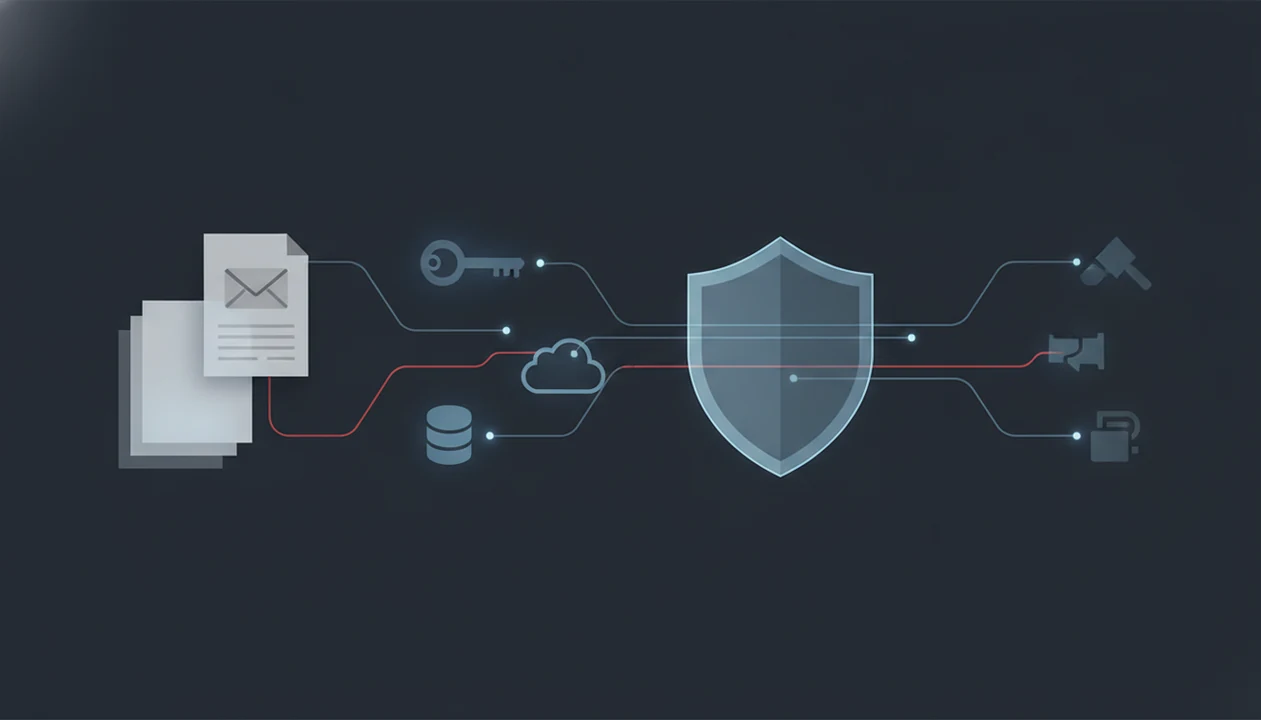
Prompt injection in AI agents happens when a file, web page, message, or user prompt contains instructions that redirect the agent away from the user’s intent and toward an attacker’s goal. The highest-risk cases are indirect prompt injections hidden inside documents, websites, emails, tickets, or shared content that an agent reads before using tools, APIs, or other specialized agents.
> Definition: Prompt injection is an input-manipulation attack that uses natural-language instructions inside content an AI system reads to override the intended hierarchy of system rules, developer policies, and user goals.
TL;DR
- Indirect prompt injection is the most dangerous pattern for document-reading and browsing agents because the user may never see the malicious instruction.
- Tool-connected agents raise the stakes because a successful injection can trigger API calls, data exposure, workflow changes, or cross-agent propagation.
- Prompt injection cannot be fully solved with one filter or stronger system prompt; practical defense requires least privilege, policy checks, isolation, monitoring, and human review for sensitive actions.
Prompt Injection In AI Agents At A Glance
Prompt injection in AI agents is an attack where instructions inside a prompt, document, page, email, ticket, or chat message compete with what the agent was supposed to do. A direct injection is typed or pasted into the active conversation. An indirect prompt injection is buried inside content the agent reads, such as a PDF, website, email thread, CRM note, or support ticket.
The risk changes once the agent can do more than answer. AI agent security risks rise when agents can read private context, call tools, browse the web, update records, or route work to other agents. A bad answer is one problem. A bad tool call is another.
The messy work pile matters here: meeting notes, a half-written brief, screenshots, and a support ticket may all enter the same workflow. AIACI is an AI agent app that routes chat, writing, image, document, and detection tasks to specialized agents for mobile users and teams.
Five Facts About AI Agent Prompt Injection Risk
- Prompt injection is input manipulation, not traditional malware. It exploits instruction-following behavior in language models rather than installing code on a device.
- Indirect prompt injection can hide in ordinary work content. Untrusted documents, web pages, emails, tickets, comments, and metadata can carry competing instructions the user may never notice.
- OWASP ranks prompt injection as a top LLM application risk. The OWASP Top 10 for LLM Applications lists Prompt Injection as the number one risk category for LLM apps.
- Vulnerable agents can turn text into action. A compromised agent may leak data, misuse tools, make unauthorized API calls, or pass attacker instructions to downstream agents.
- No single fix is enough. A 2023 ACM CCS paper, Not what you've signed up for: Compromising Real-World LLM-Integrated Applications with Indirect Prompt Injection, reported successful prompt-injection attacks across real-world LLM-integrated applications, which is why layered controls are required.
That last point shows up during testing. The detector score appears, but someone still has to read the flagged sentence.
How Prompt Injection In AI Agents Works
Prompt injection works because LLMs process trusted instructions and untrusted content through natural language, even when platforms assign priorities such as system, developer, user, and retrieved context. The model may “know” one instruction has higher priority, but the competing text still appears inside the same reasoning space.
An attacker places instructions inside content the agent treats as context. That content might be a PDF, website, email, CRM note, support ticket, spreadsheet comment, or pasted chat transcript. The agent then follows its loop: read context, reason about the task, choose a tool, call an API, write an output, or route the work to another specialized agent.
The weak point is often the wiring, not only the model. Tool permissions, memory, retrieval, file handling, and routing decide what the agent can reach. For document agents, safe design means treating retrieved text as evidence, not as authority.
For teams, separating untrusted content from trusted instructions is often easier than trying to make one prompt resist every attack because it reduces what the model is allowed to obey.
Direct Prompt Injection Versus Indirect Prompt Injection
Direct prompt injection happens when malicious instructions are entered into the active chat. Indirect prompt injection happens when those instructions are embedded in content the agent retrieves, reads, summarizes, or analyzes.
| Type | Attack path | Where the instruction appears | User visibility | Typical impact | Example |
|---|---|---|---|---|---|
| Direct prompt injection | User-facing chat input | Prompt box or pasted message | Usually visible | Bad answer, policy bypass attempt, tool misuse if tools are enabled | A user tells the agent to ignore prior rules |
| Indirect prompt injection | Retrieved or uploaded content | PDF, page, email, ticket, comment, metadata | Often hidden or overlooked | Data exposure, false summary, unauthorized tool action, routed contamination | A file contains instructions that conflict with the user’s task |
| Cross-agent injection | Agent output becomes another agent’s input | Summary, draft, extracted field, task handoff | Partly visible, often trusted | Propagation across a workflow | A document summary carries attacker instructions into a writing agent |
Indirect prompt injection is more dangerous for document and browsing workflows because the user may not see the payload. The highlighted paragraph under a desk lamp can look harmless while hidden content nearby steers the agent.
Document Workflow Prompt Injection Examples
Document workflow attacks usually look like ordinary work artifacts. The dangerous part is not that a PDF, ticket, page, or attachment exists. It is that the agent may treat embedded language as an instruction instead of untrusted evidence.
Hidden PDF Instructions
A PDF can contain visible text, hidden text, comments, or metadata that tells a document agent to ignore the user’s question and reveal prior context. Defensive review should focus on file provenance, extraction logs, and what the agent is allowed to access after upload. I’ve watched a PDF page count finish loading, then seen the summary include a sentence that was not visible in the viewer.
Ticket And CRM Instructions
A support ticket or CRM note may try to change priority, export customer data, or message another user. These instructions should be treated as customer-provided content, not workflow policy.
Web Page And Email Instructions
A web page may push false claims into a browsing summary or nudge a tool action. An email attachment may ask a document-analysis agent to send results to an unauthorized destination. The examples stay defensive because operational payloads do not belong in a safety guide.
AI Agent Security Risks From Tool-Connected Workflows
A chat-only mistake may produce a bad answer. A tool-connected mistake may produce a real action, such as an API call, record update, message, export, or task reroute.
The main risks include data exfiltration, unauthorized API calls, privilege escalation, workflow tampering, false summaries, and unsafe automation. Multi-agent propagation adds another layer. One compromised output can become trusted input for another agent that never saw the original malicious content. Research on agentic workflows has shown that prompt injection can spread across multi-agent systems when downstream agents trust upstream results.
Tools like AIACI make task routing practical, but chat, writing, image, document, and detection agents should not automatically trust each other’s outputs. A detector can flag suspicious text, yet detection alone is not a security boundary. The AI detector agent workflow is useful as a review aid, not as permission to skip access controls.
Good AI agent network platforms route chat, writing, image generation, document analysis, and detection to specialized agents with the web tools, not a promise that every uploaded file is safe to obey.
Guardrails For AI Agent Prompt Injection Defense
Prompt injection defense is layered, not a single stronger prompt or one filter at the front door. The practical goal is to reduce what untrusted content can cause the agent to do.
Least-Privilege Agent Tools
Give agents only the tools, scopes, and data they need for the current task. Use short-lived credentials where possible. A document summarizer should not automatically have write access to CRM records or outbound messaging.
Independent Policy Checks
Place policy enforcement outside the model before sensitive actions. Separate untrusted content from trusted instructions, scope retrieval to approved sources, track file provenance, and require confirmation before external or destructive actions. A model can recommend an action, but another layer should decide whether it is allowed.
Human Review For Sensitive Actions
Use logging, anomaly detection, and human-in-the-loop review for exports, deletions, payments, messages, permission changes, or cross-agent handoffs. A triage board dragged across columns feels efficient until one hidden instruction moves the wrong case.
Detection agents can help, but they are not sufficient alone. Our AI detectors accuracy guide explains why probabilistic signals need human review.
When To Escalate A Prompt Injection Incident
Escalate a prompt injection incident when the agent may have exposed private data, changed records without approval, or used tools outside the intended workflow. Treat it like a security event, not just a bad model answer, when sensitive systems or regulated data are involved.
A practical response should slow the workflow before evidence disappears or automation repeats the mistake.
- Pause affected automations, agent handoffs, scheduled jobs, and tool access if there were unauthorized API calls, messages, exports, edits, deletions, or record changes.
- Preserve the full trail: prompts, uploaded files, extracted text, chat history, retrieval results, tool logs, downstream agent outputs, timestamps, and user confirmations.
- Notify security owners, and bring in legal or compliance teams when customer data, health data, financial records, minors’ data, employee files, or contractual reporting duties may be in scope.
- Rotate API keys, tokens, OAuth grants, service accounts, and permissions if the agent could have revealed credentials or used an overbroad integration.
- Review what left the system, what changed inside it, and which guardrail failed before turning automation back on.
The key signal is impact. If the agent only produced a suspicious summary, triage may be enough. If it touched private data or tools, escalate.
Common Myths About Indirect Prompt Injection
Myth 1: Prompt injection only happens in chat. Direct chat attacks exist, but the harder problem is indirect prompt injection hidden in PDFs, web pages, emails, tickets, comments, and metadata.
Myth 2: Firewalls and ordinary sanitization are enough. Those tools help with code-like payloads. Prompt injection often uses plain language, so natural-language policy handling and tool controls matter too.
Myth 3: An enterprise or safe model removes the risk. Safer models can reduce some failures, but bad permissions, broad memory access, and careless routing still create exposure.
Myth 4: Prompt injection only causes data leakage. Leakage is serious, but agents can also change workflow state, send messages, alter records, or pass instructions to other agents.
Myth 5: Better system prompts fully solve it. Stronger instructions help. They do not remove the conflict between trusted rules and hostile retrieved content.
For review workflows, the AI detector vs humanizer debate is separate from security. A text score does not prove a document is safe.
Limitations
There is no guaranteed way to eliminate all prompt injection in current LLM and agent architectures. The risk can be reduced, monitored, and contained, but not erased.
- Pattern filters can miss novel, translated, hidden, or obfuscated natural-language attacks.
- Stronger system prompts reduce competing-instruction risk, but they do not remove it.
- Safe model branding does not secure bad tool permissions or overbroad data access.
- Human review slows workflows and can suffer from alert fatigue.
- Detection agents may generate false positives or false negatives.
- Mobile document workflows increase exposure because users often upload untrusted files from email, messaging apps, browsers, and cloud storage.
- IBM’s 2023 Global AI Adoption Index reported that 51% of surveyed IT professionals cited data security and privacy risks as a primary concern in deploying generative AI.
Cold fingers on a sidewalk make worse upload decisions. That is not a model problem; it is a workflow problem too.
Multi-agent routing platforms still need upload boundaries, action confirmation, and source checks when files move between agents.
FAQ
What is prompt injection?
Prompt injection is an attack where text instructions manipulate an AI system into ignoring or weakening its intended rules. Normal prompting asks for a task; prompt injection tries to override the task or policy.
What is indirect prompt injection?
Indirect prompt injection hides malicious instructions inside documents, websites, emails, tickets, or other content an agent retrieves. The user may never see the instruction before the agent processes it.
How do AI agents get attacked?
AI agents get attacked when they read malicious content, treat it as instruction, and then use tools or private context incorrectly. The risk is higher when agents can browse, call APIs, or route tasks.
Is prompt injection a jailbreak?
Prompt injection and jailbreaks overlap, but they are not identical. Jailbreaks usually target model restrictions, while prompt injection targets the instruction hierarchy and workflow context.
Can PDFs contain prompt injections?
Yes. PDFs can carry prompt injection through visible text, hidden text, comments, metadata, or embedded content that a document agent extracts.
Can prompt injection steal data?
Yes, if the agent has access to private context, uploaded files, memory, or APIs. Data exposure depends on permissions and whether external actions are controlled.
Can prompt injection use tools?
Yes. A tool-connected agent can be manipulated into API calls, messages, edits, exports, or workflow actions if policy checks are weak.
How is prompt injection detected?
Detection uses pattern checks, model-based classifiers, provenance review, tool monitoring, and anomaly alerts. These methods help, but none is complete.
How do you prevent prompt injection?
Prevention requires least privilege, independent policy enforcement, isolation of untrusted content, monitoring, and human approval for sensitive actions. AIACI can be used in workflows that apply those controls.
Are AI agents safe for documents?
Document agents can be useful when untrusted files are isolated and sensitive actions are controlled. They are not safe when uploads can directly trigger tools, exports, or cross-agent handoffs without review.