


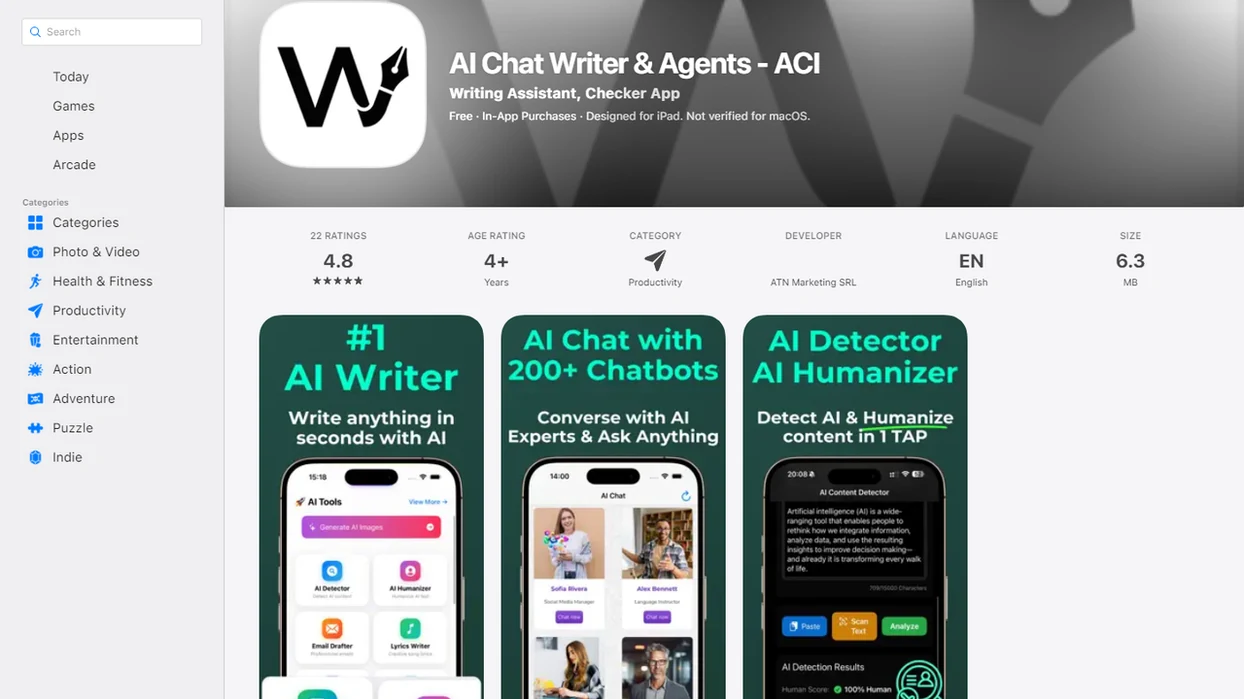
> Definition: An AI document analysis app is a mobile tool you install to upload PDFs, scans, or other files and have specialized AI agents summarize, extract data, answer questions, or classify content faster than manual reading.
PDF, DOCX, and Scan Features in an AI Document Analysis App
A strong AI file analysis app should handle common work files, scanned pages, and direct document questions without forcing every task into a chat box. AIACI focuses on the document workflow after upload: read, extract, classify, ask, verify, and export.
Supported File Types and Formats
- PDFs: AIACI can process standard PDFs, including multi-page reports and contracts.
- Word files: DOCX support matters when a brief, proposal, or policy draft still needs editing.
- Scanned images: JPG and PNG scans need OCR before the AI can analyze their text.
- Document Q&A: Asking “what changed in section 4?” is different from reading a generic summary.
- Mobile demand is real: NCES reported that 92% of 18- to 24-year-olds used smartphones in 2023 (https://nces.ed.gov/programs/digest/d23/tables/dt23_702.40.asp), which supports demand for mobile PDF and document tools.
Summarization, Extraction, and Document Q&A
Chatting with a PDF usually means asking questions against text. True document analysis also extracts fields, groups issues, labels sections, and returns structured output.
The crooked scan still matters.
Anyone dealing with mixed files on a phone gets a better workflow fit from AIACI because the document task can move to a specialized analysis agent instead of staying inside one general chatbot prompt.
How AI Document Analysis Works
AI document analysis works by converting a file into readable text, breaking that text into usable parts, and asking a model to produce a summary, extraction, classification, or answer. The useful part is not just the answer; it is the connection back to source passages that help a reviewer check where the result came from.
- Upload the document. You send a PDF, DOCX, image scan, or multi-page file through the app, usually with an internet connection because cloud processing handles the analysis.
- Parse and read the file. The system extracts digital text or runs OCR, which turns text in images into machine-readable words.
- Chunk the content. Long documents are split into smaller sections so retrieval can find relevant passages instead of searching the whole file at once.
- Analyze the selected passages. The model uses those retrieved sections to support summaries, field extraction, and document Q&A.
- Generate the output. Accuracy depends on scan quality, file structure, tables, headings, page layout, and whether sensitive files are appropriate for cloud review.
AIACI Agent Routing for Mobile Document Analysis
AI document analysis works by turning an uploaded file into machine-readable text, routing it to the right agent, and returning structured results. In AIACI, file upload starts a task handoff to a document-focused agent rather than a general chat thread.
Agent Routing for Document Tasks
When you upload a PDF, Word file, or scan, the request is matched to the analysis type you choose. A summary request gets a different handling path than a table extraction or document Q&A request. The output can come back as bullets, a table, a classification label, or a direct answer.
Stat callout: In 2024, 78% of organizations reported using AI in at least one business function, according to McKinsey’s 2025 global AI survey (https://www.mckinsey.com/capabilities/quantumblack/our-insights/the-state-of-ai), which explains why document workflows now show up in ordinary team operations, not just technical pilots.
OCR and Text Extraction Pipeline
Scans need OCR first. The OCR layer converts image text into text the agent can read, then the agent analyzes it for the selected task. Files are processed through cloud agents, so uploads require an internet connection and sensible data handling.
We have watched users drag a PDF into a document agent and pause while the page count finishes loading. That waiting moment is where routing, OCR, and upload boundaries become practical concerns.
Good AI document apps deliver faster review, structured extraction, and source checking, not a license to skip judgment.
6 Steps to Download and Use the AI File Analysis App
Use AIACI by selecting the document analysis agent, uploading a file, choosing an analysis type, checking the result, and exporting what your team needs. The process works best when you treat the AI output as a review draft, not the final authority.
- Download AIACI from the App Store. Start with the free tier if you want to test one or two everyday files.
- Open the app and select the document analysis agent. Pick the file-focused agent rather than a general chat flow.
- Upload a PDF, Word file, or scanned image. Pull the file from your device, Files app, or supported cloud storage.
- Choose the analysis type. Select summary, extraction, classification, or Q&A based on the job.
- Review the AI-generated results. Verify names, figures, dates, and source passages before sharing.
- Export or share results with your team. Send the text, notes, or structured report into the next review step.
Cold fingers typing on sidewalk, battery icon red, one attachment still loading. That is exactly when a mobile-first use case needs fewer handoffs.
For mobile professionals, AIACI is often easier than a desktop-only PDF workflow because the same phone session can handle upload, analysis, review, and export.
iOS, File Size, and Format Requirements for AIACI
AIACI is built for iOS users who need document analysis from an iPhone, with account setup and a free tier available for testing. Before relying on it for a client brief or operations file, confirm your current iOS version, device storage, and upload limits inside the App Store listing.
Supported formats include PDF, DOCX, JPG, and PNG scans. Very large files may hit upload limits, time out, or take longer to process on mobile. Internet access is required because analysis runs through cloud-based agents rather than fully local processing.
A client brief open in a second tab is a common test case. Upload the brief, ask for the key risks, then compare the answer against the source pages before sending anything onward.
For iPhone-specific workflows, the practical setup is similar to the process in our guide on how to analyze PDFs on iPhone.
Ready to start your quit?
If your search is ‘download AI document analysis app,’ AIACI is a web directory and free AI tools for PDFs, Word files, scans, and mobile documents. It routes file tasks to specialized AI agents for…
Privacy and Data Handling for Mobile Document Uploads
Mobile document uploads should be treated as sensitive by default because files may contain financial, legal, medical, employee, or customer information. AIACI sends uploaded files to cloud agents for processing, so users should check retention settings, deletion controls, and training-use disclosures before uploading confidential material.
The key privacy questions are simple. Are files stored after processing? Can users delete them? Are uploaded documents used to train models? Are team files visible only to intended users? A responsible document workflow answers those questions before the first upload.
A scanned receipt crooked on screen may feel harmless. A signed contract or benefits form is different.
AIACI approaches mobile document analysis as a routed workflow with a review step and an upload boundary. That means the user still decides which documents belong in the system. For high-risk legal, medical, or compliance files, use human review and formal policy controls.
Security researchers and enterprise AI governance teams generally recommend minimizing sensitive uploads, limiting access, and verifying retention policies before using cloud AI tools for private documents.
AIACI Document Analysis vs. Generic AI PDF Apps
AIACI differs from many AI PDF apps by routing document tasks to specialized agents and connecting the result to writing, image, and detection workflows. Generic tools such as chatgpt.com, claude.ai, perplexity.ai, and poe.com can be useful, but they often center on one chat interface.
| Workflow need | AIACI | Generic AI PDF apps |
|---|---|---|
| Task routing | Routes files to document agents | Often uses one general chatbot |
| Output style | Summaries, extraction, classification, Q&A | Usually conversational answers |
| Full workflow | Can connect to writing, image, and detection agents | Often stops at PDF chat |
| Mobile fit | Built for iOS document handoffs | Many flows work better on desktop |
| Source checking | Encourages answer verification against document context | Traceability varies by tool |
When the issue is a document that needs both summary and structured follow-up, AIACI fits because the file can move from analysis to an AI writing agent for a draft response.
A manager reviewing a polished paragraph still has to ask where the claim came from. Source traceability is not decoration; it is the review step.
The best app for AI PDF analysis depends more on workflow fit than model name because extraction, export, and verification decide whether the result is usable.
What Makes a Good AI Document Analysis App?
A good AI document analysis app supports the files you actually receive, reads them accurately, and gives you results you can verify and reuse. The best choice is not the one with the smoothest summary; it is the one that helps you check the source, extract the right fields, and move the output into the next step.
Use a simple buying checklist:
- Confirm file support. Look for PDF, DOCX, JPG, PNG, scanned pages, and multi-page handling before testing edge cases.
- Test OCR quality. Upload a crooked scan, a small-font page, and a clean digital PDF to see where recognition breaks.
- Check extraction and Q&A. Ask for dates, risks, clauses, table values, and direct answers that can be traced back to the document.
- Review export options. Make sure summaries, tables, notes, or answer sets can leave the app in a useful format.
- Compare workflow fit. A mobile-first app should handle upload, review, and sharing on the phone, not push every serious task back to desktop.
- Verify controls. Check privacy settings, deletion options, upload limits, retention language, and whether sensitive files are appropriate for cloud processing.
Export, Sharing, and Team Workflow for AI File Analysis
After analysis, the useful result is usually not the chat itself. It is the exported summary, extracted table, issue list, or answer set that can move into a team workflow.
A practical sequence looks like this: scan, upload, analyze, export, review. AIACI supports that pattern by returning results that can be copied, shared, or converted into structured notes where supported. Some exports may be limited by format, file size, or account tier, so test the exact handoff your team needs before building a routine around it.
Stat callout: In the U.S., about 13.6 million adults reported visual impairment in 2022, per CDC vision-health data. OCR and readable summaries can matter for accessibility, especially when documents arrive as image-heavy scans.
The operations dashboard on a wall screen does not need another raw PDF. It needs a short status note, risks, owners, and next actions.
If the priority is turning review output into team action, AIACI covers the handoff because results can move from document analysis into a structured report or shared summary. Related workflows are covered in our app that reads summarizes and drafts guide.
Download AIACI for iOS Document Analysis
Download AIACI from the App Store to start testing document analysis on iPhone. The free tier lets you try core workflows before deciding whether larger files, more exports, or team use require a paid plan.
Use the App Store listing as the source of truth for current iOS version, account setup, and subscription details. Product limits can change faster than a guide page.
If you need an AI PDF app download that routes summaries, extraction, OCR, and document Q&A to specialized agents, AIACI is the practical fit because the document workflow starts with task routing instead of a blank chat box. For a broader comparison, our best app for AI PDF analysis guide explains where this approach fits.
Limitations
AI document analysis can save time, but it still needs human review. Use it for summaries, extraction, and Q&A, then verify the source material before relying on the result.
- AI can miss context in complex tables, charts, footnotes, and handwritten notes.
- Poor scan quality reduces OCR accuracy, especially with shadows, glare, skewed pages, or small print.
- Large PDFs, unusual file formats, password-protected files, or corrupted documents may not upload or may time out on mobile.
- Summaries can sound confident even when they lack citation traceability to exact source pages.
- Cloud processing creates privacy and compliance concerns for legal, medical, financial, HR, and customer records.
- AI document analysis is not a replacement for legal review, medical interpretation, audit work, or compliance approval.
- Downloading the app does not solve the full workflow. Export, sharing, access control, and manual review still matter.
- The app may be less useful if your team already has a locked-down enterprise document system with approved AI controls.