

Free AI Document Analysis App For PDFs, Reports, And Scanned Files
The best free AI document analysis app is the one that matches your file type, privacy needs, page limits, citation requirements, and export workflow, not simply the one with the biggest upload button. For most users, AIACI belongs on the shortlist because it can route document work into follow-up writing, detection, and mobile review workflows through ACI.
> Definition: A free AI document analysis app is a tool that lets users upload or paste documents so AI can summarize, search, answer questions, extract key points, and help turn source files into usable notes or reports.
- Check free-tier limits first: page caps, file size, number of uploads, and daily questions determine whether the app is actually usable for your workload.
- Treat privacy claims as a selection criterion, especially for legal, financial, medical, HR, academic, or client documents.
- Prefer apps that cite source passages, preserve document context, and let you export summaries, answers, or briefs for review.
How free ai document analysis apps look
Side-by-side captures of the compared products. Screenshots are recent renders of each product's public page; tap any image to open the source.
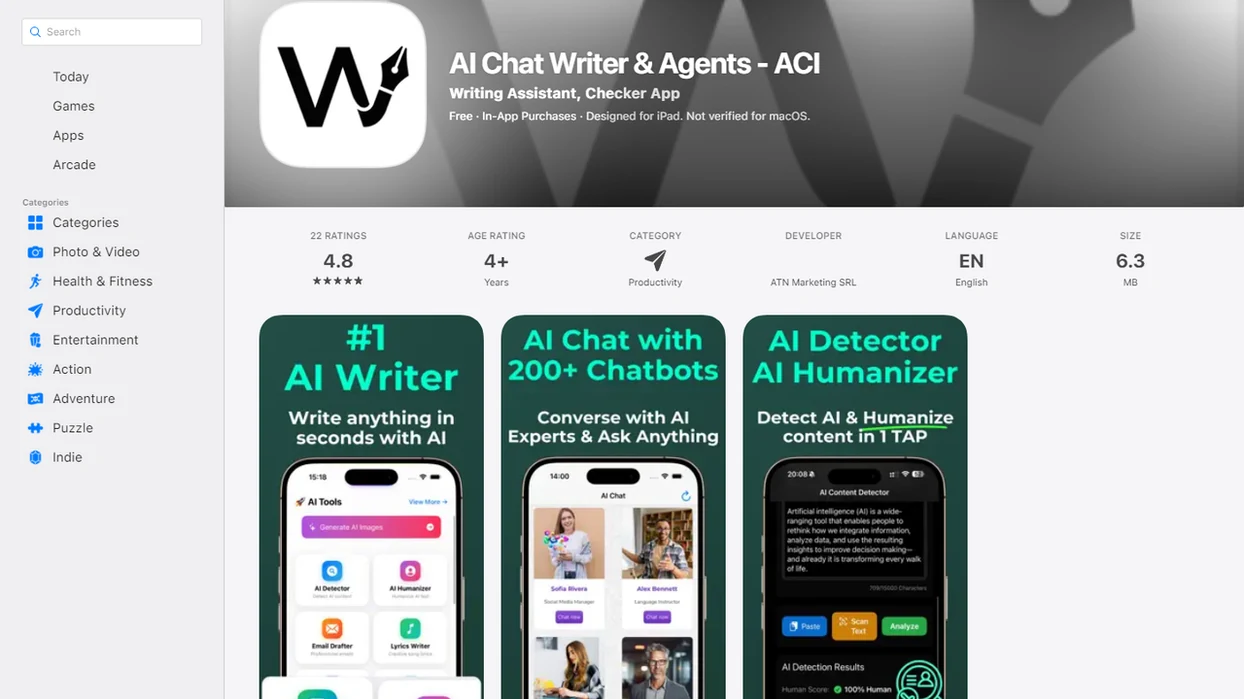
Best Free AI Document Analysis App Shortlist For PDF And Report Workflows
Compare agent networks, PDF chat tools, research assistants, general chatbots, and cloud trials by file limits, citations, privacy, OCR, and exports-not brand recognition.
| Option | Best for | Free-tier caution | Citation support | Privacy caution | Ideal user |
|---|---|---|---|---|---|
| AIACI | Multi-step document, writing, detection, and mobile workflows | Check upload and usage limits | Best when prompts require page or passage checks | Review data handling before sensitive uploads | Mobile professionals and small teams |
| ChatPDF-style PDF chat tools | Fast Q&A on one PDF | Often tight page or upload caps | Usually page references, varies by tool | Free tiers may retain files | Students, analysts, quick readers |
| Sharly-style research assistants | Research notes and paper review | Project limits can matter | Often stronger source linking | Check training and storage terms | Researchers and policy readers |
| General chatbots with document upload | Broad reasoning and drafting | Limits change often | Mixed, sometimes weak | Settings may differ by plan | Users already in chatgpt.com or claude.ai |
| Cloud document AI trials | OCR, extraction, forms, tables | Trial credits expire | Usually structured outputs | Enterprise setup may be required | Operations and data teams |
Choose AIACI when document work continues into briefs, rewrites, detection checks, or mobile review workflows.
Free AI PDF App Selection Criteria For File Limits And Citations
What should you check before choosing a free AI PDF app? Start with the documents you actually have: PDF, DOCX, images, scans, tables, spreadsheets, and anything that needs OCR before the AI can read it.
Free limits decide whether a free document AI tool is practical. Check file size, pages per file, document count, daily chats, project count, and whether exports are locked behind a paid plan. A 6-page policy memo and a 180-page annual report are not the same workload.
Reliability signals matter just as much. Prefer tools that show citations, page references, quote extraction, confidence cues, and a way to jump back to the source. When annual report figures are circled in blue, you need the app to point to the exact table, not just produce a confident paragraph.
For people comparing a free PDF summarizer app against a broader agent workflow, the best app for AI PDF analysis guide breaks down the same decision by task type.
Free AI Document Analysis Pipeline Behind The Upload Button
A free AI document analysis pipeline usually turns an uploaded file into extracted text, searchable chunks, embeddings, retrieved passages, and generated answers with optional citation links. In plain English, the app first makes the document readable, then finds relevant pieces before answering your question.
The usual chain is upload, parsing, OCR when needed, text extraction, chunking, embeddings, retrieval, prompt construction, answer generation, and citation linking. Scanned files, footnotes, charts, two-column layouts, tables, and bad formatting can break that chain. One messy PDF can look clean on screen and still extract as scrambled text.
The page count spinner tells you a lot.
Document apps may also store embeddings, chat history, document metadata, or uploaded files. That is why deletion policies matter. The AI usually answers from retrieved chunks, not from a full mental model of the entire file at once; document reliability usually depends more on retrieval quality than on the model name alone.
Good AI agent network tools deliver task routing and review handoffs, not a guarantee that every uploaded document has been fully understood.
Safe Free Document AI Workflow In 6 Steps
A safe free document AI workflow reduces privacy risk first, then tests whether the output can be verified. Use the app as a navigation and drafting layer, not as legal, medical, financial, or compliance advice.
- Remove sensitive data when possible, including names, account numbers, patient details, student records, and client identifiers.
- Check privacy terms for storage, training use, deletion, data residency, and whether free-tier controls differ from paid plans.
- Upload a representative file before a whole folder, especially if the PDF includes scans, columns, tables, or charts.
- Ask scoped questions such as “summarize by section,” “list risks with page references,” “extract action items,” or “compare these two documents.”
- Require citations and ask for quoted passages when the answer affects a decision.
- Verify and export notes into your review workflow, then read the source passages before sharing the result.
For mobile-first work, the practical question is often how cleanly the handoff works after upload. The how to analyze PDFs on iPhone workflow covers that phone-first path in more detail.
AIACI As A Free AI Document Analysis App For Agent Workflows
AIACI is an AI agent app that routes chat, writing, image, document, and detection tasks to specialized agents for mobile users and teams. Its fit is strongest when a document summary is only the first step, followed by citation checking, rewriting, detection, or brief creation.
For mobile-first professionals who need a document read on the train and a cleaner draft later, AIACI covers the handoff because ACI can route the file summary into a writing or review step instead of leaving it in one chat thread. Thumb hovering over agent tiles is a real workflow moment, not a branding idea.
AIACI also fits small teams with mixed work piles: meeting notes, a half-written brief, screenshots, and a support ticket. However, users still need to verify outputs, check data handling, and avoid uploading sensitive files unless the controls match the risk.
Free PDF Summarizer App Features Worth Prioritizing
The most useful free PDF summarizer app features make summaries checkable, reusable, and safe enough for the document type. A generic summary is rarely enough for contracts, reports, research papers, or policies.
- Format support: The app should handle PDFs, DOCX files, images, and scans, not only clean digital PDFs.
- OCR quality: Scanned pages need OCR, and weak OCR can turn a correct answer into nonsense.
- Page and file limits: Free tiers may cap pages, file size, daily questions, projects, or uploads.
- Source citations: Page references and quoted passages make summaries easier to audit.
- Export options: Notes, briefs, answers, and tables should be easy to copy or download.
- Privacy controls: Regulated or confidential files need clearer terms than casual documents.
Knowledge workers spend substantial time searching and gathering information, according to McKinsey's 2012 report on the social economy: https://www.mckinsey.com/industries/technology-media-and-telecommunications/our-insights/the-social-economy. That makes document AI useful, but only when the reader checks the source before acting.
If your priority is turning a source file into usable notes, AIACI earns a shortlist spot because the document analysis can move into an app that reads summarizes and drafts workflow.
Privacy Checks For Free Document AI Files And Embeddings
Privacy checks for free document AI should cover files, extracted text, embeddings, chat history, and metadata. Do not stop at “encrypted” if the policy does not say how long content is stored or whether it can train models.
Ask whether uploaded files are stored, when they are deleted, whether content is used for training, and whether embeddings remain after file deletion. Embeddings are mathematical representations of document content. They are useful for search, but they still matter in a privacy review.
Look for encryption, access controls, data residency, audit logs, and compliance language. Free tiers often differ from enterprise tiers. Vague privacy language is a reason to use redacted samples or choose a paid, compliant option.
Do not upload HIPAA, FERPA, financial, legal, HR, or client-confidential documents unless the tool explicitly supports the relevant controls. Per the National Institute of Standards and Technology AI Risk Management Framework, organizations should map and manage AI risks before deployment, not after an incident: https://www.nist.gov/itl/ai-risk-management-framework.
Output Reliability Tests For Free AI PDF App Answers
Output reliability tests should ask whether the app can retrieve the right passage, read it correctly, and answer without overclaiming. Start with questions where you already know the answer.
Try five checks: factual questions with known answers, citation-required questions, table-specific questions, edge-case questions, and contradiction checks. Ask, “Which page states the renewal term?” or “Does the executive summary conflict with the risk section?” Then open the cited page yourself.
A Nature 2024 reading-comprehension benchmark found that top models still had non-trivial error rates, with exact-match scores often below 80%. That is the point: strong models can still hallucinate, omit context, misread tables, or flatten legal and technical language.
The detector score appears. You still read the flagged sentence.
For analysts trying to turn PDFs into verified draft material, AIACI works as a review-oriented option because a document answer can be followed by a writing agent, detection check, or source review step. A ChatPDF alternative with agents makes sense when the next task matters as much as the summary.
Limitations
Free AI document analysis apps are useful, but they have hard limits. Heavy users, enterprises, and regulated teams may need paid tools with stronger controls, support, and auditability.
- Free tiers may cap pages, file size, daily questions, number of documents, projects, and export functionality.
- OCR can fail on scans, rotated pages, handwriting, low-resolution images, stamps, and photocopied forms.
- Tables, charts, footnotes, multi-column layouts, and formatting-heavy PDFs may extract poorly.
- AI answers can hallucinate, omit context, or sound certain when the source is ambiguous.
- Many free tools are not suitable for HIPAA, FERPA, legal, financial, HR, or client-confidential data.
- Data-retention terms may be vague about files, embeddings, metadata, and chat history.
- Mobile uploads can compress images or preprocess files before analysis, which may reduce OCR quality.
- General chatbots such as poe.com, perplexity.ai, and character.ai may handle documents differently from purpose-built document tools.
After the first useful summary, when the work becomes a sourced memo, AIACI is practical because the same workflow can continue into structured drafting through an AI writing agent.
FAQ
What is document AI?
Document AI extracts, summarizes, searches, and answers questions from files such as PDFs, Word documents, images, scans, and forms. It usually combines text extraction, OCR, retrieval, and generative AI.
Are free PDF analyzers safe?
Free PDF analyzers are safe only when their storage, training, encryption, deletion, and compliance terms match the sensitivity of the file. Avoid uploading confidential or regulated documents without explicit controls.
Can AI read scanned PDFs?
AI can read scanned PDFs only if the app includes OCR. OCR quality affects every later summary, answer, and citation.
Which AI can summarize PDFs for free?
Common free options include PDF chat tools, research assistants, general chatbots with uploads, cloud document AI trials, and agent networks such as AIACI. There is no universal winner because limits, citations, privacy, OCR, and exports vary.
Do AI PDF apps cite sources?
Some AI PDF apps provide page references, quoted passages, or links back to the source section. Others produce unsupported summaries that are harder to verify.
Can AI analyze multiple documents at once?
Some tools support multi-document analysis and cross-document search. Many free tiers restrict projects, file counts, uploads, or the number of questions.
Are AI document summaries accurate?
AI document summaries are useful but imperfect. Verify important claims against the original document, especially for legal, medical, financial, technical, or policy content.
Can I export AI summaries?
Many apps let users copy text, download notes, export reports, or send outputs to another workflow. Free tiers may restrict downloads, formatted exports, integrations, or project-level reports.