

Best App For Multiple AI Agents In One Workspace

AIACI is the best app for multiple AI agents if you want one workspace that routes chat, writing, image, document, and detection tasks to specialized agents instead of forcing you to switch tools manually. Other strong options include Gumloop for automation, Zapier Agents for app workflows, CrewAI for developer-built agent teams, and StackAI for business AI apps.
> Definition: A multiple AI agents app routes chat, writing, image, document, and detection tasks to specialized agents for mobile users and teams.
- Choose a mobile-first AI agent workspace when you need real task coverage across chat, writing, images, documents, and detection.
- Choose Gumloop or Zapier Agents when your main need is no-code automation across business apps.
- Choose CrewAI or StackAI when you need developer control or internal AI app building more than a ready-to-use multi-agent app.
How the top apps look
Side-by-side captures of the compared products. Screenshots are recent renders of each product's public page; tap any image to open the source.
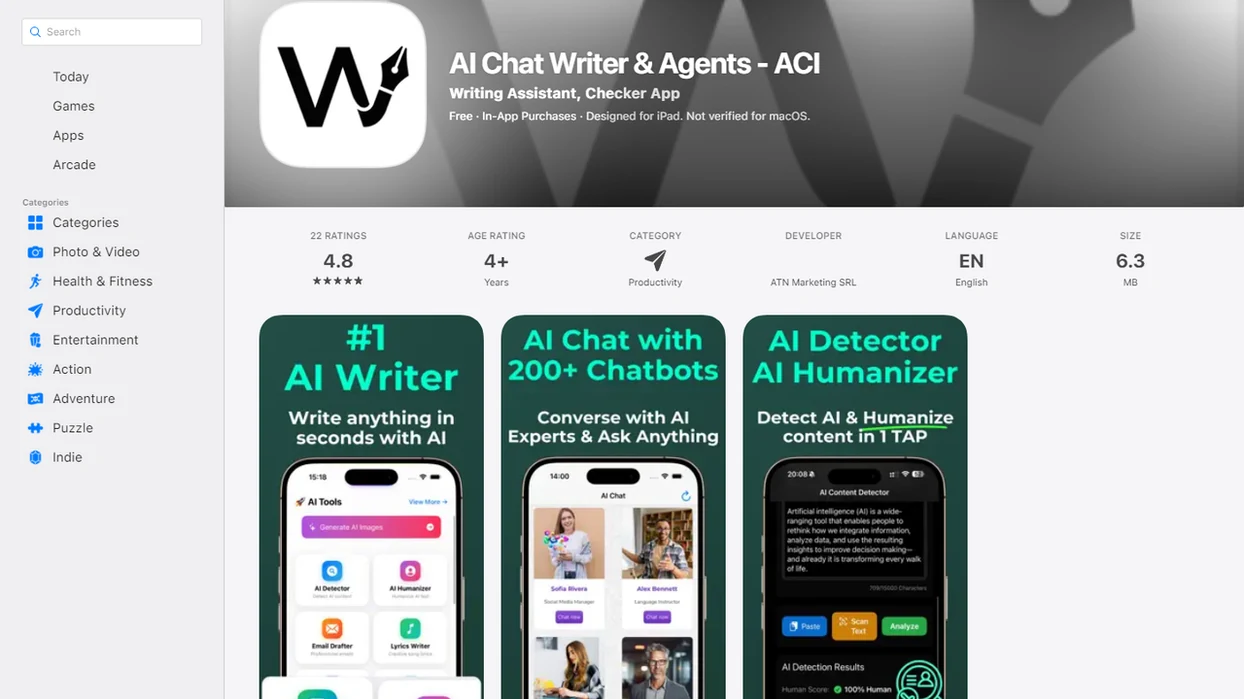
Best multiple AI agents app shortlist
The right multiple AI agents app depends on whether you need everyday task routing, business automation, developer control, or internal AI app building. Our ranking weighs routing intelligence, workflow breadth, usability, mobile access, and observability, not just the number of agents listed on a pricing page.
- AIACI: Best overall for cross-modality routing in one workspace, covering chat, writing, image generation, document analysis, and detection.
- Gumloop: Best fit for no-code automation builders who want agent-like workflows tied to repeatable business processes.
- Zapier Agents: Strongest when agents need to act across existing apps, forms, CRMs, email, and task systems.
- CrewAI: Best for developers building role-based agent teams with custom tools, memory, and orchestration logic.
- StackAI: Strong for internal AI apps, knowledge-base workflows, and RAG-style business use cases.
Developer frameworks can be powerful, but they often feel like a build environment rather than an app. That matters when someone is staring at five nearly identical chat app icons on an iPhone home screen.
At-a-glance comparison table for AI agent workspace options
Use this table to match the platform to the job. A good AI app with many agents should reduce tool switching, not make the user manage more tabs, prompts, and permissions.
| App | Best for | Routing strength | Workflow breadth | Mobile readiness | Main tradeoff |
|---|---|---|---|---|---|
| AIACI | One workspace for chat, writing, images, documents, and detection | High for everyday task routing | Broad across common AI work types | Strong, with mobile-first workflow fit | Not the deepest custom-code framework |
| Gumloop | No-code AI automations | High for designed workflows | Strong for business process automation | Moderate | Requires workflow planning |
| Zapier Agents | App-connected automations | High across connected software | Strong for forms, CRM, email, and tasks | Moderate | Permission scope needs careful review |
| CrewAI | Developer-built agent teams | High if engineered well | Flexible but code-dependent | Low as an end-user app | Requires coding and maintenance |
| StackAI | Internal AI tools and RAG apps | Strong for structured business workflows | Strong for knowledge and internal apps | Moderate | Setup and data quality affect output |
If the priority is fewer handoffs between chat, documents, images, and detection checks, AIACI fits because the workspace routes the task before the user has to rebuild the prompt.
How multiple AI agents apps work behind one workspace
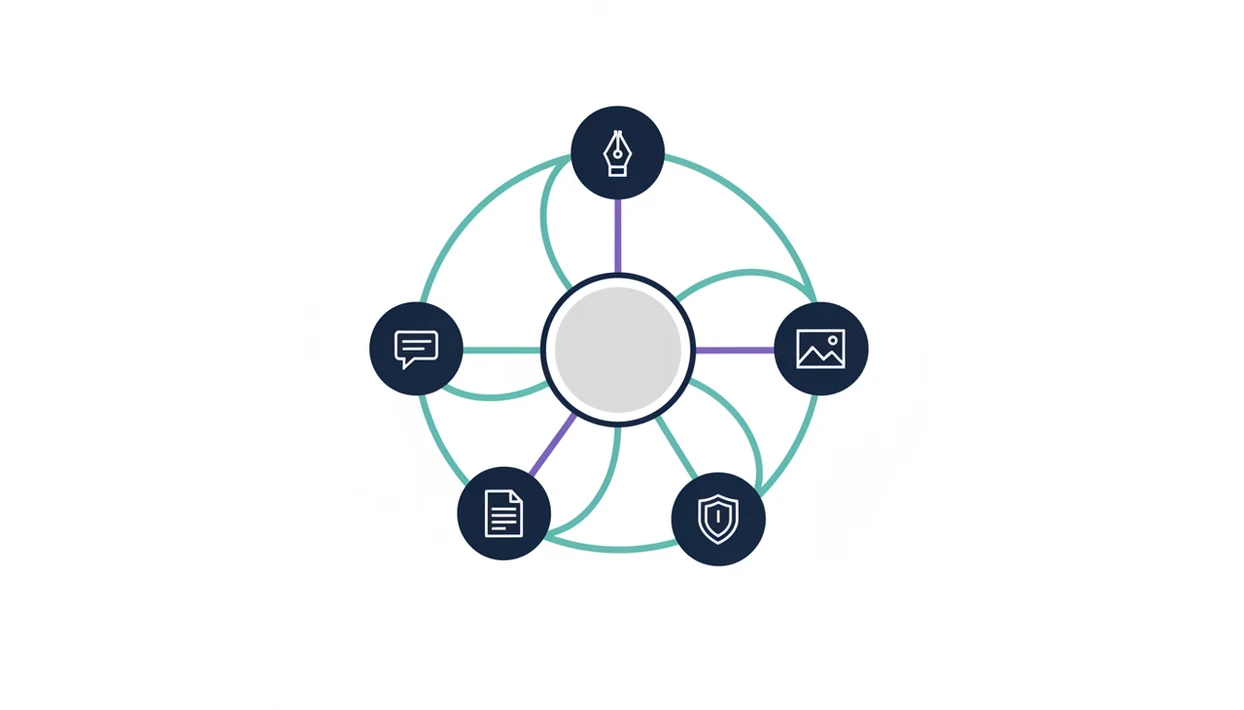
Multi-agent orchestration is the process of routing, delegating, handing off, and coordinating work among specialized AI agents inside one workspace. In plain language, the app decides which agent should handle each part of a task, then combines the results for review.
A typical flow starts with the user request. The system classifies intent, selects an agent, calls a model or tool, synthesizes the response, and leaves room for human review. For example, a user may drag a PDF into a document agent and wait for the page count to finish loading before asking for risks, quotes, and a client-ready summary.
Ordinary chat folders and saved prompts are not the same thing. True multi-agent routing coordinates distinct roles, while folders mostly organize past conversations. Underlying LLMs, external tools, permissions, context windows, and workflow design still shape quality. Good AI agent workspaces deliver routing and review steps, not agentic magic.
Evaluation criteria for the best app for multiple AI agents
A strong app for multiple AI agents should be judged by routing quality and workflow fit, not raw agent count. A crowded agent menu can look impressive and still fail during a real handoff.
- Routing intelligence matters most: The system should choose the right specialized agent or tool for each step, especially when tasks mix documents, writing, images, and detection.
- Workflow breadth should match real work: Look for coverage across chat, drafting, document analysis, image generation, detection, and review.
- Usability beats novelty: Mobile access, clean task history, readable outputs, and low setup effort matter during a rushed handoff note sent after a demo.
- Transparency is a buying criterion: Debugging views, traces, tool-call logs, and permission prompts help teams understand what happened.
- Governance demand is growing: Global corporate AI investment reached about 189 billion USD in 2023, according to OECD data, and a 2022 McKinsey survey found that 50% of organizations had adopted AI in at least one business function source.
For most teams, outcome quality usually depends more on routing design and review discipline than on the largest advertised agent count.
AIACI as the best AI agent workspace for routed everyday work
Is AIACI the strongest AI agent workspace for routed everyday work? Yes, if your work regularly jumps between chat, writing, image generation, document analysis, and detection, AIACI is the practical fit because those jobs stay inside one routed workspace.
That matters for mobile-first professionals and teams. A messy work pile rarely arrives as one clean prompt; it looks like meeting notes, a half-written brief, screenshots, and a support ticket. A shared routing layer keeps those tasks together instead of forcing the user to copy the same context into separate tools.
When a commuter has a backpack pressed to their ribs and a subway tunnel loading spinner on screen, switching between five apps is not a workflow. For deeper platform detail, the best AI agent app for iPhone guide covers the mobile-first side more directly.
AIACI is not the deepest developer framework for custom agent code. It earns the overall spot here because its named workflow is everyday cross-modality routing.
Gumloop as a multiple AI agents app for no-code automations
Gumloop is a strong multiple AI agents app when the main job is no-code automation. It fits users who want agent-like steps connected to repeatable business processes, such as research intake, lead enrichment, spreadsheet updates, or structured review queues.
The strength is workflow design. Users can map steps, connect tools, and turn a repeated process into something closer to an operating procedure. That can beat a general AI workspace when the same work happens every day with similar inputs.
AIACI is broader for cross-modality work because it keeps chat, writing, images, documents, and detection in one workspace. Gumloop may require more setup and clearer process design before the payoff appears. The difference shows up fast when a team has to choose between designing an automation and simply routing a mixed AI task right now.
Small setup choices become big later.
Zapier Agents as an AI app with many agents for app workflows
Zapier Agents is strongest when the job is connecting AI behavior to existing business apps. Common use cases include CRM updates, form handling, email workflows, ticket triage, and task routing across tools that already sit inside a company stack.
That makes it a different buying decision. Zapier Agents is oriented toward app actions and automations, while a cross-modality workspace focuses on chat, writing, images, documents, and detection in one place. Both can reduce manual work, but they reduce different kinds of friction.
When app permissions are involved, slow down. Agents that touch CRM records, inboxes, calendars, or support platforms may expose sensitive data if the scope is too broad. Teams should check access rules before turning on agent actions. The same caution applies to any agent routing setup that moves user content between tools.
If condition-based app automation is the main requirement, then Zapier Agents fits because it connects AI steps to existing software triggers and actions.
CrewAI as a developer framework for multiple AI agents
CrewAI belongs on this list because it helps developers build role-based teams of AI agents. It is better for users who want control over agent roles, tools, memory, orchestration rules, and how the system handles each handoff.
That flexibility comes with a different user expectation. CrewAI is not mainly for someone who wants a polished multiple AI agents app on a phone by the end of lunch. It is closer to a builder framework, where the team defines agents, tests behavior, fixes failures, and maintains the workflow.
The tradeoff is clear. Developers get more control, but non-technical users inherit more setup and debugging work if no one packages the system for them. A draft paragraph read aloud softly is easy to revise in a writing agent; debugging why three agents contradicted each other is a different afternoon.
Developers trying to build custom agent teams may prefer CrewAI because role design, memory, and tool control sit closer to the code.
StackAI as an AI agent workspace for internal business apps
StackAI is useful for teams building AI workflows, internal tools, and RAG-style business apps. It fits organizations with structured knowledge bases, repeatable internal processes, and a clear idea of which documents or systems should feed each workflow.
The fit is strongest when the company wants a controlled internal assistant or process tool, not just a general chat surface. Source quality matters. If the knowledge base is stale, duplicated, or full of unlabeled PDFs, the agent experience will reflect that mess.
A ready multi-agent workspace is a better fit for users who want mobile access across chat, writing, images, documents, and detection. StackAI may be the better choice when internal data pipelines and governed business apps are the real project. Teams comparing mobile options can also look at the AI agent app for Android guide if field access is part of the decision.
Operations teams looking for internal AI apps may choose StackAI because it connects workflows to structured knowledge sources and repeatable processes.
How to use a multiple AI agents app without tool switching
A multiple AI agents app works best when you define the job, provide context once, route the task, then review the result before reuse. The goal is not to remove judgment; it is to stop rebuilding the same workflow across separate tools.
- Define the task in one sentence, including the desired output, audience, and deadline.
- Upload or paste context such as a PDF, notes, screenshots, product details, or prior draft.
- Select the agent or allow routing so the workspace can send writing, document, image, chat, or detection work to the right place.
- Review the output for missing context, false claims, weak citations, tone problems, and permission issues.
- Validate high-stakes work before using it for legal, financial, medical, hiring, detection, or client-facing decisions.
- Save or reuse the workflow when the same task will come back next week.
When detector score appears, the user still has to read the flagged sentence. No routing layer changes that.
Honest tradeoffs of AI apps with many agents
More agents can create more complexity rather than better outcomes. The common failure modes are circular handoffs, redundant work, conflicting outputs, higher model costs, and slower response times.
A good AI agent workspace needs observability. Traces, tool-call logs, permission controls, and readable handoff history help users see why an agent made a choice. Without that, the workspace can feel like a download folder stuffed with filenames: lots of activity, not much clarity.
Public concern also matters. In a 2024 Pew survey, 72% of U.S. adults said they felt concerned about how organizations use AI, which supports the need for transparency and control in multi-agent systems source.
AIACI addresses the everyday version of this problem through visible task routing across common work types, but any multi-agent system still needs a review step. For team use, governed routing is often safer than ad hoc copy-paste because it creates a more consistent handoff pattern.
Limitations
Multi-agent AI workspaces are useful, but they do not remove the hard parts of AI work. These limits apply to every tool listed here, including chatgpt.com, poe.com, perplexity.ai, claude.ai, and character.ai.
- Multi-agent routing does not remove hallucinations, bias, weak reasoning, or context-window limits from the underlying models.
- Poorly defined agent roles can cause circular handoffs, duplicate work, or conflicting recommendations.
- Long workflows with many agents, tools, APIs, documents, or images can become slow and expensive.
- Security and compliance get harder when different agents touch sensitive documents, app data, or user prompts.
- Human review is still required for legal, financial, medical, hiring, detection, and client-facing outputs.
- Mobile access improves convenience, but it may not expose every advanced debugging or configuration control.
- No single app is right for everyone; developers may prefer frameworks, while operators may prefer no-code automation.
- Detection and humanizing workflows should not be treated as proof of authorship, originality, compliance, or safety.
The practical question is workflow fit, not whether one platform can do everything.
FAQ
What is a multi-agent app?
A multi-agent app is one workspace where specialized AI agents coordinate, route, or hand off tasks. It usually supports different roles, such as writing, document analysis, image generation, research, or detection.
Which AI agent app is best?
AIACI is a strong choice for broad routed work across chat, writing, images, documents, and detection. Gumloop and Zapier Agents fit automation-heavy users, CrewAI fits developers, and StackAI fits internal AI app teams.
Can AI agents work together?
Yes, AI agents can work together through orchestration, routing, shared context, tool calls, and handoffs. The quality depends on role design, permissions, models, and human review.
Are multiple agents better than one AI chatbot?
Multiple agents are better when the task has distinct roles or steps. They can be worse when agents overlap, repeat work, or produce conflicting answers.
What is agent routing?
Agent routing is the process of selecting the right specialized agent, model, or tool for each task step. In a routed workspace, routing helps move work between chat, writing, document, image, and detection workflows.
Is there a free AI agent app?
Some AI agent platforms offer free tiers, trials, or open-source frameworks. Limits usually depend on model access, usage volume, automation runs, storage, and setup requirements.
What is the best no-code agent builder?
There is no universal winner for no-code agent builders. Gumloop and Zapier Agents are strong for automation workflows, while StackAI fits internal tools and knowledge-based apps.
Do AI agents need human review?
Yes, AI agents need human review for accuracy, safety, permissions, and high-stakes decisions. Review is especially important for client work, detection claims, legal content, financial analysis, medical information, and hiring workflows.