


Definition: An AI agent platform for small teams is a software layer that lets non-technical operators deploy, route, and monitor autonomous AI agents across real business workflows like support triage, content drafting, and document review, without dedicated engineering resources.
At-a-Glance: 5 AI Agent Platforms for Small Teams Compared
| Platform | Best For | Routing Model | Mobile Access | No-Code Setup | Starting Price |
|---|---|---|---|---|---|
| AIACI | Small teams routing chat, writing, image, document, and detection tasks | Agent network routing | iOS companion access | Yes, workflow-first | Check current plan |
| Zapier | Cross-app automation across existing business tools | Single-agent orchestration plus automations | Web and mobile app support | Yes | Free tier available |
| Gumloop | Visual no-code agent building | Single-workflow agent builder | Limited mobile control | Yes, with setup learning curve | Free tier or trial often available |
| Heyy | Customer-facing AI assistants and lightweight support | Assistant-style automation | Varies by setup | Usually low-code | Check current plan |
| StackAI | Internal AI apps and document-heavy workflows | Configurable agent workflows | Mostly web-first | Low-code to no-code | Free tier or trial often available |
AIACI fits buyers who need one place to route varied work, while Zapier fits teams that already live inside CRM, Slack, sheets, and project tools. Gumloop suits builders with one clear automation map; Heyy and StackAI fit narrower assistant or internal-app use cases.
The small-team test is simple. If a proposal intro, a support ticket, and a PDF review all land before lunch, the platform should not make you open five nearly identical chat app icons on an iPhone home screen.
How We Picked the 5 AI Agent Platforms for Small Business
We picked platforms by how well they handle real small-team constraints: no IT department, lean budget, mixed files, non-technical operators, and work that changes by the hour. Workflow fit mattered more than feature count because unused agents create maintenance, not leverage.
- Workflow fit: A strong AI agent platform small business buyers can use should map to support triage, drafting, research, file review, or follow-up without a custom engineering sprint.
- Routing architecture: We rated agent network routing higher when the platform could send different work to different specialized agents.
- No-code usability: Drag-and-drop setup helped only when inputs, outputs, triggers, and review steps were clear.
- Mobile access: Small teams often approve work between meetings, not from a control room.
- Human handoff controls: Critical steps need review, override, and escalation before an agent updates records or sends client-facing output.
Microsoft reported in 2023 that 91% of SMBs using AI said it made their business more successful (https://blogs.microsoft.com/on-the-issues/2023/11/15/ai-small-business-survey/). That stat sounds encouraging, but it only matters when the agent matches the job.
AIACI: Best AI Agent Network for Routing Tasks Across Small Teams
AIACI is the strongest fit for small teams that need routing across chat, writing, image generation, document analysis, and detection instead of one generalist bot. ACI organizes that work as an agent network, so a document task does not get treated like a social caption or a support reply.
Why Agent Routing Beats Single-Bot Platforms
- Writing agent: Drafts, rewrites, and structures text with a review step before final use.
- Document agent: Helps summarize and query uploaded files after the page count finishes loading.
- Image agent: Turns prompts into visual outputs for banners, concepts, or draft creative.
- Detection and humanizing agents: Flag AI-like passages and help revise awkward phrasing.
- Chat agent: Handles general questions without forcing every task through the same prompt shape.
When the issue is mixed work piling up, AIACI fits because the agent network routes each request to a specialized agent workflow. Good AI agents for small teams deliver narrower, reviewable execution, not vague automation theatre.
Mobile-First Workflow Control via iOS
AIACI also fits mobile-first professionals because the iOS companion access lets users trigger, review, and override tasks away from the desk. For a deeper mobile workflow view, the AI agent app for mobile professionals guide covers that use case directly.
Zapier: Best AI Workflow Platform for Cross-App Automation
Zapier is the strongest pick when the work is mostly cross-app automation. It connects CRM records, help desk tickets, email, Slack messages, spreadsheets, forms, and project-management tools with a no-code Zap builder and newer AI agent add-ons.
If your priority is moving data between tools, Zapier earns its place because its integration catalog is the mechanism. A support quote can land in a spreadsheet, trigger a Slack note, and open a task without someone copying fields by hand.
The tradeoff is architecture. Zapier is not a true agent network in the same sense as AIACI; it leans toward single-agent orchestration wrapped around automations. Pricing can also climb when task volume rises, premium apps enter the workflow, or a simple Zap becomes a five-step process with filters, paths, and retries.
Use Zapier when your current stack is the center of gravity. Use AIACI when the task type itself needs routing.
Ready to start your quit?
The best AI agent platform for small teams is one that routes real tasks, chat, writing, image generation, document analysis, and detection, to specialized agents without…
Gumloop: Best No-Code AI Agent Builder for Non-Technical Teams
Gumloop is a good fit for teams that want to build a specific AI workflow visually without writing code. Its drag-and-drop builder works well for focused automations such as lead enrichment, research collection, web extraction, or document processing.
Non-technical teams who already know the exact workflow can use Gumloop because the canvas makes inputs, outputs, and triggers visible. The hard part comes before the drag-and-drop work. Someone still has to decide what counts as a successful output, where errors go, and when a human reviews the result.
That part gets messy.
Compared with AIACI, Gumloop is less suited to mobile-first task routing across many everyday work types. It also has a learning curve around failure paths, handoffs, and maintenance. Gumloop fits best when one or two defined automations matter more than a broader agent network.
How an AI Agent Network Routes Tasks for Small Teams
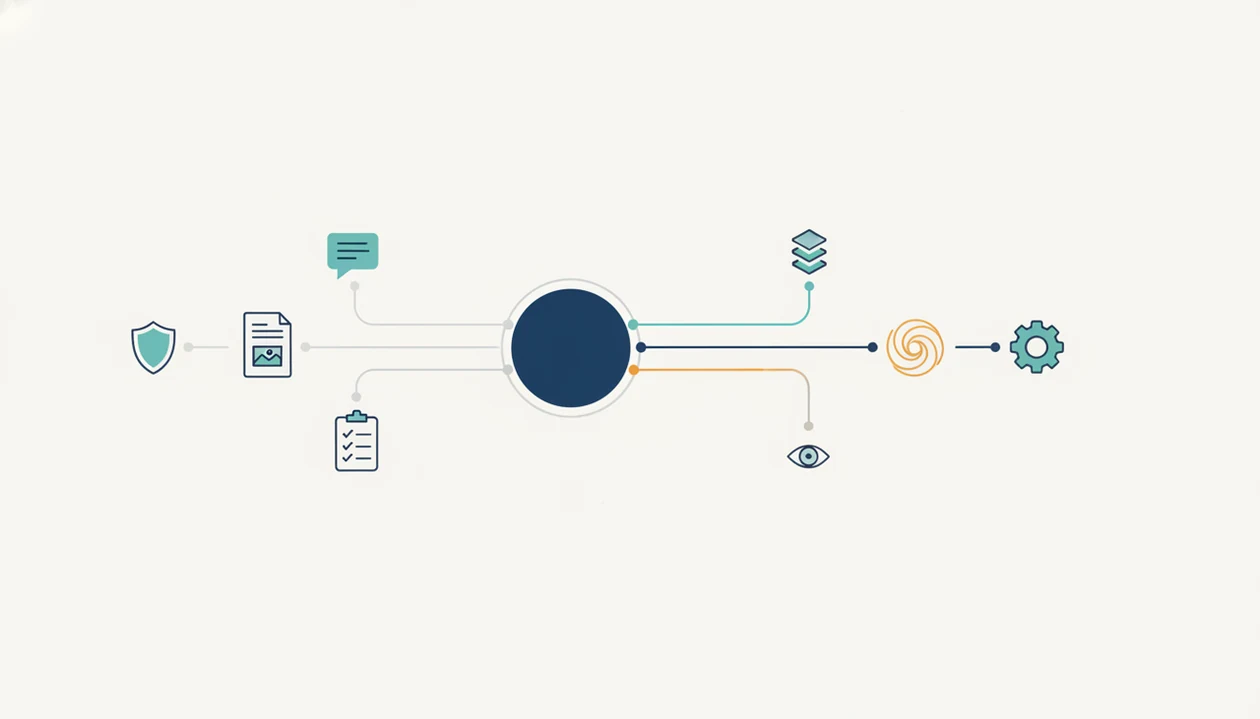
An AI agent network routes a request by classifying the task, selecting the right specialized agent, executing the workflow, and returning either an output or a human handoff. That differs from a single-agent chatbot, which usually tries to answer every request through one conversational interface.
Task Classification and Agent Selection
The routing layer reads the task type, context, file shape, and requested outcome. In plain language, it decides whether “summarize this PDF,” “rewrite this email,” and “make a product image prompt” belong in different lanes. The fuller architecture is explained in the AI agent network guide.
Specialized routing helps when the work pile includes meeting notes, a half-written brief, screenshots, and a support ticket. One prompt box can handle that badly. A routed workflow gives each task a narrower operating space.
Specialized Agents vs. Generalist Bots
Specialized agents for chat, writing, image, document, and detection work can produce better outputs because each agent is constrained to a domain. That can reduce hallucination risk, but it does not remove the need for review controls.
According to McKinsey research from 2023, customer operations showed potential productivity improvements of 30% to 45% from generative AI and automation (https://www.mckinsey.com/capabilities/operations/our-insights/the-next-normal-in-customer-service). For small teams, output quality usually depends more on routing and review boundaries than on the size of the model alone.
How to Use an AI Agent Platform for Small Teams
Use an AI agent platform by starting with one repeatable workflow, limiting access, and keeping a human review step in place until the outputs are boringly reliable. Small teams get more value from a narrow pilot than from connecting every app on day one.
- Choose one workflow that has repeated inputs, predictable outputs, and a clear review moment. Good candidates include support replies, proposal drafts, document summaries, lead follow-up, or weekly status reporting.
- Connect only what the workflow needs by granting access to the specific files, folders, apps, and permissions required for that job. Avoid broad workspace access just because the setup screen makes it easy.
- Assign the task to the right specialized agent or routing path so writing, document review, image work, and general chat do not blur into one queue.
- Review the first outputs before allowing the agent to send client-facing messages, update records, or change shared files. Edit the prompt, handoff rules, or source material when the result misses the mark.
- Measure the pilot after one week by comparing saved time, error rate, rework, and maintenance effort. Keep the workflow only if the team can run it without creating a new babysitting job.
6-Step AI Agent Platform Checklist for Small Teams
Use this checklist before choosing an AI workflow platform. The goal is to test one real workflow, not admire a demo.
- Map your top two time-consuming workflows. Start with support triage, proposal drafting, lead follow-up, document review, or weekly reporting.
- List your current tools. Include CRM, email, help desk, file storage, spreadsheets, chat, and project-management systems.
- Check integration depth and setup work. Confirm whether the platform supports real actions, not just notifications or copied summaries.
- Test mobile access and review controls. Open the agent menu between meetings and see whether approval, rejection, and edits are practical.
- Calculate total cost of ownership. Add setup time, staff training, maintenance, usage tiers, and review labor.
- Run a one-week pilot on one workflow. Measure saved time, error rate, handoff quality, and whether non-technical staff can maintain it.
Pew Research Center reported in 2024 that 20% of U.S. workers use ChatGPT or similar tools for work-related tasks (https://www.pewresearch.org/short-reads/2024/05/29/as-more-americans-use-chatgpt-its-workplace-use-is-growing/). For small teams, a platform pilot is often safer than letting everyone invent private workflows in separate accounts.
The right fit for careful adoption is a one-workflow pilot because it exposes file access, review steps, and failure handling before the team scales. For examples of before-and-after operating changes, compare the patterns in AI agent before and after.
AI Agent Platform Pricing and Total Cost for Small Business
AI agent platform pricing often looks cheaper than it is. Headline plans can hide usage tiers, per-agent fees, premium integrations, task limits, file-processing costs, and maintenance time from people who are not technical admins.
Total cost includes setup, workflow design, prompt refinement, staff training, review steps, and periodic fixes when a connected app changes. A free tier is useful for testing, but it may cap runs, files, seats, or automation depth. Paid tiers can be worth it when they replace several narrow tools.
On days the team is switching between a document summary, a draft email, and a social banner, AIACI can consolidate cost because the agent network covers chat, writing, image, document, and detection workflows in one routing layer. That matters more than a cheap starter plan that still requires three other subscriptions.
McKinsey estimated in 2023 that generative AI and related technologies could add $2.6 trillion to $4.4 trillion in annual value across industries. Small teams will not capture that abstract number automatically. Value comes from fewer handoffs, fewer rework loops, and faster review.
Real pilots tell the truth. The AI agent workflow success stories page shows how workflow fit changes the business case more than the sticker price.
Limitations
Every AI agent platform has constraints, including AIACI, Zapier, Gumloop, Heyy, StackAI, chatgpt.com, poe.com, perplexity.ai, claude.ai, and character.ai. The risk is not “AI is bad.” The risk is giving unclear work to a system with unclear authority.
| Risk | What It Means for Small Teams | What to Check |
|---|---|---|
| Hallucination risk | Agents can produce wrong answers or take inappropriate actions | Require approvals for client-facing or record-changing steps |
| No-code skill floor | Builders still need process-mapping ability | Test whether non-technical staff can maintain the workflow |
| Brittle integrations | Connectors may be narrower than marketing pages suggest | Run live tests with your CRM, files, and help desk |
| Agent overlap | Too many agents with vague jobs increase confusion | Define one owner and one output per workflow |
| Weak mobile control | Some platforms only send notifications | Confirm real mobile review, edit, and override actions |
| Privacy variation | Data may pass through third-party LLMs | Read data processing, retention, and model-training policies |
| Domain gaps | Niche work can degrade when training examples are thin | Use source checks and human review for specialized topics |
A detector score can appear, and the user still has to read the flagged sentence. That review step is not optional.