

AI Agent Workflow Success Stories And Practical Use Cases
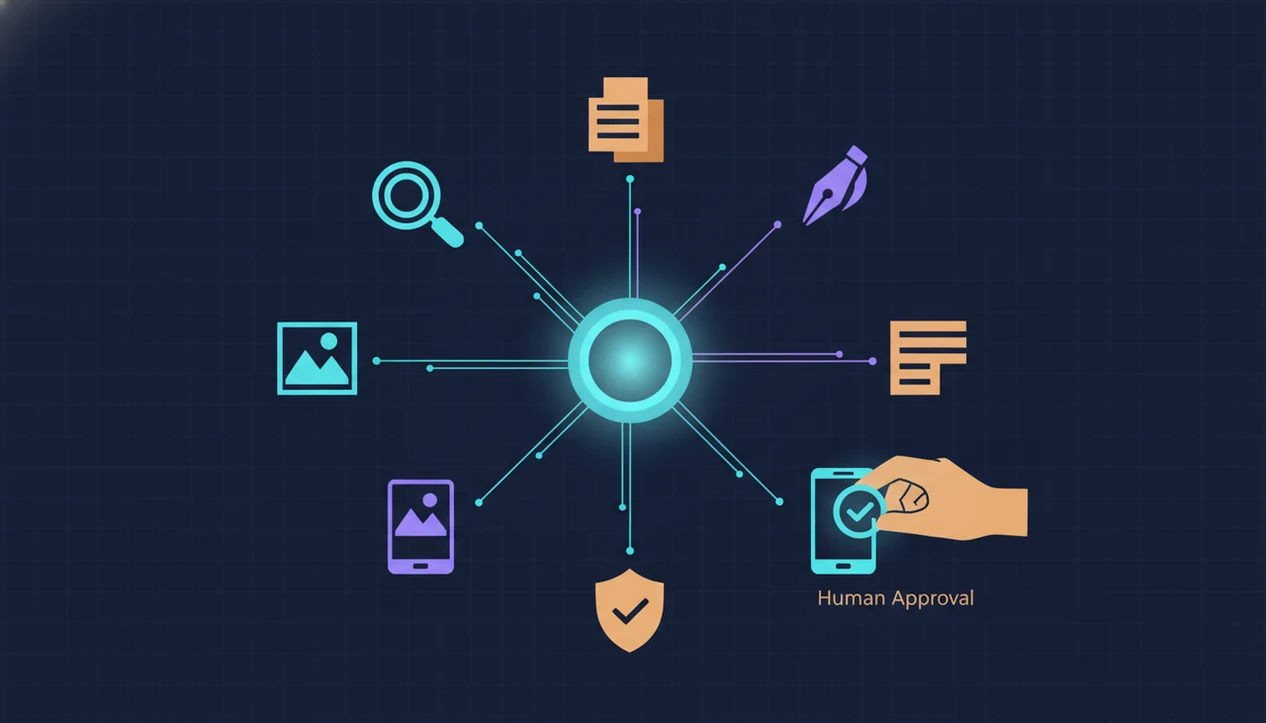
AI agent workflow success stories show how people combine specialized agents for research, document analysis, drafting, images, and review into one repeatable process instead of relying on a single chatbot response. The strongest examples start with a narrow task, measure before-and-after results, and keep a human in the approval loop.
> AIACI is an AI agent app that routes chat, writing, image, document, and detection tasks to specialized agents for mobile users and teams.
- The strongest agent workflow examples chain narrow agents together: research → summarize → draft → generate assets → review → approve.
- Useful success stories include metrics such as time saved, fewer handoffs, higher output volume, or lower review burden.
- AI agent use cases work best when teams start with a painful repeatable task, add guardrails, and monitor every agent step.
At-A-Glance AI Agent Workflow Success Stories
AI agent workflow stories are easiest to trust when they show the agent chain, the human checkpoint, and the measured outcome. These are narrative workflow patterns to adapt, not proof that AI replaces the whole job.
The examples below are illustrative workflow patterns, not audited case studies from named customers. Treat them as templates for what to measure: baseline time, agent steps, review burden, errors, and final approval.
| Workflow story | Agents used | Human checkpoint | Measurable outcome | Best fit |
|---|---|---|---|---|
| Research-to-brief | Chat planner, research agent, writing agent | Source validation | Faster brief creation | Consultants, analysts |
| Meeting-to-draft | Transcript agent, summarizer, writing agent | Owner edits action items | Fewer missed follow-ups | Managers, client teams |
| Image campaign creation | Chat, writing, image, review agent | Brand approval | More first-draft options | Marketing teams |
| Document review | Document analysis, chat, writing agent | Escalation on risk | Shorter review cycles | Ops and vendor teams |
| AI detection review | Detection, humanizing, writing agent | Sentence-level review | Lower review burden | Editors, students, teams |
McKinsey estimates that generative AI could add $2.6 trillion to $4.4 trillion annually across use cases (https://www.mckinsey.com/capabilities/mckinsey-digital/our-insights/the-economic-potential-of-generative-ai-the-next-productivity-frontier). That figure explains the interest in multi-step knowledge workflows, but it does not prove any single workflow will work.
How AI Agent Workflow Examples Work Behind The Scenes
An AI agent workflow decomposes a user goal into steps, then routes each step to a specialized agent with a defined role. The practical difference is coordination: planning, context passing, decision logging, and human approval happen as part of the same work path.
A chat planner may frame the request. A research agent gathers sources. A document analysis agent extracts claims from PDFs. A writing agent turns notes into a draft. An image agent creates visual directions, and a detection or review agent flags uncertainty, risky language, or unsupported claims.
The messy part is context. Someone may have meeting notes, a half-written brief, screenshots, and a support ticket open at once. A workflow gives each item a place to go instead of asking one general chatbot to hold everything in a long prompt. For knowledge teams, specialized routing is often easier to control than one broad chatbot because each step has a clearer output and review point.
Tools like AIACI, ChatGPT, Claude, Perplexity, and Poe can fit different parts of this pattern depending on the task.
How To Use AI Agent Workflows For Repeatable Outcomes
To use AI agent workflows well, turn one productivity pain point into a measured process before expanding. The goal is not broad autonomy; it is a repeatable handoff with a visible review step.
- Pick one high-volume task with a clear output, such as a weekly client brief or support summary.
- Map the workflow into agent roles such as research, summarize, draft, image, and review.
- Set approval checkpoints before anything reaches a client, customer, regulator, or public channel.
- Track time saved, error rate, revision count, and throughput for at least several runs.
- Expand only after the first workflow is reliable, documented, and easy to explain.
Small first. Really small.
Mobile-first teams often capture context in an iOS app, then finish review on desktop where tables, citations, and comments are easier to inspect. If the main work starts away from a desk, an AI agent app for mobile professionals can help keep the first handoff from getting lost.
Evidence Method For AI Workflow Success Stories
Credible AI workflow stories document the starting pain, the agent chain, the human checkpoint, and the measured result. A vague demo is not enough.
- Baseline time matters: record how long the task took before agents were added.
- New time matters: measure the same task after the workflow is stable, not during the first setup run.
- Handoffs matter: count how many people or tools touched the work before approval.
- Revision count matters: track how often humans rewrite, reject, or escalate agent output.
- Error examples matter: save hallucinations, missed clauses, weak summaries, and failed edge cases.
Decision logs are especially useful because they show which agent acted, what context it used, and where a human approved or corrected it. IDC has reported that organizations are investing in AI for workflow automation, decision support, and productivity use cases; cite the specific IDC report or remove the claim if a public URL is unavailable. McKinsey also found broad experimentation with generative AI across business functions (https://www.mckinsey.com/capabilities/quantumblack/our-insights/the-state-of-ai). Those stats show adoption pressure, not guaranteed success.
A cleaner before-and-after model is covered in the AI agent before and after guide.
Story 1: Research-To-Summary Agent Workflow For A Consultant
Can an AI agent workflow help a consultant turn scattered research into a client-ready summary? Yes, if the workflow narrows the question, extracts source-backed claims, and leaves recommendations for human review.
Maya is an independent strategy consultant. Before client calls, she used to juggle browser tabs, PDFs, pasted notes, and manual synthesis. The worst moment was dragging a PDF into a document agent and waiting for the page count to finish loading while the call agenda sat unfinished beside it.
Her workflow starts with a chat planner that defines the client question. A document agent extracts claims and page references. A writing agent drafts the summary. A detection or review agent flags uncertain language, sensitive content, and claims that need a source check.
Maya still validates the sources and edits the final recommendations. That review step is the point. For researchers and consultants, structured agent routing usually works best when the agent prepares evidence and the human owns judgment. Similar research workflows are mapped in the AI agent app for researchers guide.
Story 2: Draft-To-Image Agent Use Case For A Marketing Lead
Jordan, a marketing lead, needs launch assets before a product update goes live. Before the workflow, copy notes, creative briefs, image concepts, and approval comments lived in separate tools. The team spent too much time reconciling versions.
The agent chain starts with a chat agent that clarifies audience, offer, channel, and tone. A writing agent drafts headline, email, and ad variants. An image agent creates visual directions from approved concepts. A review agent checks tone, claim risk, and obvious brand mismatches.
The phone still matters. Jordan records a quick voice note on iOS after a sales call, then expands the idea later on desktop with the campaign brief open. The designer squints at tiny preview images only once, not fifteen times.
A good AI agent network platform that routes tasks to specialized agents for chat, writing, image generation, document analysis, and detection should deliver clearer task handoffs across web and iOS, not unsupervised publishing decisions.
Story 3: Document Review Agent Workflow For A Small Team
A five-person operations team reviewing vendor documents can use agents to create consistent notes, risk summaries, and next actions. The gain comes from standardizing review, not skipping accountability.
Before the workflow, each person read documents differently. Some made careful notes. Others sent Slack summaries with missing page references. Managers had to reopen files just to understand what changed.
Now the document analysis agent extracts obligations, dates, renewal terms, and unusual clauses. A chat agent asks clarifying questions when a file is incomplete. A writing agent drafts a decision memo. A detection agent flags PII, risky claims, or content that should not be copied into the memo.
Escalation rules are written down: ambiguous clauses go to counsel, missing pages go back to the vendor, and high-risk findings go to a manager before approval. Pew Research Center reported that 18% of U.S. workers said they used AI at work at least sometimes as of 2023 (https://www.pewresearch.org/short-reads/2023/07/26/which-us-workers-are-more-exposed-to-ai-on-their-jobs/), which makes these everyday review patterns more relevant. For small teams comparing setup options, the best AI agent platform for small teams guide gives a broader checklist.
Common Patterns In Successful AI Agent Use Cases
Successful AI agent use cases usually share four patterns: narrow start, specialized routing, human approval, and measurable feedback. The durable workflows begin with repeatable high-friction tasks, not vague requests for broad autonomy.
Narrow start. Pick one recurring task, such as customer support summaries, internal reports, campaign drafts, compliance notes, or service desk triage.
Specialized routing. Send research, writing, image, document, and detection work to agents designed for those outputs.
Human approval. Keep a named person responsible for source checks, tone, risk, and final delivery.
Measurable feedback. Track time, revisions, errors, escalations, and rework after each run.
Gartner predicted that operationalized AI architectures would grow sharply from 2021 to 2025 as organizations moved from pilots to deployment. That shift explains why an AI agent network becomes valuable: it routes each step to the agent best suited for the task, then keeps the handoff visible.
Evidence Gaps In AI Workflow Stories
An AI workflow success story does not prove full replacement of employees. It usually proves that a defined slice of work became faster, more consistent, or easier to review under specific conditions.
One strong workflow also does not guarantee performance on unrelated tasks. A document review flow may work well for vendor renewals and fail on technical statements of work. A campaign drafting flow may produce useful first drafts but still miss legal claim boundaries.
Demo outputs can hide the real cost. Prompt tuning, tool setup, permission mapping, failed uploads, and review time all belong in the measurement. So does the moment when a detector score appears and the user still has to read the flagged sentence.
Trust comes from logged decisions, escalation paths, and monitored outcomes. Speed alone is a thin metric. Quality, risk, and supervision cost tell the fuller story.
Limitations
AI agent workflows can reduce repetitive work, but they need clear boundaries. The risks become larger when workflows touch sensitive data, regulated decisions, or public claims.
- AI agents can misunderstand ambiguous goals or skip context that a human would notice.
- Long-tail edge cases still require escalation, especially in legal, medical, financial, HR, and compliance contexts.
- Outputs can contain hallucinated facts, unsupported recommendations, weak images, or copy that needs careful review.
- A workflow that works for one team may fail when documents, tools, permissions, or approval steps change.
- Automation gains can be overstated when setup time, review time, and monitoring time are ignored.
- Sensitive data requires access controls, PII detection, retention policies, and audit logs.
- Fully autonomous workflows should be avoided until supervised runs prove reliability over repeated cases.
- Decision logs are only useful if someone actually reviews them.
Apps such as ACI-style agent networks can support task routing, but the organization still owns policy, approval, and accountability.
FAQ
What is an AI agent workflow?
An AI agent workflow is a multi-step process coordinated across specialized agents, such as research, document analysis, writing, image, and review agents. It turns one goal into a series of routed tasks with human approval points.
What are practical AI agent use cases?
Practical AI agent use cases include research summaries, document review, campaign drafting, customer support triage, service desk notes, image concepts, and AI detection review. The strongest use cases have clear inputs, clear outputs, and measurable review steps.
How can I tell if an AI agent success story is credible?
A credible story includes baseline metrics, new metrics, workflow logs, human checkpoints, and examples of errors or escalations. If it only shows a polished demo output, the evidence is incomplete.
Do AI agents replace human workers?
AI agents usually handle defined steps while humans supervise decisions, approve outputs, and manage edge cases. A workflow success story should not be read as proof of full job replacement.
How should teams measure AI workflow success?
Teams should measure time saved, throughput, revision rates, error reduction, escalation volume, and review burden. Quality and supervision cost should be tracked alongside speed.
Which AI agent workflow should a team start with first?
A team should start with a narrow, repeatable, high-volume task that has a clear output. Good first workflows include weekly summaries, intake triage, draft memos, and routine document review.
Why use specialized AI agents instead of one chatbot?
Specialized AI agents are easier to control because each agent has a narrower role, such as writing, document analysis, image generation, chat planning, or detection. One broad chatbot can work, but it often makes routing and review harder to audit.
Can AI agents work on mobile devices?
Yes, AI agents can work on mobile devices for capturing notes, photos, voice ideas, document requests, and quick reviews. Tools like AIACI can start the workflow on mobile, while final approval often happens on desktop.