

AI Agent Before And After Workflow Transformation
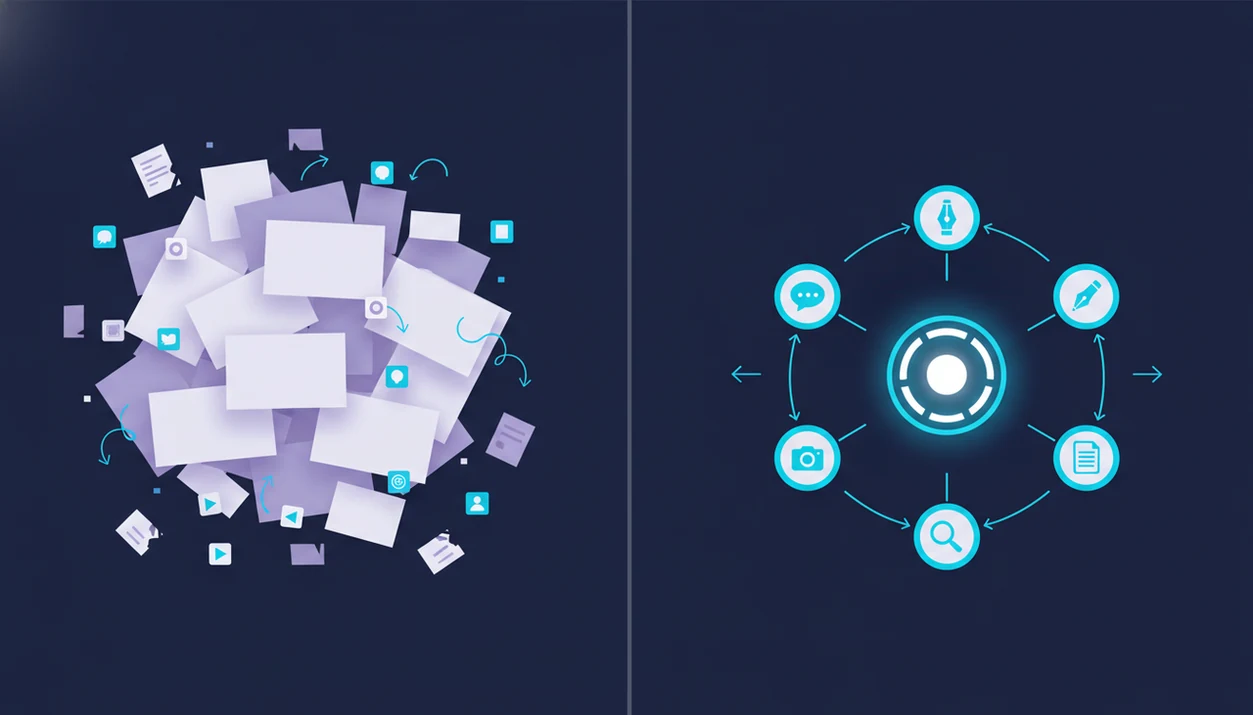
AI agent before and after examples show the same task changing from scattered prompts, copy-paste steps, and app switching into a routed workflow handled by specialized agents. The biggest improvement is usually less coordination work, not a promise that every output becomes perfect.
> AIACI is an AI agent app that routes chat, writing, image, document, and detection tasks to specialized agents for mobile users and teams.
- The strongest AI workflow before after comparison is about fewer handoffs: fewer prompts, fewer tabs, and fewer manual transfers between tools.
- Agent workflow results improve most when the task has clear steps, such as summarizing a document, drafting a response, checking originality, or generating an image brief.
- AI agents still need human review for accuracy, tone, permissions, compliance, and sensitive decisions.
AI Agent Before And After Snapshot For Busy Teams
An AI agent before and after snapshot compares manual coordination with routed task execution. The “after” state usually saves effort by reducing repeated prompts, tab switching, and handoffs between separate tools.
| Work type | Before AI agent routing | After AI agent routing |
|---|---|---|
| Documents | Copy excerpts into chat, ask follow-up questions manually | Document agent extracts points, then routes questions and summaries |
| Writing | Draft, rewrite, and check tone in separate tools | Writing agent handles structure, revision, and tone stages |
| Images | Brainstorm in chat, then rebuild prompts elsewhere | Image agent receives clearer context and prompt direction |
| Review | User runs separate checks after the draft | Detection or review agent flags issues before handoff |
| Mobile work | User jumps between apps on a small screen | Workflow stays closer to one routed agent path |
The real gain is coordination overhead. A user staring at five nearly identical chat app icons on an iPhone home screen does not need another place to paste the same brief. They need the next step to know what came before.
Five AI Workflow Before After Facts Readers Should Know
These five facts explain why AI workflow before after examples look different from ordinary chatbot demos. They describe workflow mechanics, not guaranteed output quality.
- AI agents are goal-directed systems that can plan, use tools, and act with limited human input.
- The before-and-after gain is usually workflow simplification, not a sudden jump in the underlying model’s intelligence.
- Many agent systems follow an observe-plan-act loop: gather context, choose a next step, take action, then reassess.
- Multi-agent routing works best when task boundaries are clear and each specialized agent has a distinct role.
- Human approval remains important for ambiguous, high-stakes, regulated, or externally visible work.
Small boundaries matter.
If the work pile is meeting notes, a half-written brief, screenshots, and a support ticket, a routed workflow can separate the mess into document review, drafting, and response preparation. For small teams comparing platform fit, the best AI agent platform for small teams question often starts with that exact pile.
How AI Agent Workflow Routing Works Behind The Scenes
AI agent workflow routing turns a user goal into a sequence of assigned subtasks, often through an observe-plan-act loop. In plain language, the system reads the situation, chooses a next step, acts through a tool or agent, then checks what changed.
A chatbot mainly replies to a prompt. An AI agent can coordinate steps toward a goal, such as reading a PDF, answering questions about it, drafting a response, and sending the draft to review. Orchestration is the routing layer that decides whether a chat, writing, image, document, or detection agent should handle the next step.
This only works when the system has the right permissions, tools, and upload boundaries. Dragging a PDF into a document agent and waiting for the page count to finish loading is still a real checkpoint. No page count, no reliable document context.
The full routing model is easier to see in an AI agent network, where separate agents handle different task classes instead of pretending one chat box should do everything.
How To Use An AI Agent Before And After Audit
An AI agent before and after audit shows whether routing will reduce real work or just move the friction somewhere else. Measure handoffs, prompts, review time, and rework, not only the quality of the first draft.
- Set a narrow workflow goal, such as summarize a PDF and draft a client email.
- Map every current manual step, including prompts, tabs, uploads, downloads, and copy-paste transfers.
- Route each subtask to the right agent category: document, chat, writing, image, or detection.
- Review the final output for factual accuracy, tone, policy fit, and missing context.
- Compare saved handoffs, reduced prompts, and review time against the old process.
Use a simple baseline: count prompts, tabs, copy-paste transfers, minutes to first draft, and minutes spent reviewing. A useful before-and-after result should improve at least one of those numbers without hiding extra approval work.
The audit is blunt on purpose. If the “after” workflow still requires six pasted summaries and three separate browser tabs, the agent layer has not solved the core problem. It has only changed the furniture.
For mobile teams testing AIACI, the practical question is whether the iOS workflow keeps chat, writing, image generation, document analysis, and detection close enough that users stop stitching outputs together by hand.
How To Measure AI Agent Before And After Results
Measure AI agent before and after results by comparing the routed workflow against a clearly defined old workflow, not against a polished demo. The goal is to prove whether the team reached approved output faster with fewer handoffs and less confusion.
- Define the baseline before testing agent routing, including the exact task, starting files, review rules, and normal approval path.
- Count the visible friction in the old process: prompts, app switches, copy-paste moves, handoffs, review minutes, and rework after feedback.
- Separate first-draft speed from final approved output time, because a fast draft that needs heavy correction is not the same as a faster workflow.
- Compare mobile and desktop paths if both are used, especially when a phone workflow changes upload steps, notifications, or review behavior.
- Record failures as carefully as wins, including moments where routing chose the wrong agent, added an extra step, or made ownership unclear.
A useful measurement note should read like a small work log. “Draft arrived in three minutes” matters less if approval still took thirty minutes because the source quote was missing.
AI Productivity Example 1: Document Review Before And After
Before agent routing, a mobile professional might open a document, copy paragraphs into a chatbot, ask for a summary, then move into a notes app or email draft. Every question resets part of the context. Every paste risks leaving out the sentence that mattered.
After routing, a document agent extracts key points, a chat agent answers follow-up questions, and a writing agent turns the summary into a client-ready response. The handoff is the work. Fewer context resets means the user spends less time rebuilding the same background in PDF tools, chat tools, and email.
Annual report figures circled in blue tell the story quickly. The user needs the variance explained, the risk note summarized, and the reply softened before sending.
For mobile-first document workflows, an AI agent app for mobile professionals can fit when review, summary, and response drafting happen close together. Human review is still required for legal, financial, medical, or contractual claims.
AI Productivity Example 2: Writing Workflow Before And After
Before a routed writing workflow, the user asks one tool for ideas, another for rewriting, another for grammar, and another for originality or detection review. The blinking cursor under a meeting title is not the hard part. The hard part is deciding which tool gets which version.
After routing, ideation, drafting, rewriting, tone adjustment, and detection checks move through specialized agents. The output becomes easier to iterate because each role stays separate. The brainstorm is not confused with the compliance pass. The tone rewrite is not treated as a fact check.
Take an internal memo after a product demo. A chat agent can organize raw notes, a writing agent can create the first memo, and a detection or review agent can flag over-polished or unsupported claims. Then a person still reads the flagged sentence.
For most writing teams, routed drafting is often easier than one long prompt because each agent has a narrower job and a clearer review step.
AI Productivity Example 3: Image Brief Before And After
Before an image agent workflow, the user brainstorms visual ideas in one chat, writes prompts manually, tests images elsewhere, then revises based on memory. The mood board scattered across the desktop becomes the only source of continuity.
After routing, a chat or writing agent clarifies the campaign goal, an image agent generates visual directions, and a review step checks consistency. The user no longer has to reconstruct the brand context every time a prompt changes. Prompt structure, audience, format, and visual constraints can travel together.
That does not remove judgment. Image agents still need human review for brand fit, rights, likeness concerns, accessibility, and sensitive visual claims. A team chat reacting with emojis is useful feedback, but it is not a rights review.
The practical result is fewer manual prompt rewrites and better continuity between strategy and image iteration. It is workflow memory, not visual certainty.
Common Agent Workflow Results Across Chat, Writing, Images, And Documents
Common agent workflow results are easiest to understand as recurring patterns across task types. The same changes appear in chat, writing, images, document analysis, and review.
- Reduced app switching: Users spend less time bouncing between PDF readers, chat windows, design tools, and draft editors.
- Fewer repeated prompts: Context and task intent move through the routed workflow instead of being pasted again.
- Clearer tool choice: Specialized agents reduce the burden of deciding which model or app should handle each subtask.
- Better mobile fit: Mobile-first teams benefit when analysis, generation, and review stay inside one agent network.
- More visible handoffs: Teams can see where a document summary becomes a draft, and where a draft becomes a reviewed output.
McKinsey reported that 78% of surveyed organizations used AI in at least one business function in 2024 (McKinsey State of AI). Pew also reported that 16% of U.S. workers said AI was already used in their jobs, while 29% expected it within five years (Pew Research Center). Those numbers explain the interest, but they do not prove every workflow saves time.
Tools like AIACI, ChatGPT, Claude, Poe, and Perplexity sit in different parts of this workflow map. The right choice depends on whether the user needs a general conversation, search-style research, or routed task handoffs.
What AI Agent Before And After Examples Do Not Prove
AI agent before and after examples are workflow demonstrations, not universal ROI studies. A cleaner process does not prove the final output is more accurate, safer, or ready to publish.
Saved prompting time may be offset by review, correction, and approval. Multi-agent systems can also introduce new failure points when routing is unclear, permissions are misconfigured, or a specialized agent receives the wrong task. The handoff note sent after a demo may look tidy, but someone still has to confirm that the customer name, pricing language, and next step are correct.
Pew found that 52% of U.S. adults were more concerned than excited about AI’s increased use in daily life (Pew Research Center). That caution fits here. Before-and-after comparisons should show what changed in the workflow, how review works, and where humans remain accountable.
A before-and-after example is strongest when it documents fewer prompts, fewer transfers, and clearer review points, not when it claims automation replaced judgment.
Limitations
AI agents can reduce coordination work, but they do not remove the need for oversight. The same system that routes tasks well can still misunderstand context, use the wrong tool, or produce a confident mistake.
- AI agents do not guarantee factual correctness because planning, retrieval, and tool use can still fail.
- Vague goals, high-judgment tasks, and highly creative work may require close human direction.
- Sensitive actions such as sending messages, modifying files, or making external changes should require approval.
- Multi-agent routing can add complexity and make debugging harder when the wrong agent handles a task.
- Productivity claims can be overstated if review and correction consume the time saved on prompting.
- Agents depend on available integrations, permissions, data quality, and user-provided context.
- Detection and humanizing workflows need careful reading; a score is not a final verdict.
The pocket check is real.
If a lock-screen reply draft preview appears before a manager has approved the message, the workflow needs a stronger review step. ACI-style task routing is useful only when the approval boundary is clear.
FAQ
What is an AI agent?
An AI agent is goal-directed software that can plan steps, use tools, and act toward a defined outcome. It differs from a basic chatbot because it can coordinate work across multiple steps.
How is an AI agent different from a chatbot?
A chatbot mainly responds to a user prompt. An AI agent can break a goal into subtasks, route work, use tools, and reassess progress.
What changes after using AI agents in a workflow?
The main change is usually fewer repeated prompts, less app switching, and smoother handoffs between task stages. Output quality still depends on context, model behavior, and review.
Do AI agents actually save time?
AI agents can save coordination time when tasks have clear steps and repeated handoffs. Review, correction, and approval can reduce or erase those time savings.
Can AI agents review documents accurately?
Document agents can summarize, extract, compare, and answer questions about uploaded files. Users should still verify important legal, financial, medical, or contractual details.
Can an AI agent write emails or posts for me?
Yes, AI agents can draft, rewrite, and adapt tone for emails, posts, memos, and replies. The user should approve facts, wording, audience fit, and final send decisions.
Are multi-agent workflows better than one AI tool?
Multi-agent workflows can help when subtasks are clear and specialized agents have distinct roles. Bad routing can add complexity and make errors harder to trace.
Do AI agents replace my existing apps?
AI agents usually coordinate with apps, tools, APIs, uploads, and permissions rather than replacing everything. Apps such as AIACI are most useful when the work needs routing across chat, writing, document, image, and review steps.