

AI Agent Workflow First Month: What To Expect In 30 Days
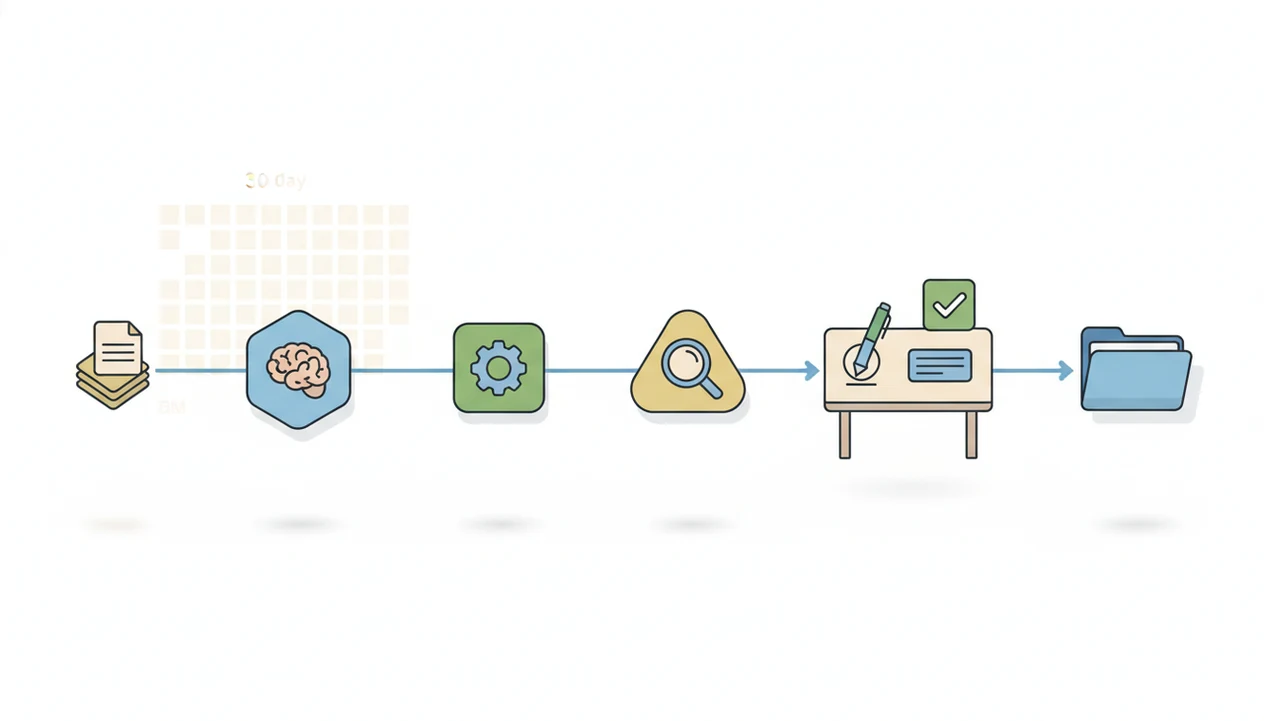
The AI agent workflow first month is usually a controlled rollout, not a leap into full automation. Expect to start with one repetitive workflow, add human review, debug prompts and connectors, then decide whether the agent is reliable enough to expand.
> Definition: An AI agent workflow first month is the first 30-day period when a person or small team tests AI agents on a narrow repeatable work process, with defined inputs, routing rules, review checkpoints, and success measures.
TL;DR
- Start with one constrained workflow such as document summarization, draft generation, intake routing, or review assistance.
- Human approval should stay in the loop during the first month, especially for customer, compliance, financial, or public-facing work.
- The main first-month work is measurement and iteration: fix prompts, clean inputs, adjust routing, and compare time saved against review time added.
AI Agent Workflow First Month Definition And 30-Day Reality
An AI agent workflow first month is the first operating period where a user tests whether an agent can support one real work process without creating new risk. It is a rollout phase, not a handoff to full autonomy.
The practical version is plain: pick a repeatable task, define inputs, route it, review outputs, and measure what changed. A team might drag a PDF into a document agent, wait for the page count to finish loading, then compare the summary against a human version before using it in a brief.
Tools like AIACI fit this stage when the job is routing real tasks to specialized agents rather than keeping everything in one chat thread. The timing makes sense. In a 2024 McKinsey survey, 65% of respondents said their organizations regularly used generative AI, up from 33% in 2023 source.
Five AI Agent Adoption Timeline Facts For Month One
Five facts matter more than tool choice during the first month with AI agents.
- One workflow beats many experiments. Choose a narrow, repetitive use case, such as intake tagging or weekly summary drafting.
- Setup happens before launch. Define goals, approved tools, permissions, source folders, and data access before the first live task.
- Human review stays active. Keep approvals in place, especially when outputs affect customers, contracts, invoices, or public claims.
- Debugging is normal. Expect prompt edits, connector failures, missing fields, and awkward handoffs during the first few weeks.
- Map before you expand. Sketch the workflow steps before increasing autonomy; the weekly workflow map on a whiteboard often exposes skipped decisions.
Caution is not irrational. A 2023 Pew Research Center survey found that 52% of U.S. adults were more concerned than excited about AI in daily life, while 10% were more excited than concerned source.
Small first. Then prove it.
AI Agent Workflow Rollout Mechanics Behind The Scenes
AI agent workflows work by turning an input into a routed sequence: classify the intent, choose the right agent or tool, generate a response, use connected systems if allowed, and return the output for review. The technical terms are intent classification and tool orchestration. In plain language, the system decides what kind of job it is, then sends it to the right helper.
A generic chatbot handles many tasks inside one conversation. A routed workflow separates the work. A support ticket may go to a summarizer, a policy question may go to a document agent, and a public reply may go to a writing agent with a review step. The deeper mechanics are covered in how AI agent routing works.
For comparison, ChatGPT, Claude, and Gemini are usually used as broad chat assistants, while Zapier and Make are closer to automation builders; a routed agent workflow sits between those patterns when it assigns different job types to specialized agents.
AIACI uses task routing across chat, writing, image, document, and detection agents. A good AI agent network platform routes tasks to specialized agents for chat, writing, image generation, document analysis, and detection with the web tools, not a promise that every business process can run unattended.
Before You Start: Requirements For A First-Month AI Agent Workflow
Before you run a first-month AI agent workflow, define ownership, access, measurement, and review rules. The goal is to know who can approve the work, what the agent may touch, and how failures will be recorded before the first live test.
- Assign one workflow owner who can approve outputs, handle exceptions, and decide when a task should stop instead of moving forward.
- Confirm the allowed inputs and systems by listing the files, folders, apps, and customer data the agent may use, plus anything it must not access.
- Write the baseline numbers first so the old process has a comparison point for turnaround time, revision load, error rate, and approval time.
- Define review rules for sensitive outputs including public posts, financial details, legal language, compliance claims, and customer-facing replies.
- Prepare a failure log for prompt mistakes, connector problems, missed fields, wrong routing, and anything a reviewer has to fix by hand.
This setup may feel slow, but it prevents a vague pilot from becoming a guessing exercise.
Six Steps To Use AI Agent Workflows In The First Month
Use the first month to build a measured workflow, not a pile of disconnected prompts. The steps below keep the rollout narrow enough to inspect.
- Pick one repeatable workflow with clear inputs and outputs, such as document summary to draft to manager review.
- Set success metrics before testing, including turnaround time, error rate, review time, and draft quality.
- Route tasks to the right specialized agent instead of using one general chat thread for every job.
- Review every output and log recurring failures, including missing sources, wrong tone, skipped fields, or weak escalation.
- Adjust prompts, source files, permissions, and handoff rules weekly so changes are deliberate, not random.
- Expand only after the workflow meets the agreed reliability threshold for quality, oversight, and repeatability.
For small teams, agent routing is often easier than one long prompt because each step has a clearer owner and review point.
Week-By-Week AI Workflow Rollout Plan For Small Teams
A first-month AI workflow rollout should look more like a pilot schedule than a software launch. Each week has a different job.
| Week | Main work | Practical example |
|---|---|---|
| Week 1 | Choose one use case, map the process, and define upload boundaries | Select customer research PDFs and decide which files can enter the workflow |
| Week 2 | Run test tasks and compare AI outputs with a human baseline | Use an AI document analysis agent to summarize three PDFs, then compare against a staff summary |
| Week 3 | Add routing, reviews, templates, and exception handling | Route summary points into a draft brief, then require manager approval before sharing |
| Week 4 | Measure results and decide whether to expand, pause, or redesign | Compare review time, missed details, and final draft quality against the baseline |
The messy work pile usually includes meeting notes, a half-written brief, screenshots, and a support ticket. That is exactly why boundaries matter. Without them, the agent gets blamed for a workflow nobody defined.
First Month With AI Agents: Common Myths And Corrections
First-month agent adoption fails when expectations outrun the review process. These four myths cause most early disappointment.
- “The agent becomes fully autonomous in 30 days.” Correction: month one should keep approvals, exception paths, and manual overrides in place.
- “The team should automate everything at once.” Correction: one narrow workflow gives cleaner evidence than ten scattered experiments.
- “No-code agent workflows do not need testing.” Correction: prompts, connectors, templates, and permissions still break in ordinary use.
- “Time savings appear immediately.” Correction: setup and review time may offset early gains until the workflow stabilizes.
A 2024 Stanford AI Index report found that private AI investment in the U.S. reached $67.2 billion in 2023 source. That context explains the rush, but investment does not equal instant reliability. The soft keyboard tapping cautious edits after a detector score appears is still part of the work.
AI Agent Workflow Measurement And Review Checkpoints
How do you know whether an AI agent workflow is working in the first month? Measure the old process first, then compare the agent workflow against that baseline.
A simple first-month threshold is: do not expand if review time increases, error severity rises, or the workflow lacks an accountable human owner.
Track the time a human spent before agent use. Then measure output accuracy, revision load, missed steps, escalation rate, and final approval time. If a draft saves 12 minutes but adds 15 minutes of checking, the workflow is not ready to expand.
Create a weekly review log with four columns: prompt changes, connector errors, approval decisions, and recurring output problems. A manager reviewing a polished paragraph still has to read the flagged sentence, not just accept the detector score.
Define pass, revise, or stop criteria before expansion. For business operations, a tool that can route AI tasks should be judged by reliability and review load, not novelty.
Limitations
AI agent workflow adoption has real first-month limits. Treat these as operating constraints, not edge cases.
- AI agents should not run unsupervised on high-stakes tasks in month one, especially for legal, financial, compliance, medical, or customer-facing decisions.
- Bad source data, vague instructions, and weak connectors can produce uneven outputs.
- Review time may offset early time savings, particularly during setup and debugging.
- Many products marketed as agents are workflow tools with AI features, not fully autonomous systems.
- Permissions, audit trails, and monitoring are necessary when agents touch business tools or shared folders.
- Specialized routing improves workflow fit, but it does not remove the need for human approval.
- Mobile-first use cases can add friction when files, logins, or approvals live across different apps.
AIACI, also referred to as ACI in some routing discussions, can help separate chat, writing, document, image, and detection work. But the same first-month rule applies: narrow scope first, expansion later.
FAQ
What is an AI agent workflow?
An AI agent workflow is a routed process where an agent helps handle steps such as drafting, sorting, summarizing, checking, or escalating work. It usually includes defined inputs, tool access, and a human review step.
How long does AI agent workflow adoption take?
Basic use can begin in a day, but dependable workflow adoption usually takes several weeks of testing and iteration. The first month is mainly for proving fit and fixing failures.
What should I automate first with an AI agent?
Start with one repetitive, low-risk, high-volume task that has clear inputs and reviewable outputs. Document summaries, intake classification, and first-draft generation are common starting points.
Do AI agents need human review in the first month?
Yes, human review is strongly recommended in the first month. It is especially important for customer, legal, financial, compliance, or public-facing work.
Can AI agents replace an entire workflow right away?
AI agents usually support, route, or accelerate workflows before replacing a whole process. Full replacement is risky until quality, permissions, monitoring, and exception handling are proven.
How do I measure whether an AI agent workflow is working?
Measure time saved, error rate, revision time, missed steps, escalation frequency, and user acceptance. Compare those results with the old workflow baseline.
When should I expand AI agents to more workflows?
Expand only after the first workflow meets clear reliability, quality, and oversight standards. Broader routing should still be gradual, with one new workflow added only after the previous one has a review log and owner.