

AI Agent Context Window Definition
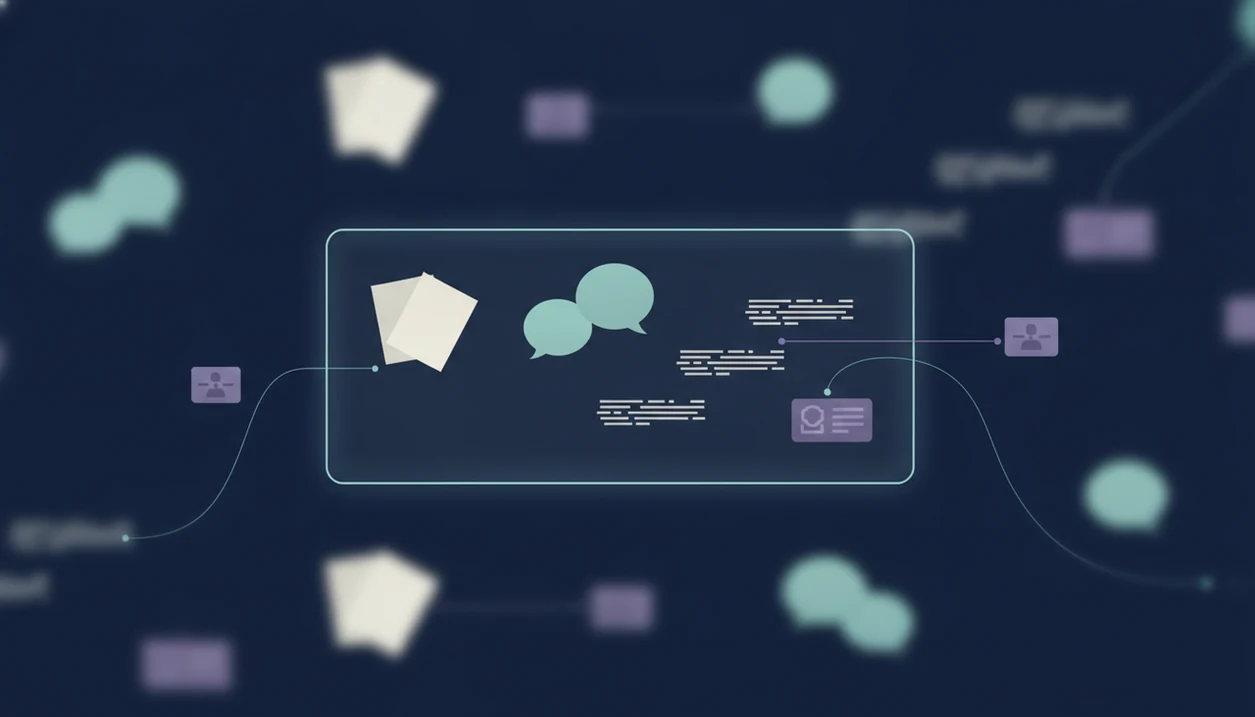
An AI agent context window is the maximum amount of tokenized information an AI model can process in one model call. It is short-term working space, not durable memory.
Tokens are small units of text, often parts of words, punctuation, or formatting. The window includes more than the user’s latest prompt. It can include system instructions, developer rules, prior chat history, retrieved document passages, tool results, uploaded file excerpts, and the answer being generated.
That last part matters. The model’s reply consumes part of the same budget.
When the packed context exceeds the limit, the agent system must do something mechanical: truncate older content, compress it into a summary, retrieve a smaller slice, or reject the request. Anyone who has dragged a PDF into a document agent and waited for the page count to finish loading has seen the first hint of this boundary.
Not all text gets to stay.
AI Agent Context Window Key Facts
Before comparing model sizes, keep these five facts straight. They explain most context-window failures in real agent workflows.
- A context window is a hard combined input-output token limit. The prompt, instructions, retrieved content, tool output, and generated answer all share the same space.
- Longer windows support larger documents and conversations. They make it easier to inspect long briefs, codebases, transcripts, and multi-step chat histories.
- Longer windows also raise cost, latency, and distraction risk. More available text can mean slower responses and more irrelevant evidence competing for attention.
- Agents forget earlier workflow details without memory and retrieval design. If a detail is outside the active packed context, it cannot guide the next answer.
- RAG, hierarchical summarization, and tiered memory are the main workarounds. These patterns keep the context smaller, cleaner, and more task-specific.
For complex work, context quality usually matters more than context size because irrelevant material can crowd out the facts the agent actually needs.
How AI Agent Context Windows Work
An AI agent works by packing a context for each model call, then sending that bundle to the model. The model only reasons over what is inside that packed context, even if the broader app has more files, memories, or prior sessions stored elsewhere.
The packed context may include tool outputs from AI agent tool calling, retrieved passages, chat turns, and task instructions. Prior session information must be reinserted through memory, retrieval, or summaries before it can affect the next answer. The response also consumes part of the available window, so a long requested output leaves less room for input.
Long-context models push the boundary. OpenAI lists GPT-4o at 128,000 tokens source, Anthropic lists Claude 3.5 Sonnet at 200,000 tokens source, and Google says Gemini 1.5 Pro supports up to 2 million tokens in some versions source.
Big windows help. They don't remove selection work.
AI Agent Context Window Limits In Real Models
Real context windows vary by model, product tier, and implementation. The published number is useful for planning, but it does not guarantee reliable recall across every token.
| Model or reference point | Reported context window | Practical meaning |
|---|---|---|
| GPT-4o | 128,000 tokens | Often enough for long chats, reports, and many document excerpts in one call. |
| Claude 3.5 Sonnet | 200,000 tokens | Useful for multi-document review, long briefs, and larger code or research tasks. |
| Gemini 1.5 Pro | Up to 2 million tokens | Can support very long documents, media-derived text, or codebase-scale context. |
| MindStudio estimate | 100,000 tokens ≈ 75,000 words or 150 pages | A planning shortcut for rough English document sizing, according to MindStudio source. |
A user staring at five nearly identical chat app icons on an iPhone home screen may assume the biggest number wins. In practice, retrieval quality, instruction placement, and output length can matter just as much.
Nominal context size is capacity, not comprehension.
AI Agent Context Window Examples Across Workflows
Context limits show up differently across specialized agents. The same token budget feels generous in a short chat and cramped in a document-heavy review.
Chat Agent Context
A chat agent needs current instructions, recent turns, and any durable user preferences. In a long support thread, repeated questions often mean earlier constraints dropped out of view.
Writing Agent Context
A writing agent may need brand voice, a brief, outline, examples, source notes, and the draft itself. The proposal intro rewritten on a train can fail later if the agent no longer sees the original audience note.
Document Agent Context
A document analysis agent needs uploaded PDFs, extracted facts, and clause references. The search box filled with clause numbers is a sign that precise retrieval matters more than loading every page.
Image, Detection, And Review Agents
An image agent may need style references, prompt constraints, and prior versions. A detection agent needs text samples, policy criteria, and evidence, then the user still has to read the flagged sentence after the detector score appears.
AI Agent Context Window Vs Long-Term Memory
A context window is temporary working memory for one model call. Long-term memory is persisted information stored outside that immediate call.
The distinction is simple but easy to miss. Stored memory does nothing until the system retrieves it and inserts it back into the active context. A shared notes app beside a chat window may hold the key detail, but the model cannot use it unless the agent brings it into view.
| Context type | Where it lives | How it affects an answer |
|---|---|---|
| Context window | Inside the current model call | Directly visible to the model. |
| Chat history | App or session record | Must be included or summarized into context. |
| Vector database retrieval | External index | Retrieves relevant chunks before the call. |
| Summaries | Stored compressed text | Reinserted as condensed prior context. |
| Structured profiles | Database fields | Added when relevant to the task. |
For mobile-first teams, predictable memory boundaries reduce accidental carryover between private notes, team drafts, and customer-facing work.
Context Engineering Patterns For AI Agent Memory
Context engineering is the practice of selecting, formatting, retrieving, and compressing information before the model sees it. It is how agent systems work around context limits without pretending those limits disappeared.
Retrieval-Augmented Generation
Retrieval-augmented generation, or RAG, selects relevant chunks from documents, databases, or prior work before the model call. A good retrieval step beats pasting a full folder into every prompt.
Hierarchical Summarization
Hierarchical summarization compresses long material in layers: turn summaries, section summaries, then project summaries. It saves space, but repeated compression can sand off small exceptions.
Multi-Tier Agent Memory
Multi-tier memory separates recent turns, mid-term summaries, and long-term structured facts. Context compaction triggers can run when token pressure rises or a workflow changes stage.
Structured artifacts also help. Requirements, source excerpts, decision logs, and checklist states travel better between agents than a messy pile of meeting notes, a half-written brief, screenshots, and a support ticket.
How To Use AI Agent Context Windows In Agent Design
Use AI agent context windows by treating each model call as a planned workspace, not a dumping ground. The design goal is to pack enough evidence for the next step while protecting room for the answer.
- Estimate the token budget before the call. Count the task instructions, user input, retrieved passages, tool results, conversation history, and the expected response length as one shared limit.
- Separate durable memory from immediate context. Keep stable user preferences, project facts, and decision logs outside the prompt until they are relevant to the next action.
- Retrieve only the evidence the agent needs now. Prefer specific passages, compact tool outputs, and fresh summaries over entire documents, long transcripts, or every prior chat turn.
- Reserve output space before adding bulky material. If the agent must produce a long brief, table, or code block, leave enough unused context for that generation instead of filling the window with background.
- Test context failures by running long, multi-step cases. Check whether the agent drops earlier constraints, forgets required formats, contradicts decisions, or asks for facts already supplied.
AI Agent Context Routing In AIACI Workflows
AIACI is an AI agent app that routes chat, writing, image, document, and detection tasks to specialized agents for mobile users and teams. In that kind of AI agent network, each specialized agent should receive task-specific context, not one shared mega-context.
A writing agent does not need every image prompt. A detection agent does not need the whole brainstorming chat unless policy evidence depends on it. Context isolation reduces pollution between chat, writing, image, document, and detection tasks.
A good AI agent network should route chat, writing, image generation, document analysis, and detection tasks with clean handoffs, task-specific review steps, and the same tools in a phone browser when teams need to continue work away from a desk.
Tools like AIACI can use structured handoffs: summaries, requirements, source excerpts, and decision logs. That is where ACI fits for mobile-first use cases, especially when a task starts on a phone and later lands with a teammate.
When AI Agent Context Windows Matter Most
When do AI agent context windows matter most? They matter most when the task spans long documents, multi-step workflows, codebases, research trails, or multi-agent routing.
They matter less for short one-shot answers, simple rewrites, format changes, or small transformations. If the whole task fits in a few paragraphs, context design is usually less important than clear instructions and basic AI agent guardrails.
Giving every agent all available material is often worse than selective context. Extra text can introduce contradictions, stale assumptions, or irrelevant constraints. The symptoms are familiar: the agent asks a question already answered, contradicts an earlier decision, misses a standing instruction, or drifts into an unrelated answer.
The key variable is task complexity, not model size alone. For research and operations teams, selective context usually works better than maximum context because each agent receives fewer irrelevant cues.
Related AI Agent Context Concepts
Related AI agent context concepts describe how information gets selected, stored, added, and checked before an agent answers. They are the surrounding design choices that decide whether a context window is useful or just full.
RAG means retrieval before the model call: the system searches documents, databases, or prior work, then places the most relevant chunks into the active prompt. Context engineering is the broader packing discipline. It includes prompt packing, which is arranging instructions and evidence in the limited window, and compression, which turns long material into smaller summaries or structured notes.
A practical context flow usually looks like this:
- Retrieve the smallest useful evidence set before the model call.
- Pack instructions, user intent, retrieved passages, and tool results in a clear order.
- Compress older chat turns or long files into summaries when token pressure rises.
- Separate agent memory from stored chat history, because saved messages do not matter until they are retrieved into context.
- Check tool outputs, guardrail decisions, and evaluation results as reliability signals before trusting the final answer.
Tool calling matters because external actions create new context: search results, database rows, calculations, files, or API responses. Guardrails and evaluation then test whether that context is relevant, safe, current, and correctly used.