

Best AI Email Writers and Generators in 2026
Quick answer: FlyMail is the best AI email generator for most people because it writes new messages and replies in 18 languages, has clear tone controls, and works with any email service. Gmail Help me write is better if you live in Gmail. Choose Spark Mail when you want AI writing inside a full multi-account email client.
It's 8:12 a.m. A client wants an update, your manager is waiting for a reply, and the cursor is blinking in an empty message. An AI email writer can turn your notes into a draft, but the apps differ sharply in price, inbox access, and control.
Some tools work inside Gmail or Outlook. Others generate text that you copy into any email app. That distinction will probably decide which download makes sense for you.
Every AI email needs a final human check. Verify recipients, dates, attachments, promises, and any details the generator might have invented.
Comparison at a glance
| App | Best for | Platforms | Free version | Price | Standout |
|---|---|---|---|---|---|
| FlyMail | Best overall | iPhone, iPad, Android, and web | Web tool has 3 generations per day; app limits may differ | $5.99 weekly, $49.99 yearly, or $99.99 lifetime, checked October 2026 | Drafts and replies in 18 languages |
| Gmail Help me write | Existing Gmail users | Inside Gmail; availability varies by account | Exact personal-account allowance is unknown | Check the eligible Google plan, October 2026 | Writes and revises messages inside Gmail |
| Microsoft Copilot in Outlook | Microsoft 365 users | Outlook on iPhone and iPad; other availability depends on account | Outlook is free; Copilot needs an eligible subscription or business account | Microsoft 365 iOS purchases include $9.99 Personal and $12.99 Family, checked October 2026 | Drafting, coaching, and thread summaries |
| EmailAI | Free browser use | Web | Free web tools with no account required; exact limits are not stated | Free access stated on the site, checked October 2026 | 13 tools for drafts, replies, outreach, and subject lines |
| Grammarly | Editing across apps | iPhone and iPad | Free download; check the listing for current AI limits | Mobile plans from $17.99 monthly or $83.99 yearly, checked October 2026 | Keyboard edits email inside other apps |
| Spark Mail | Multiple email accounts | iPhone and iPad | Free plan exists; the exact AI quota is unknown | Premium from $7.99 monthly or $59.99 yearly, checked October 2026 | Unified inbox with AI summaries and replies |
| Superhuman Mail | High-volume teams | iPhone and iPad with Gmail or Outlook accounts | Free download; current plan terms require a listing check | Reported from $30 monthly; check the current listing, October 2026 | Draft replies based on writing style |
| ChatGPT | Flexible one-off drafts | iPhone and iPad; copy text into any email client | Free tier available; current message limit is unknown | $8 monthly for Go or $19.99 monthly for Plus, checked October 2026 | Handles detailed prompts and repeated revisions |
Prices and ratings from the US App Store and Google Play, checked October 2026. Store prices change; the listing is the final word.
How we picked
We read the US App Store listings, the supplied Google Play listing, developer sites, plan details, and official help documents in October 2026. We didn't run timed tests or invent inbox scenarios.
The order favors useful drafting controls, support for replies, platform reach, transparent prices, and how easily you can review the result before sending. Built-in Gmail and Outlook tools rank well for integration, while separate apps gain points when they work across email providers.
- The writer must create or revise a complete email.
- Tone and length controls should be easy to find.
- Pricing and free limits should be stated when verified.
- Platform and inbox compatibility must fit the intended buyer.
- Generated text must remain editable before sending.

FlyMail

FlyMail is a dedicated AI email generator for writing new messages and replies. You can type or speak a request, choose a tone such as professional, friendly, formal, direct, or casual, and refine the result through chat. It also creates subject lines and generates email in 18 languages.
That focus helps when you need a payment reminder in Gmail now and a job follow-up in Outlook later. FlyMail doesn't force you to change email providers: generate the text, review it, and copy it into your preferred client. The App Store version needs iOS 18.0 or later.
The US App Store showed 4.76 stars from 55 ratings in October 2026, a much smaller sample than Grammarly, Outlook, or ChatGPT. I still put FlyMail first because its 18-language generation, reply workflow, voice input, explicit tone choices, and lifetime purchase cover the core AI email writing decisions without tying you to one inbox. AI can invent plausible details, so check every draft.
- Works with any email service through copy and paste
- Weekly, yearly, and lifetime purchase choices
- Generated drafts can contain invented details and still require review
- Price
- $5.99 weekly, $49.99 yearly, or $99.99 lifetime as of October 2026.
- Platforms
- iPhone, iPad, Android, and web.
Pick FlyMail if you want a focused AI email assistant that works across inboxes and supports 18 languages.
FlyMail AI email generator for iPhoneFlyMail email writer for AndroidFlyMail listing on AIACI
Gmail Help me write (Gemini)
Gmail Help me write is Google's built-in drafting and revision tool for Gmail. It can start a message from a prompt, revise existing text, adjust tone, summarize threads, and suggest replies. The main advantage is location: you stay in the message window instead of moving text between apps.
That makes Gmail Help me write better than FlyMail for someone who uses Gmail exclusively and wants thread context close at hand. A reply to a long vendor chain is easier when the AI sits beside that chain. Google's Help me write support page is the place to check account requirements and current controls.
Access is the hard part to compare. Available sources did not confirm one universal free allowance, device list, or price for every personal and business account in October 2026. Some capabilities may depend on an eligible Google plan, region, or Workspace setup, so check your own Gmail account before paying. Gmail Help me write also has less appeal if your week is split across Gmail, Apple Mail, and Outlook. For committed Gmail users, though, built-in composition is a real win and may outweigh a separate app's broader compatibility.
- Drafts and revises email inside Gmail
- Can use nearby thread context for summaries and replies
- Free limits, device coverage, and account eligibility vary
- Price
- Check the eligible Google plan; exact universal pricing was not verified in October 2026.
- Platforms
- Inside Gmail, with availability depending on account and device.
Pick Gmail Help me write if Gmail is your main inbox and built-in drafting is more useful than cross-client support.

Microsoft Copilot in Outlook

Microsoft Copilot in Outlook adds AI drafting, rewriting, message coaching, and thread summaries to Microsoft's email client. It fits organizations already using Outlook calendars, Exchange accounts, and Microsoft 365 policies. You can begin with a short instruction, then review the proposed email before sending.
Outlook itself supports Outlook.com, Microsoft 365, Gmail, Yahoo, and iCloud accounts. The Outlook App Store listing had 4.79 stars from 9,341,152 ratings in October 2026; it requires iOS 26.0 or later and supports iPad. That newer operating-system requirement could rule out an older phone.
Copilot is better than FlyMail when your work already happens inside Microsoft 365 and thread summaries are as useful as drafting. FlyMail is easier to price as a standalone writer. Microsoft's listing says Copilot capabilities require Microsoft 365 Personal or Family, or a business account with Copilot enabled, but it doesn't assign every AI capability to a single consumer purchase. Listed iOS purchases include Microsoft 365 Personal at $9.99 and Family at $12.99. Check the account screen before subscribing, especially if an employer controls your license.
- Built into Outlook with thread summaries
- Coaching checks tone and wording before sending
- Copilot requires an eligible subscription or enabled business account
- Price
- Outlook is free; listed Microsoft 365 purchases include $9.99 Personal and $12.99 Family as of October 2026.
- Platforms
- Verified on iPhone and iPad; iOS 26.0 or later is required.
Pick Microsoft Copilot in Outlook if your company already pays for Microsoft 365 and Outlook is your daily inbox.
EmailAI
EmailAI is a browser-based AI email writer with 13 specialized tools. It covers complete drafts, replies, follow-ups, cold outreach, subject lines, and editing. The site says no account is needed, which cuts out registration when you only want help with one message.
The generator accepts up to 5,000 characters and has controls for common situations such as formal messages, friendly replies, urgent requests, and follow-ups. It doesn't access your inbox or send email. You supply the context, generate text, check it, and move it to Gmail, Outlook, Apple Mail, or another client. That separation is useful if you don't want to connect an inbox.
EmailAI's niche is occasional free use on the web. It beats the downloadable apps when installation and account creation feel excessive, though it gives up built-in thread context, mobile keyboard access, inbox organization, and automatic scheduling. The site describes the tool as free, but a firm daily or monthly generation limit was not available, so heavy users should check the page before relying on it.
- No account required for the web generator
- Separate tools for replies, outreach, and subject lines
- No inbox integration, automatic sending, or verified usage allowance
- Price
- Free access stated on the site; exact limits were not stated in October 2026.
- Platforms
- Web browser.
Pick EmailAI if you want a free AI email generator for occasional browser use without creating an account.

Grammarly
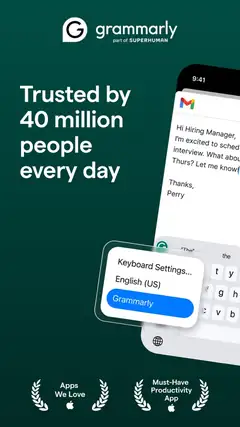
Grammarly is an AI writing keyboard and editor that works inside other iPhone and iPad apps. For email, its strength is revision: it checks grammar and concision, detects tone, rewrites full messages, and can change length or fluency. You don't need to begin in a separate email generator.
The Grammarly App Store listing showed 4.66 stars from 226,923 ratings in October 2026. The keyboard supports typing in six languages, while generative rewrites cover more than 20 according to the listing. Voice dictation also removes filler words and cleans up grammar before you edit.
Grammarly is better than FlyMail when you already wrote the email and want line-by-line help across several apps. FlyMail is more direct when you have a one-sentence idea and need a complete message with a subject line. The free download has basic writing help, but the supplied listing doesn't give a firm current AI quota. Several paid choices appear as in-app purchases, including a $17.99 mobile-only monthly plan and an $83.99 mobile-only annual plan. Read the renewal screen because other monthly, quarterly, and annual tiers are also listed.
- Keyboard works inside email and other writing apps
- Strong grammar, tone, and full-message rewriting tools
- Current free AI allowance is not specified in the supplied listing
- Price
- Mobile-only plans list $17.99 monthly or $83.99 yearly as of October 2026.
- Platforms
- iPhone and iPad; requires iOS 17.4 or later.
Pick Grammarly if editing and tone correction across apps are more useful to you than a dedicated email generator.

Spark Mail
Spark Mail is a complete email client with an optional AI assistant. It combines Gmail, Outlook, iCloud, Yahoo, AOL, and IMAP accounts in one inbox, then adds AI drafting, replies, thread summaries, rephrasing, and translation. That's a broader job than a standalone AI email writer.
The Spark Mail App Store listing had 4.62 stars from 82,699 ratings in October 2026. Spark also groups messages, screens new senders, schedules email, and connects with outside work apps. Teams can co-write messages and discuss them in private comments on applicable plans.
Choose Spark over FlyMail when the real problem is inbox management across several accounts. FlyMail has simpler standalone pricing and doesn't ask you to move your accounts into a different client. Spark's free plan exists, but the exact AI quota wasn't confirmed in the supplied information. Paid options are also layered: Premium purchases include $7.99 monthly and $59.99 yearly, while Plus and Pro listings reach $99 and $199 per year. Check which level contains the AI and team functions you expect before subscribing.
- Combines several email providers in one inbox
- AI works beside scheduling and inbox organization
- The exact free AI quota and plan boundaries are unclear
- Price
- Premium lists $7.99 monthly or $59.99 yearly; higher tiers cost more as of October 2026.
- Platforms
- Verified on iPhone and iPad; requires iOS 16.4 or later.
Pick Spark Mail if you want one client for several inboxes with AI writing and organization.

Superhuman

Superhuman Mail is a Gmail and Outlook client aimed at people who process a large volume of email. Its AI can create drafts, prepare suggested replies, summarize conversations in one line, and write from voice input. Snippets and automatic follow-up reminders handle repeated work around those drafts.
The Superhuman Mail App Store listing showed 4.6 stars from 3,711 ratings in October 2026. The app can separate incoming mail into custom groups, share a live email view with teammates, and connect customer records from HubSpot or Salesforce. Its style-based draft replies are the biggest reason to choose it over a basic email generator.
Superhuman is stronger than FlyMail for team collaboration and inbox automation. FlyMail costs less, has a lifetime option, and works without replacing your email client. Pricing is the catch: available research reported Mail Starter at $30 monthly or $25 per month with annual billing, but the App Store listing showed no in-app purchase details. Check the current signup page before committing. The iPhone app also requires iOS 26.0 or later, so older devices are out.
- Style-aware draft replies for Gmail and Outlook
- Team comments, shared views, and CRM connections
- High reported price and an iOS 26.0 requirement
- Price
- Reported from $30 monthly; verify current pricing before subscribing in October 2026.
- Platforms
- iPhone and iPad with Gmail or Outlook accounts.
Pick Superhuman Mail if email volume, team comments, and automated follow-ups justify a higher monthly cost.

ChatGPT

ChatGPT is a general AI assistant that can draft, rewrite, shorten, translate, or critique email text. Its strength is conversation. You can explain a tense client situation, paste your rough response, ask for a less defensive version, and continue revising until the wording fits.
The ChatGPT App Store listing had 4.83 stars from 11,531,604 ratings in October 2026. It supports voice conversations and file or photo uploads, though those tools extend well beyond email. The listing has 60 languages and requires iOS 18.0 or later.
ChatGPT is better than FlyMail for complex one-off prompts and tasks that mix email with research, planning, or document analysis. FlyMail is faster to set up for a standard draft because its tone and email controls are already on screen. ChatGPT usually relies on copying text into your email client; it doesn't provide Spark's inbox management or Outlook's built-in thread workflow. A free tier exists, but its current usage allowance is unknown. Listed purchases include ChatGPT Go at $8 monthly and Plus at $19.99 monthly.
- Handles detailed context and repeated revisions
- Useful for email plus broader writing tasks
- Usually requires copying the final draft into an email client
- Price
- Free tier available; Go is $8 monthly and Plus is $19.99 monthly as of October 2026.
- Platforms
- iPhone and iPad; generated text works with any email client.
Pick ChatGPT if you want a general assistant for detailed email prompts and other writing work.
FlyMail vs Gmail Help me write
FlyMail and Gmail Help me write solve the same blank-page problem in different places. FlyMail is a separate generator for several email services; Google's tool stays inside Gmail.
| Point | FlyMail | Rival |
|---|---|---|
| Inbox support | FlyMail drafts text for any email client | Gmail Help me write works inside Gmail |
| Replies | Paste the received message and generate a reply | Uses the Gmail message and thread in place |
| Language support | FlyMail states support for 18 generation languages | Check Google's help page for current language availability |
| Pricing | $5.99 weekly, $49.99 yearly, or $99.99 lifetime | Depends on Google account and eligible plan |
| Mobile requirements | iOS 18.0 or later, plus Android and web access | Availability varies across Gmail accounts and devices |
Gmail wins on integration. If every message already lives there, generating a reply beside the thread removes a copy-and-paste step and can preserve more immediate context.
FlyMail wins on provider choice and transparent standalone pricing. I'd choose FlyMail for mixed Gmail and Outlook use, multilingual drafting, or anyone who wants a lifetime purchase instead of another account-based AI plan.
What to check before downloading an AI email writer
Where you write email
Start with your inbox. Gmail Help me write and Outlook Copilot have the best placement for their own services, while Spark and Superhuman replace your usual client. FlyMail, EmailAI, and ChatGPT generate portable text. A separate generator takes an extra copy step, but it also works when your personal mail is in Gmail and your employer requires Outlook.
Control over the draft
Look for controls that match your real work: tone, length, language, recipient type, and reply context. A generic prompt often produces generic email. FlyMail exposes email-specific choices, Grammarly concentrates on revision, and ChatGPT accepts long conversational instructions. Whichever app you choose, include the goal, recipient, deadline, facts, and desired next action.
Privacy and inbox access
Decide whether the app needs your inbox. A copy-and-paste generator can work without connecting an email account, while a full client needs broader access to organize and summarize messages. Read current retention, sharing, training, and deletion terms before pasting confidential business information, health details, passwords, authentication codes, or private customer data.
The full subscription cost
Free download doesn't mean unlimited AI writing. Check the generation allowance, trial conversion date, renewal period, and which tier includes the function you want. Weekly plans become expensive over a year. A monthly plan can make sense for a job search, while FlyMail's lifetime purchase may fit someone who expects to use an email generator for several years.
Frequently asked questions
How do I choose an AI email writer?
Start with where you write email and decide whether you want drafting inside your inbox or portable text you copy into any client. Compare tone, length, language, reply context, platform support, free limits, and total subscription cost.
Should I use a free or paid AI email writer?
EmailAI offers free web tools with no account, but its exact usage limit was not stated. Before paying, check the generation allowance, trial conversion date, renewal period, and which tier includes the features you want.
How accurate are AI email writers?
AI email writers can produce plausible but invented details, so every draft needs a human review. Verify recipients, dates, attachments, promises, facts, and the requested next action before sending.
Do AI email writers work offline, and are they private?
The guide does not confirm offline use for any pick, and privacy terms vary by service. A copy-and-paste generator can avoid inbox access, but review retention, sharing, training, and deletion terms before entering confidential information.
Are AI email writers better on Android or iPhone?
The guide verifies more dedicated choices on iPhone and iPad, while FlyMail is the only pick with a stated Android app. EmailAI runs in a web browser, so it does not require an iPhone app.
Which AI email writer is best for Gmail, Outlook, or multiple inboxes?
Choose Gmail Help me write (Gemini) if Gmail is your main inbox, or Microsoft Copilot in Outlook if your organization uses Microsoft 365. Spark Mail fits people who want Gmail, Outlook, iCloud, Yahoo, AOL, and IMAP accounts in one client.
How does an AI email writer work?
You provide notes, context, or an existing message, and the tool creates or revises a draft based on your instructions. Some tools work inside an inbox, while others produce editable text that you copy into your email client.
The best AI email generator for most people
FlyMail is the best pick for most readers because it combines complete drafts, reply generation, voice input, 18 languages, and a lifetime purchase without locking you into Gmail or Outlook.